An email queue became a self-serve console

When a company buys an ARC Campus membership for its people, it gets more than a membership: seats for employees, conference passes, exam attempts and, since 2026, training credits. Someone at that company has to decide who gets what. Until this console existed, that person couldn't decide anything. A new hire, a pass, an exam, each one was an email to ARC's member services team, who did it manually while the company waited. I designed the Admin Console so they could do it themselves, from one dashboard, with the same pattern for the roster, passes, certifications and training.

Team
Xerxes Global
Role
Lead Product Designer
Timeline
2025 to now
Admin dashboard

Dashboard

The dashboard holds every pool the company has bought and what is left of each. When a pool runs out, its card says so and offers a way to buy more.
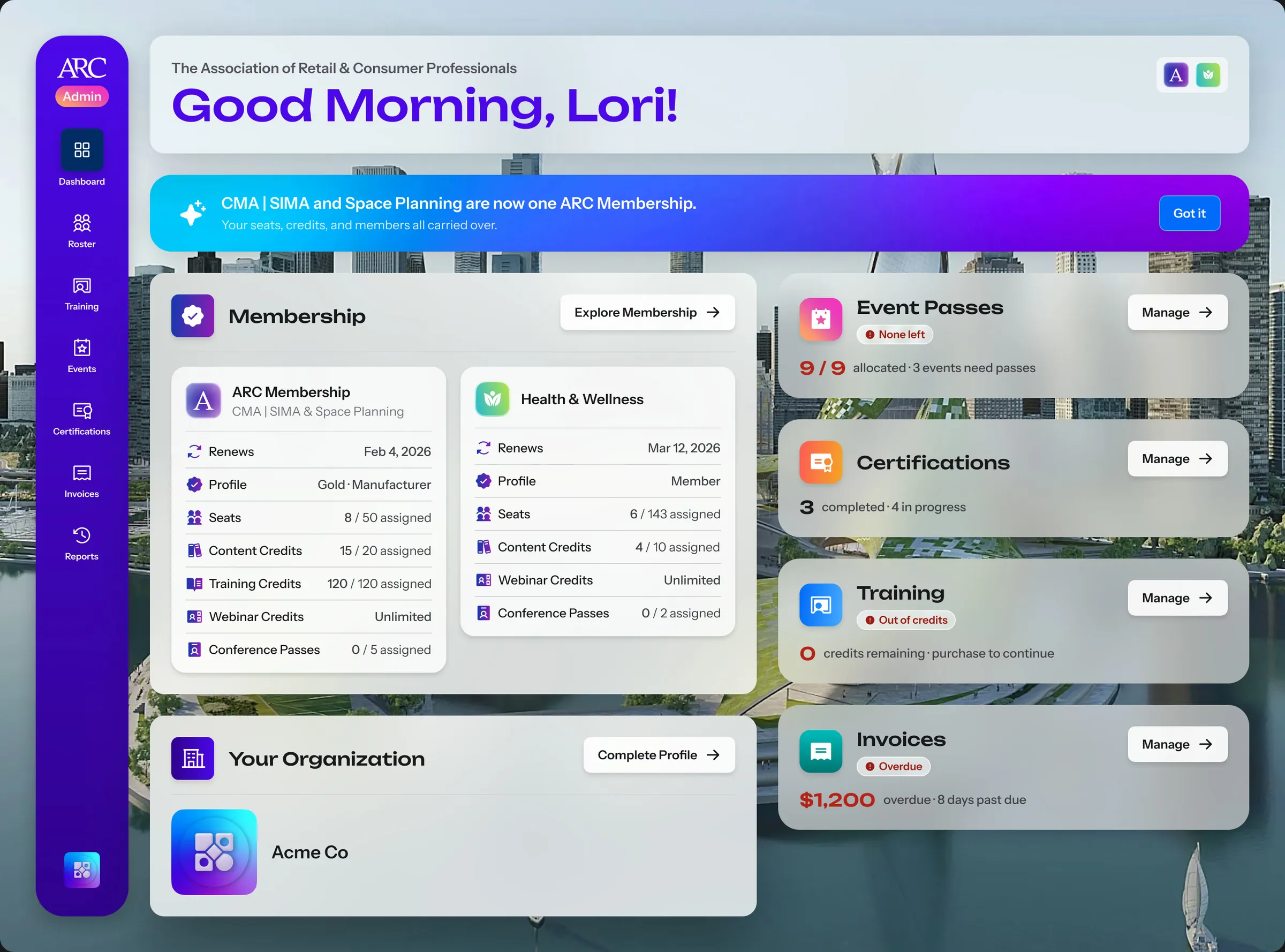
The Admin Console dashboard with the membership's seats and credits, and module cards for event passes marked None left, training marked Out of credits and an overdue invoice, each with a Manage button
When a pool runs out, its card says so and offers a way to act
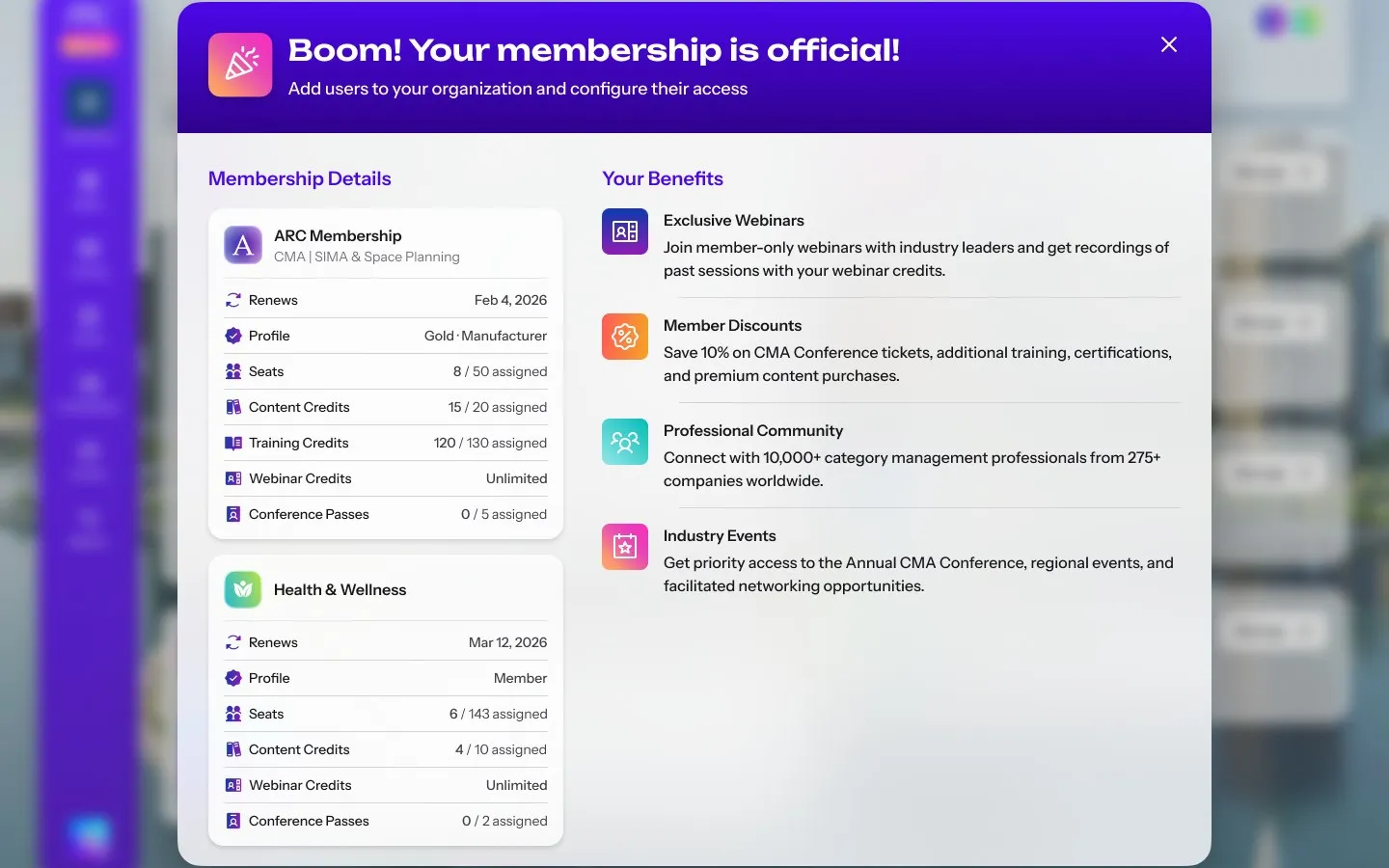
  • A dialog headed Boom! Your membership is official, listing each membership's renewal date, seats, content, training and webinar credits and conference passes beside the benefits it brings

    Welcome

Roster

Seats used to be filled by member services, one email per new hire. An admin now invites colleagues from the roster, one at a time or from a file, and gives each a role in every community the company belongs to.
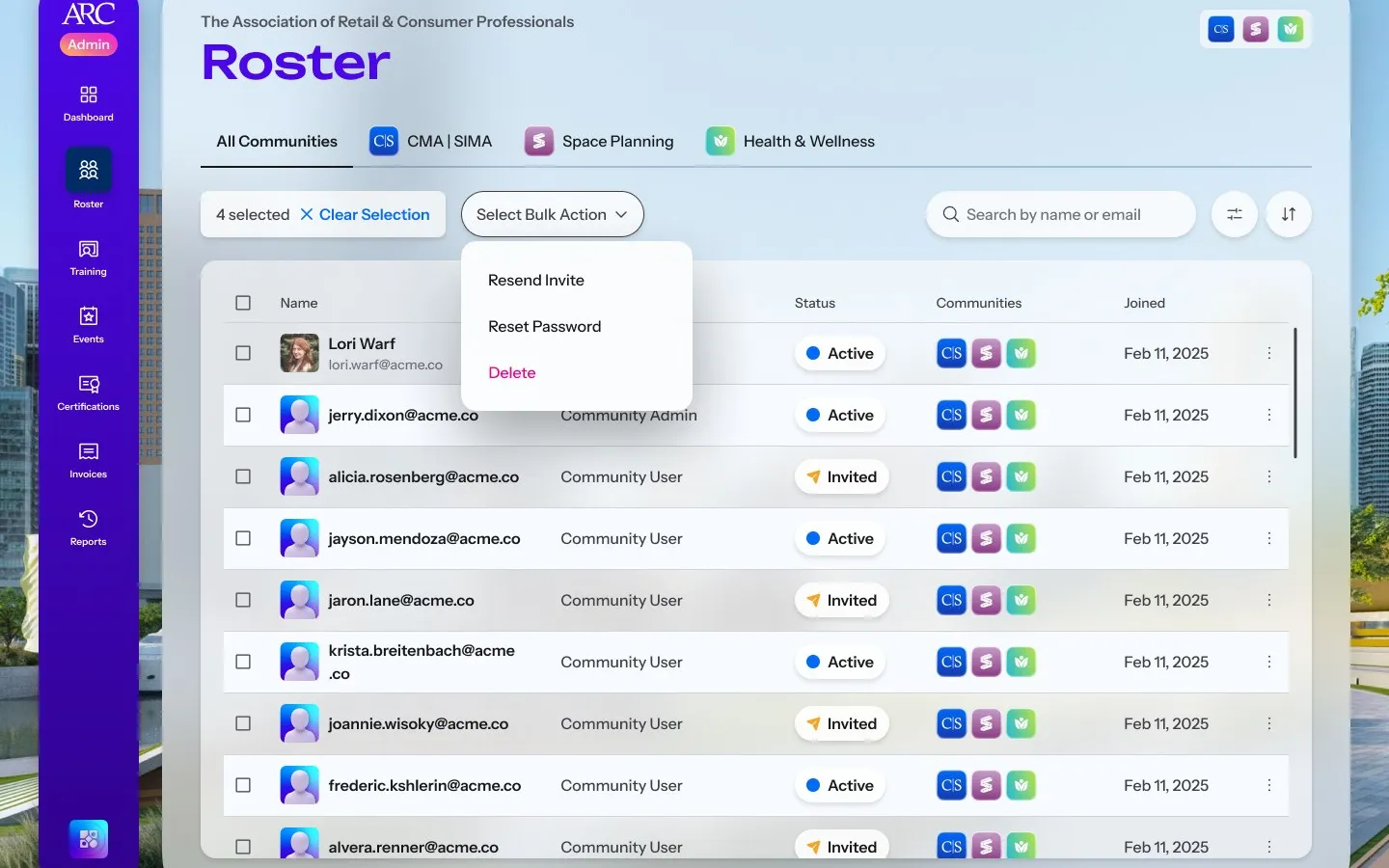
The Roster across all communities, with four colleagues selected and a bulk action menu offering Resend Invite, Reset Password and Delete, above a table of names, roles, statuses, communities and join dates
The company's people, with their roles, status and communities
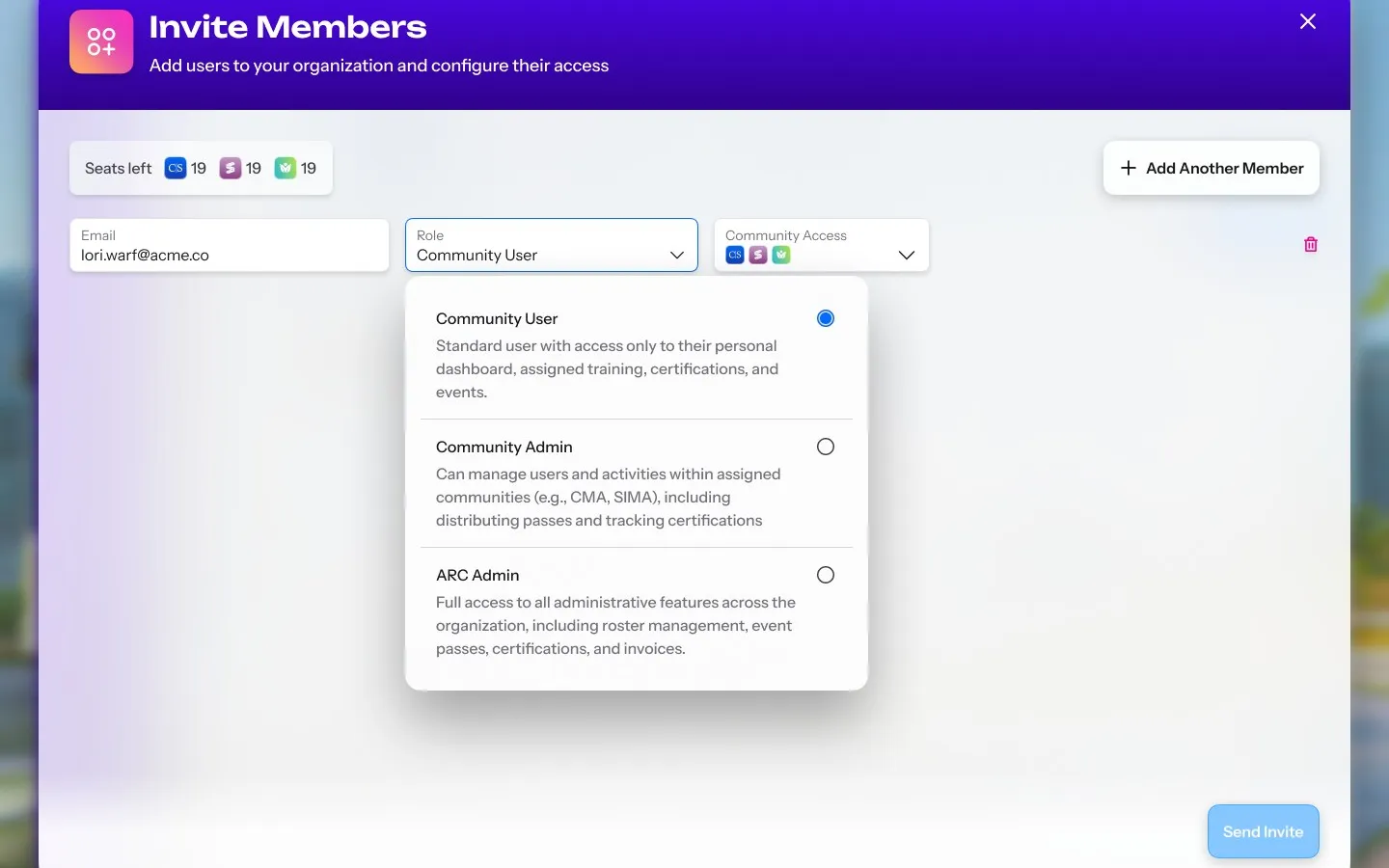
  • The Invite Members dialog with the seats left in each community, an email, and the role menu open on Community User, Community Admin and ARC Admin, each explained

    Invite

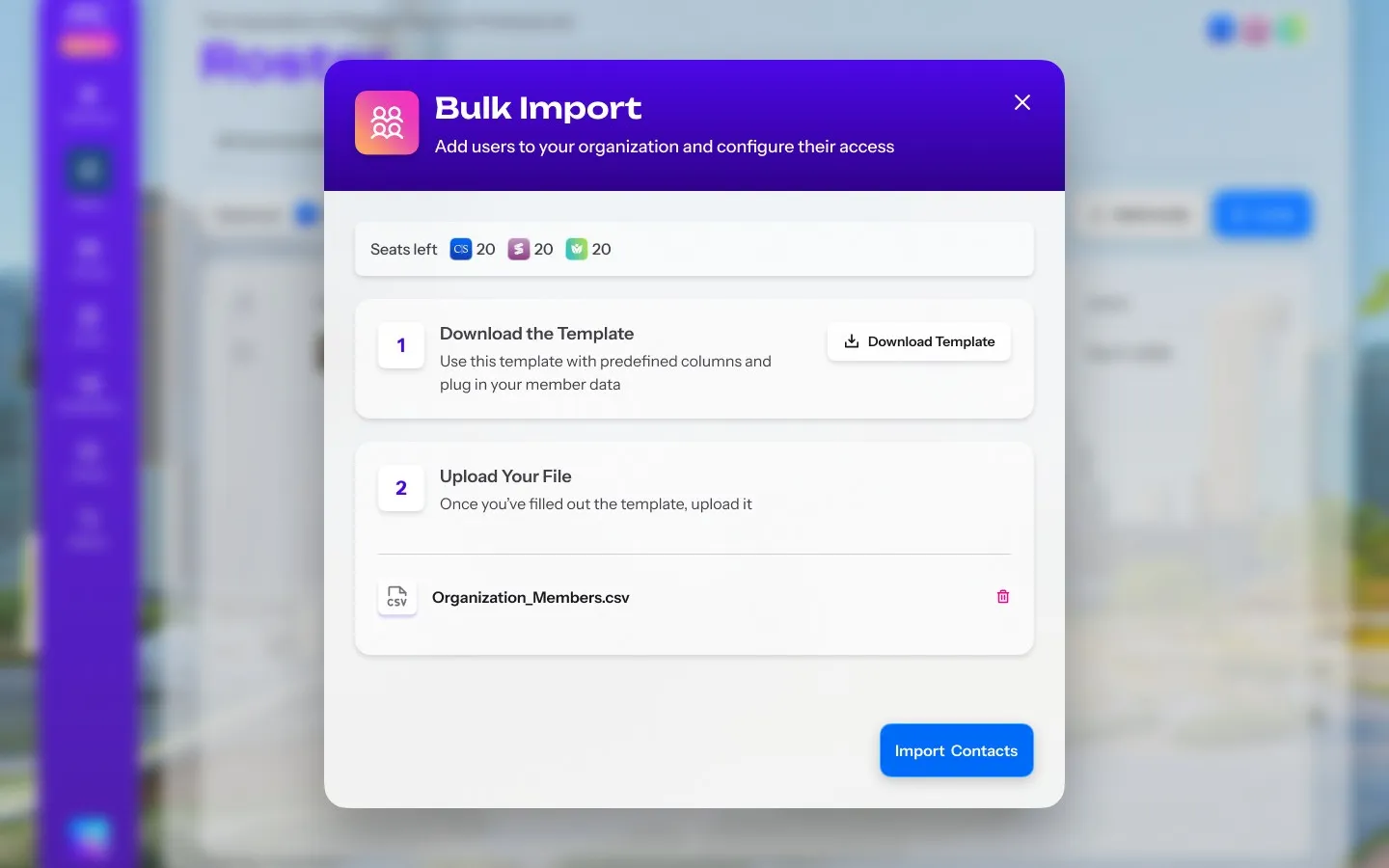
  • The Bulk Import dialog: download the template, then upload the filled file, here Organization_Members.csv, with the seats left in each community at the top

    Bulk import

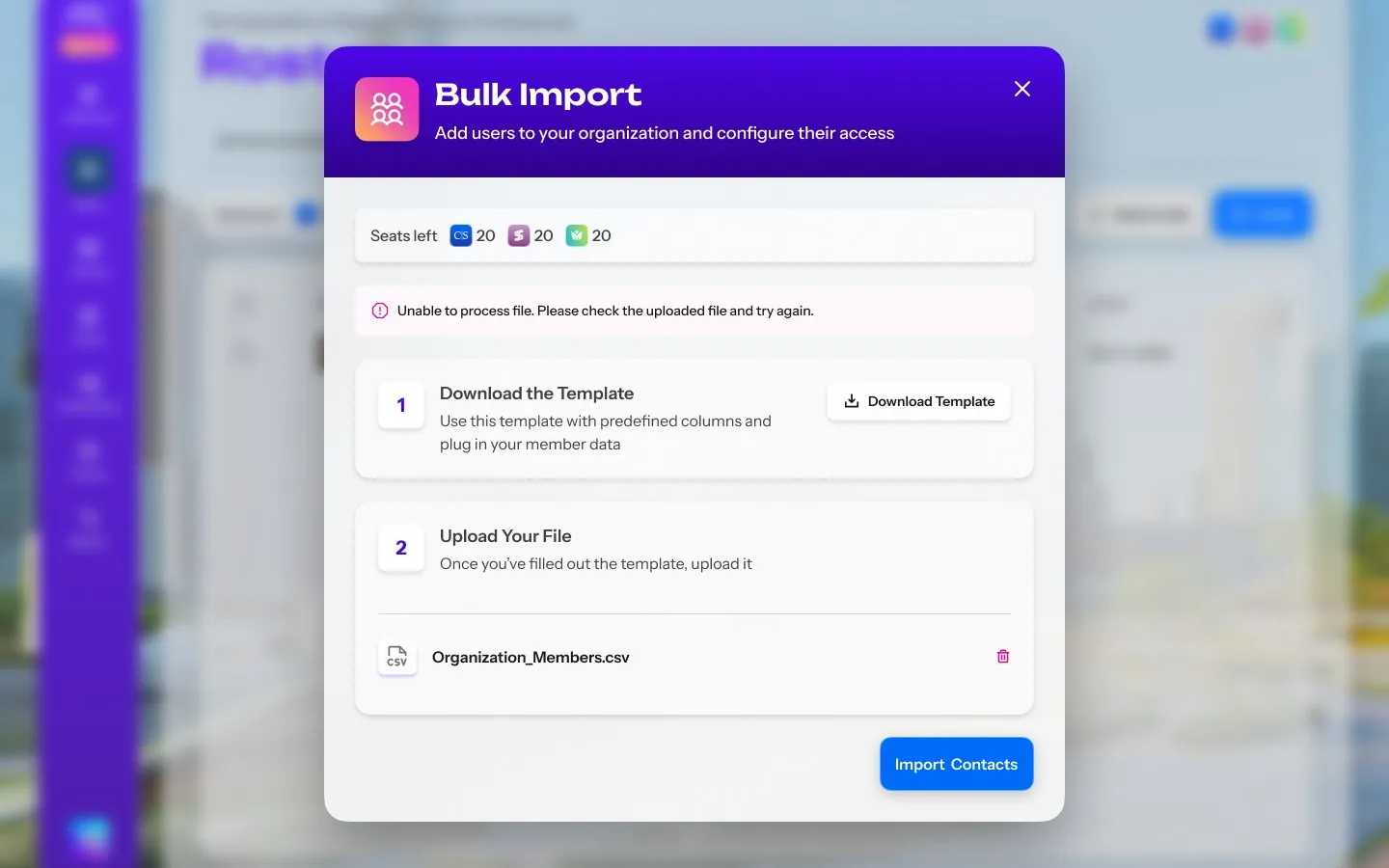
  • The Bulk Import dialog showing an error that the uploaded file could not be processed and asking for it to be checked and uploaded again

    Import error

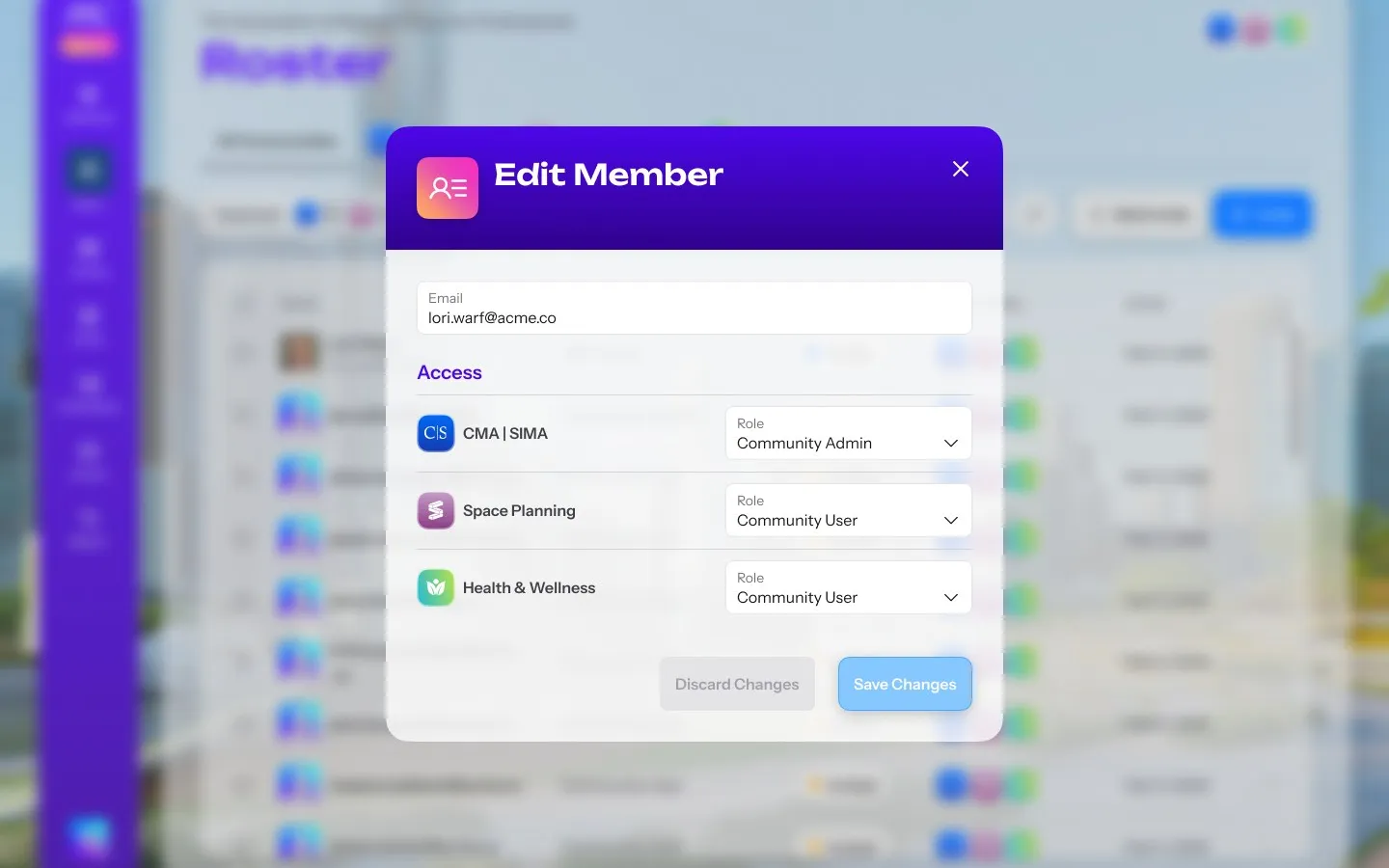
  • The Edit Member dialog with the member's email and a role for each community, Community Admin for one and Community User for the other two

    Edit

Event passes

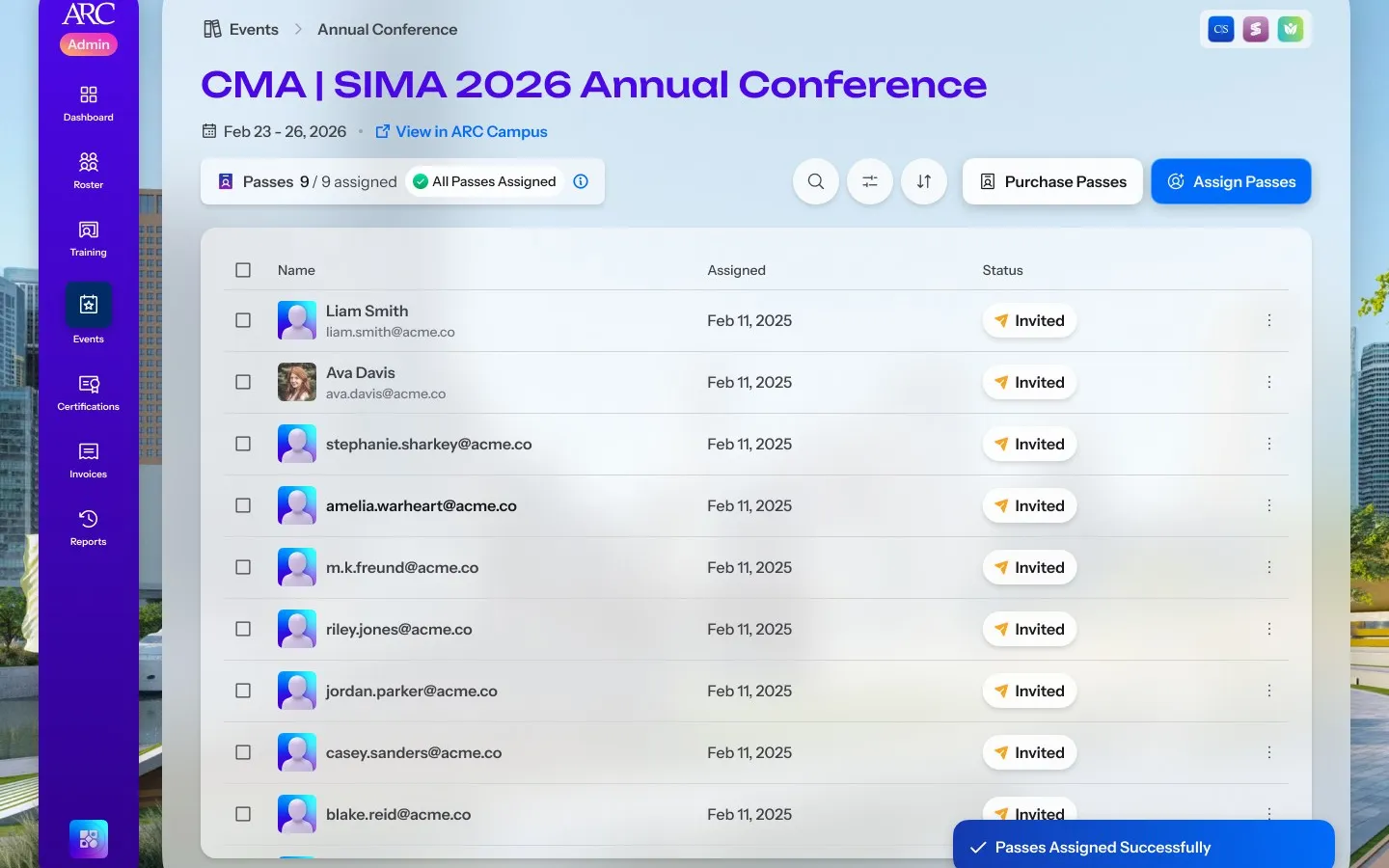
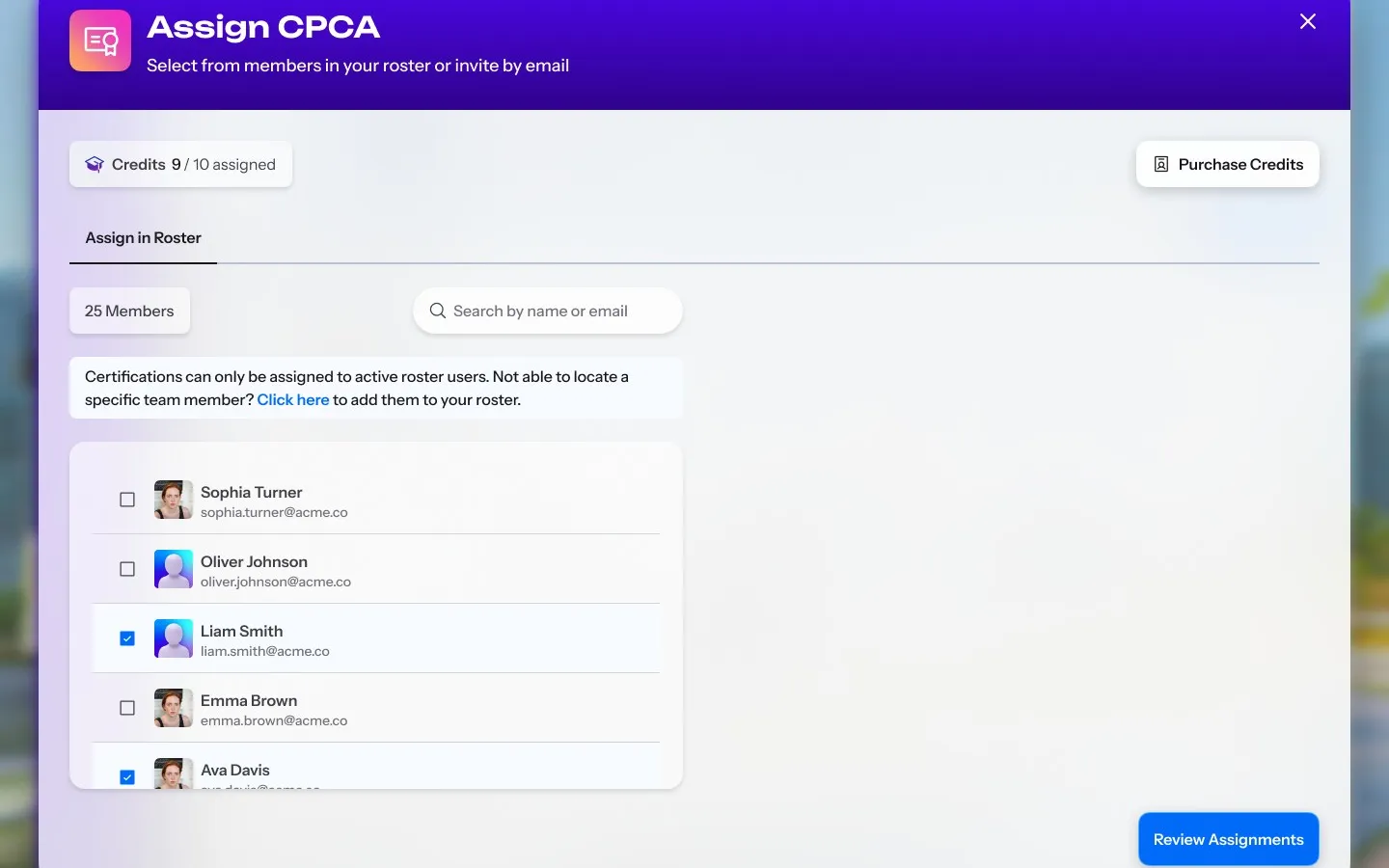
Each company holds a set number of conference passes. An admin assigns them from the roster or by email until the allotment runs out, and colleagues who already hold a pass are marked, so nobody is given two.
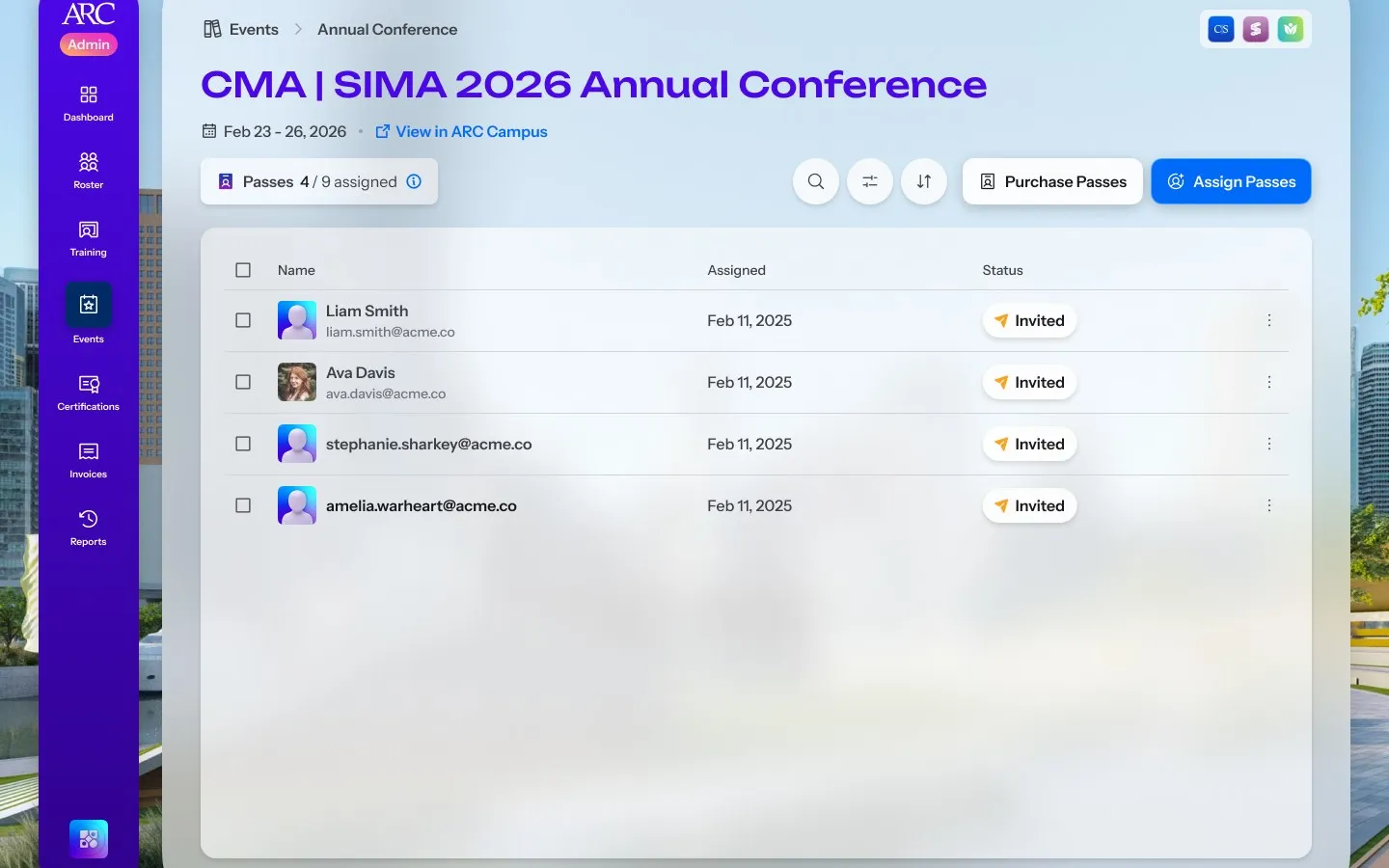
An admin assigns one of the company's conference passes from the roster
  • The CMA and SIMA 2026 Annual Conference page in the Admin Console with four of nine passes assigned, listing each colleague, the date assigned and an Invited status, with Purchase Passes and Assign Passes

    Event page

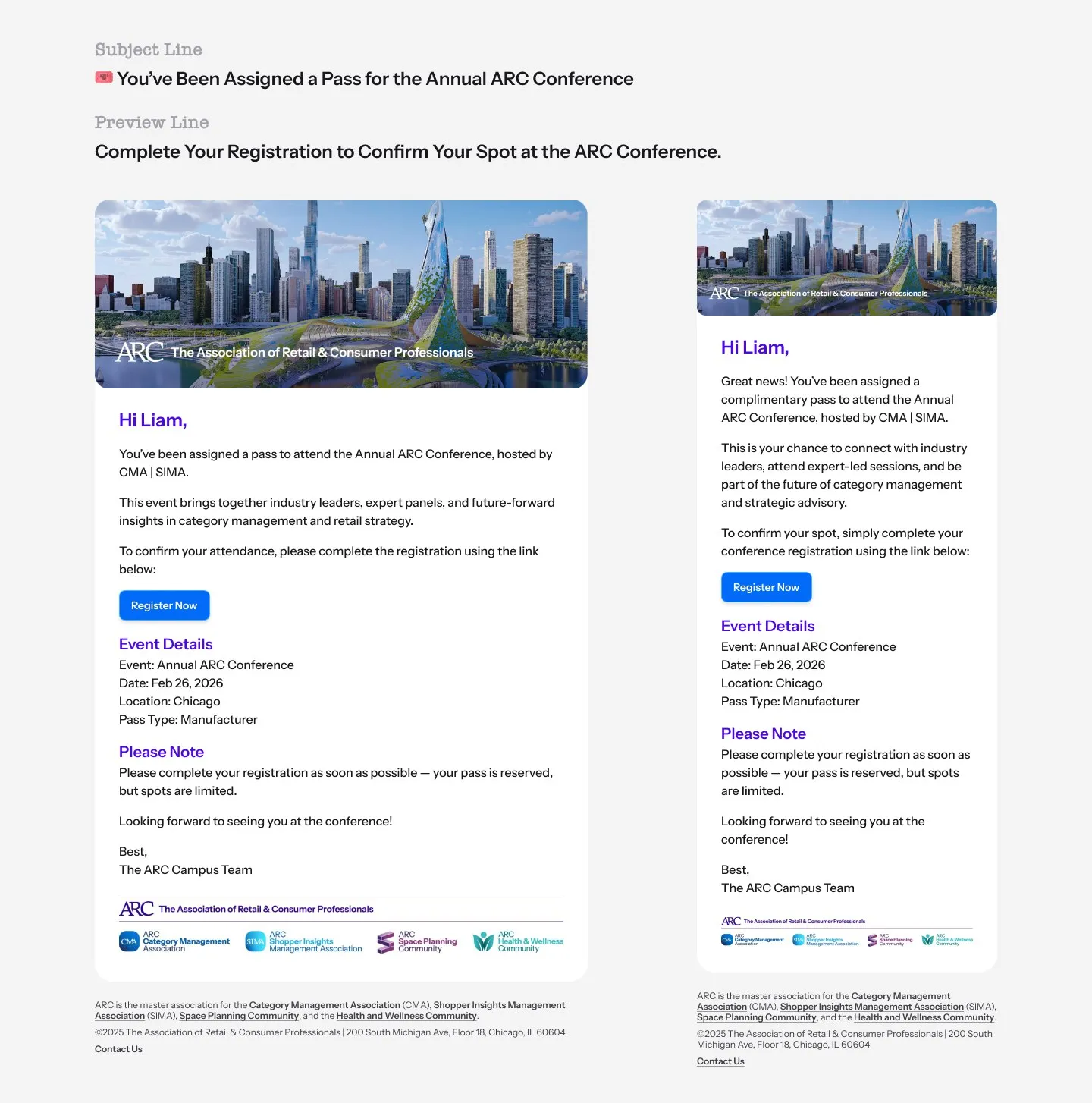
  • The email a colleague receives when assigned a pass, on desktop and on a phone: You've Been Assigned a Pass for the Annual ARC Conference, with a Register Now button and the event details

    Email

  • The conference page with all nine passes assigned, an All Passes Assigned badge and a Passes Assigned Successfully message

    All assigned

Certifications

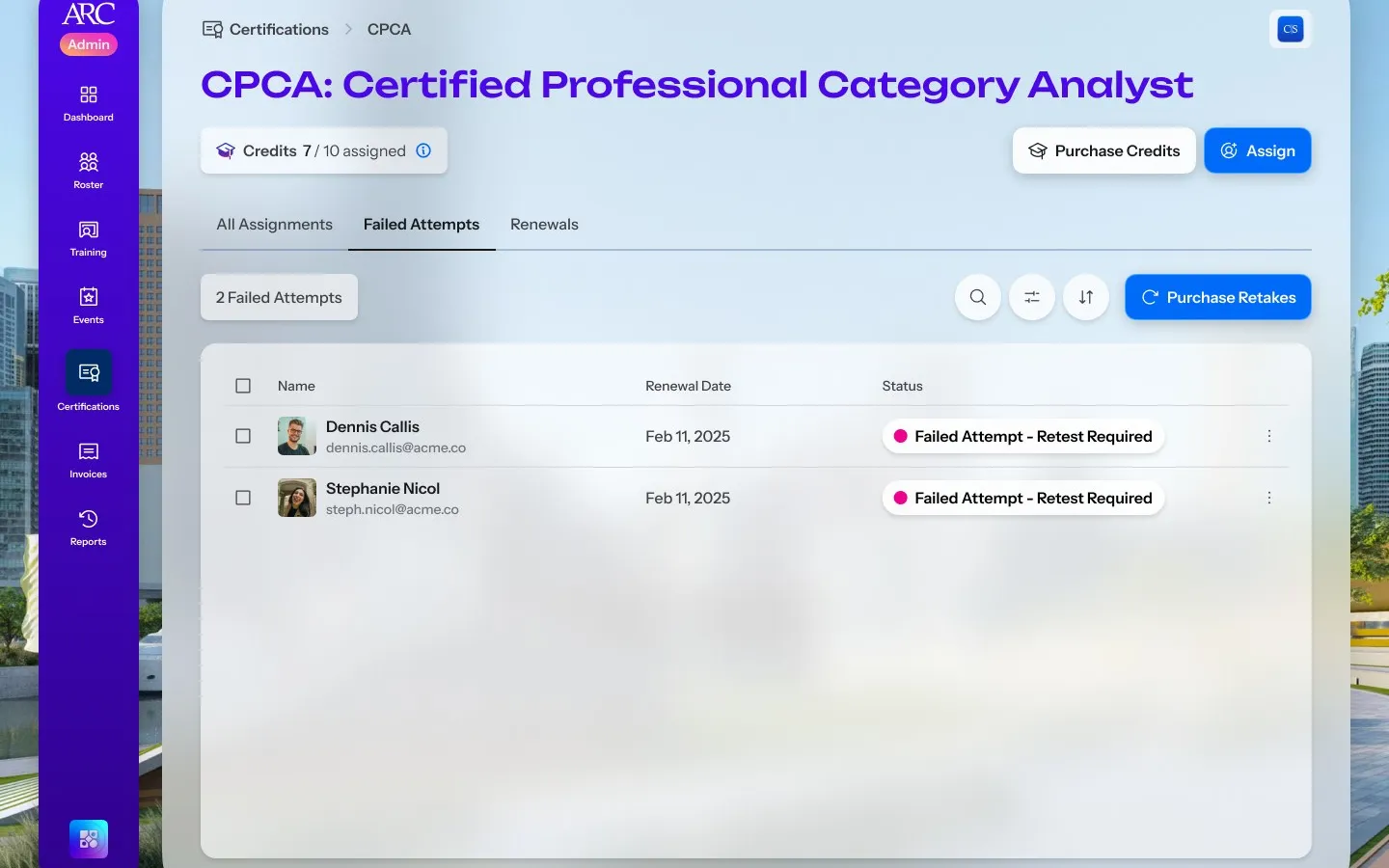
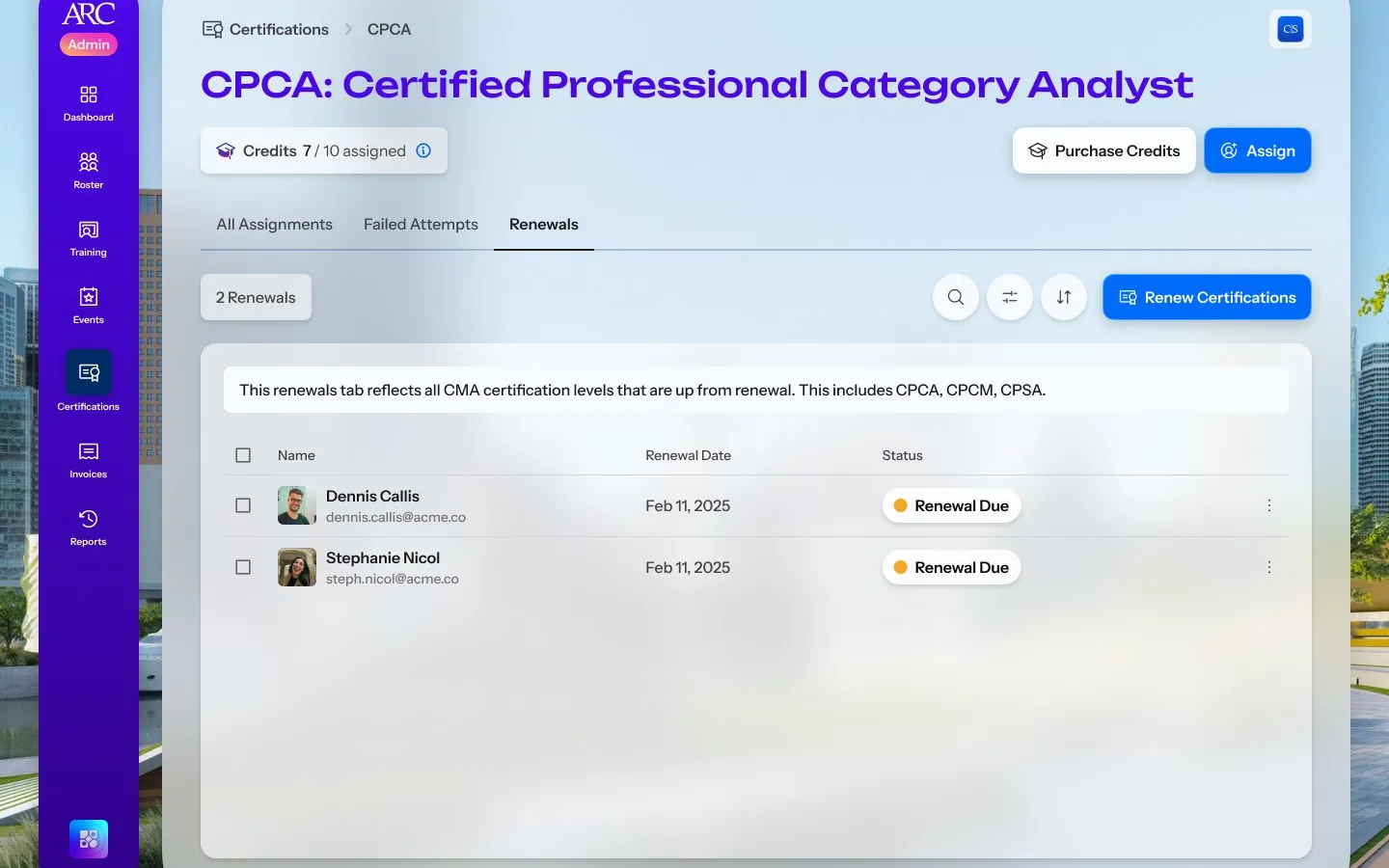
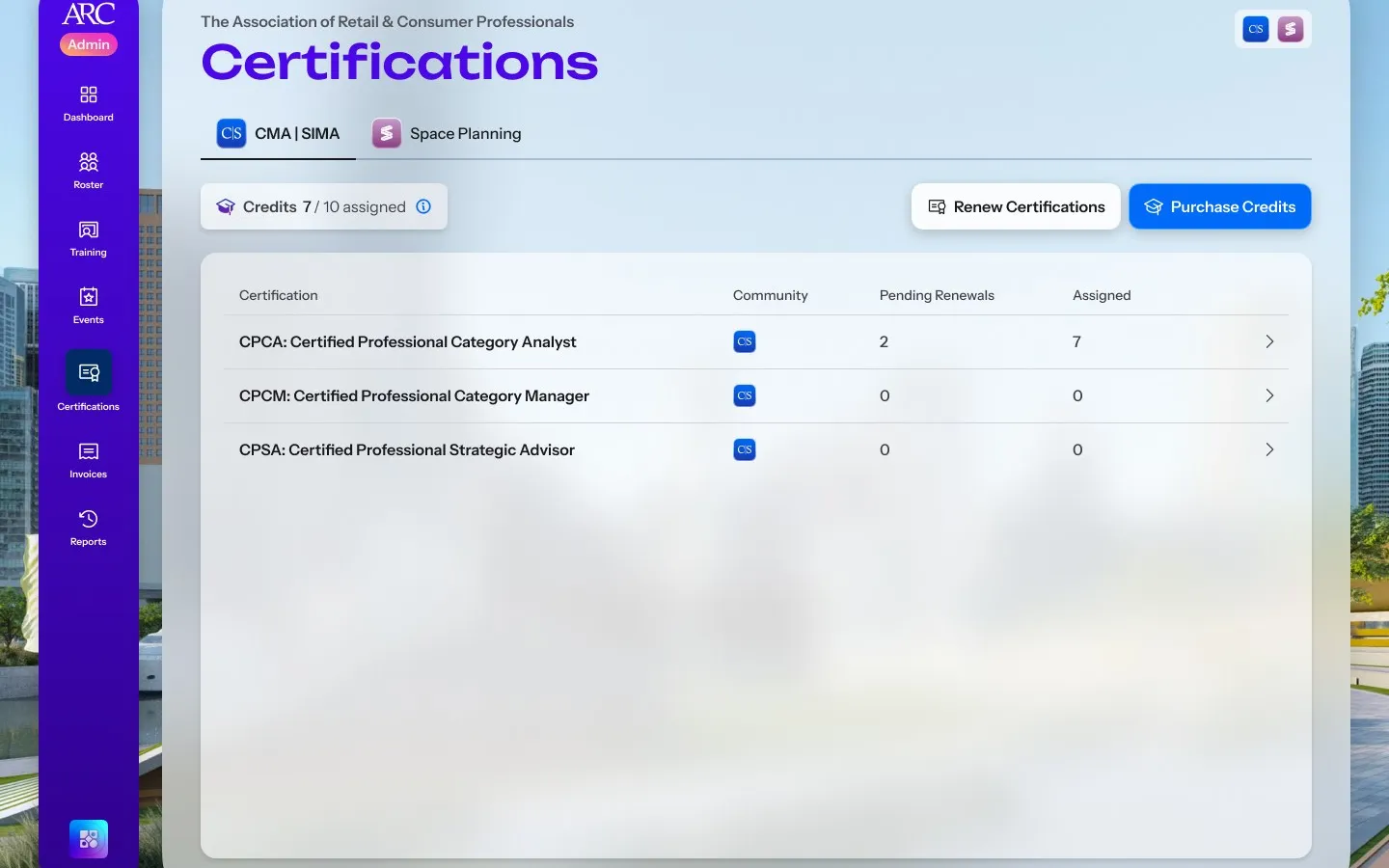
Exam attempts sit under the community that awards them. Each certification's page lists who it is assigned to and where each person stands, from awaiting completion to a failed attempt or a renewal due, with buying and assigning attempts on the same screen.
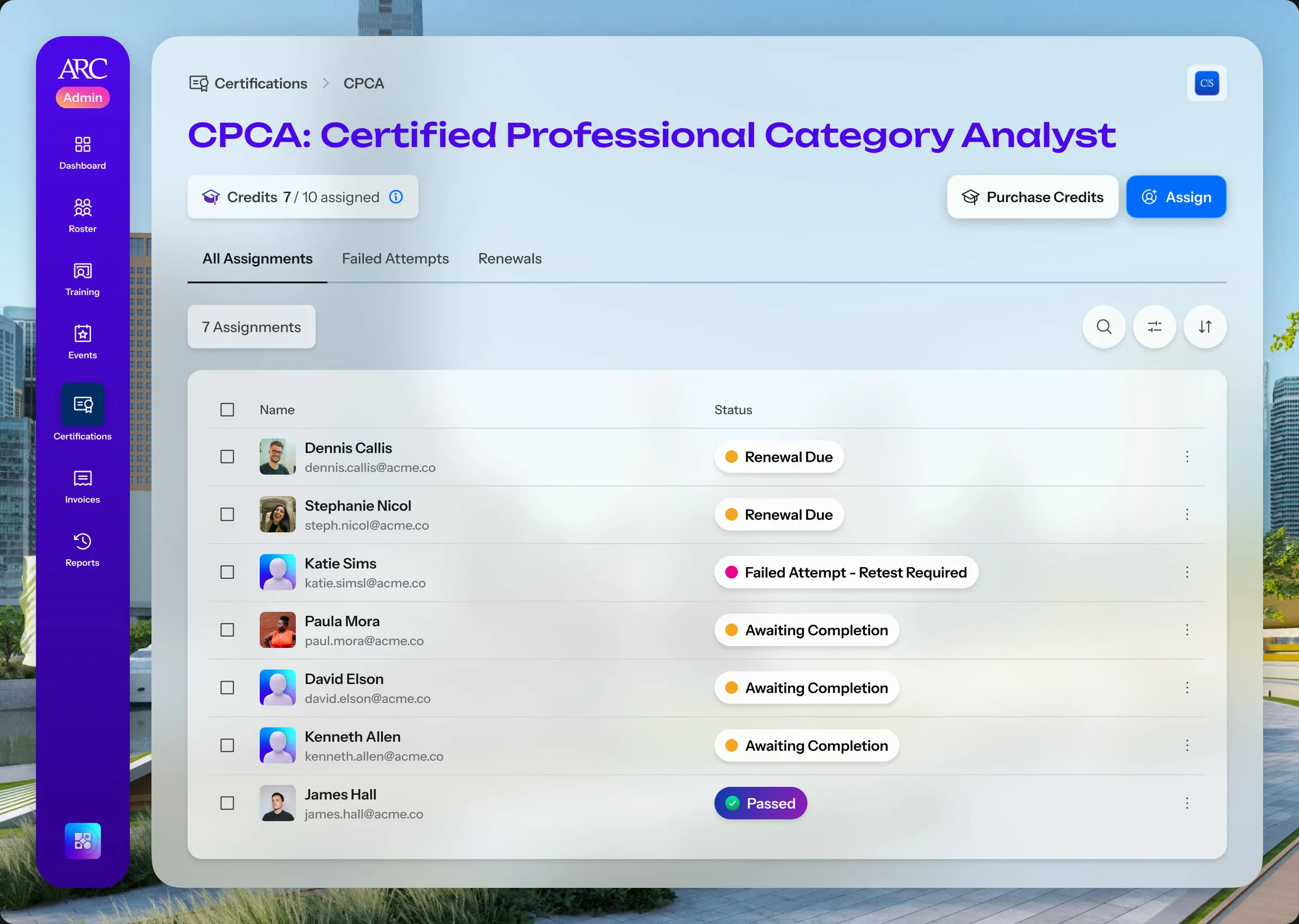
A certification's page in the Admin Console listing colleagues assigned to it with their status, renewal due, failed attempt, awaiting completion or passed, with Purchase Credits and Assign
One certification's assignments, with each colleague's status
  • The Certifications home for one community, with attempt credits assigned of total, Renew Certifications and Purchase Credits, and a table of three certifications with the renewals coming up and the attempts assigned

    Home

  • The Assign CPCA dialog: attempt credits assigned of total, a note that only active roster members can be assigned, and the roster with two colleagues ticked

    Assign

  • The certification's Failed Attempts tab listing two colleagues marked Failed Attempt, Retest Required, with Purchase Retakes

    Failed attempts

  • The certification's Renewals tab listing two colleagues marked Renewal Due, with Renew Certifications

    Renewals

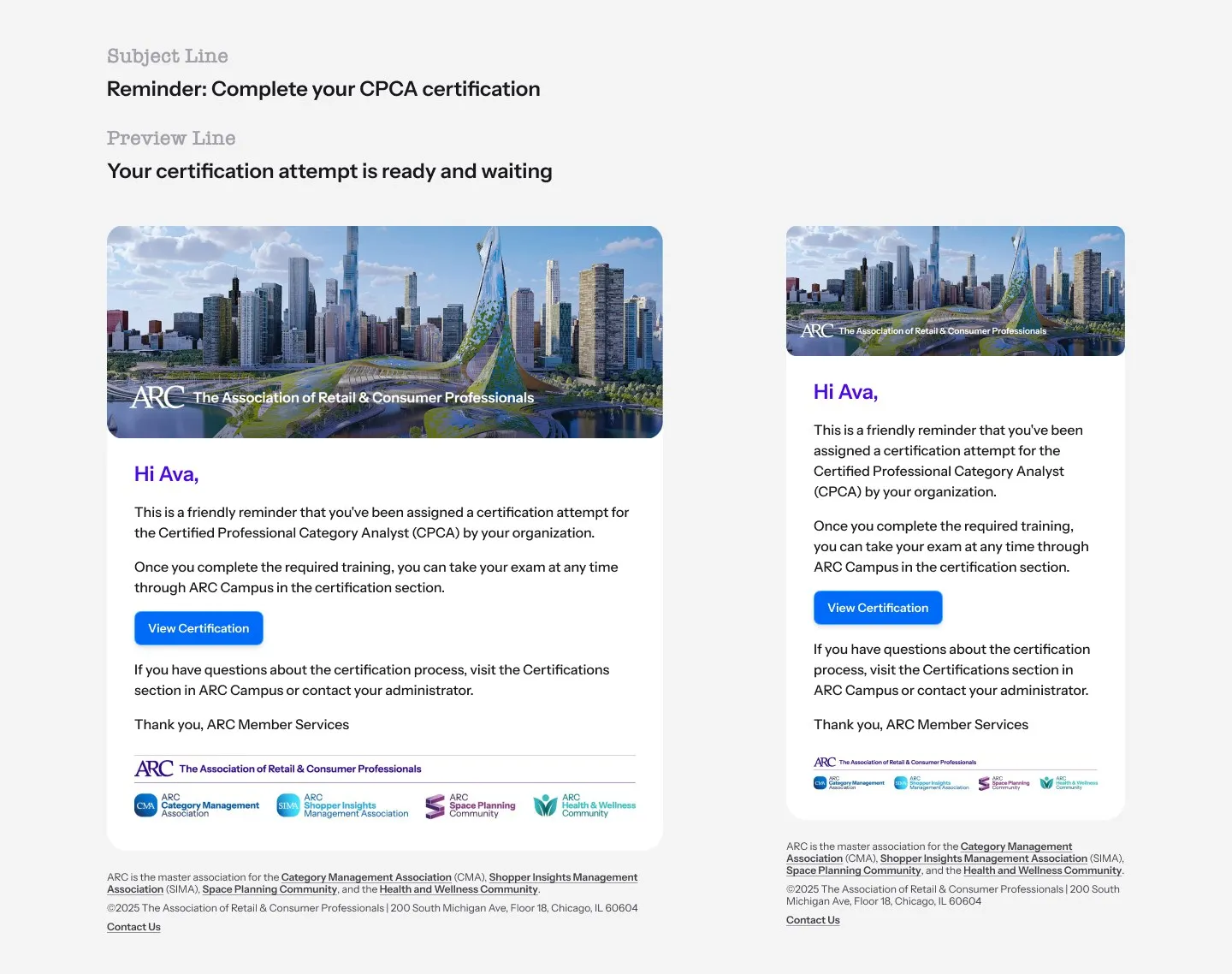
  • A reminder email on desktop and on a phone telling a member that a certification attempt assigned by their organisation is waiting, with a View Certification button

    Reminder

Training

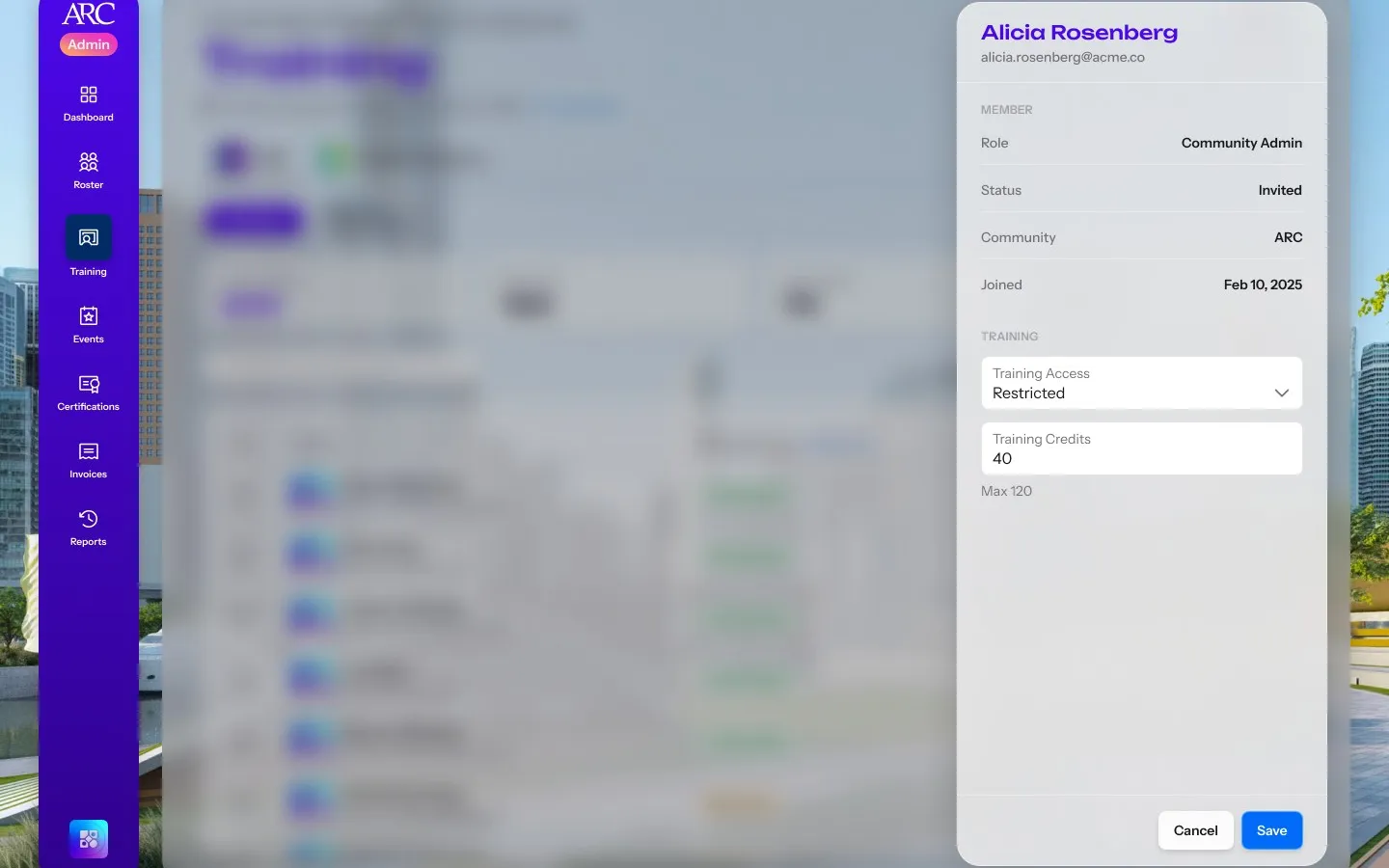
In acceptance testing of the roster, counters for unlimited tiers read −1 of 0, because the seat count was also deciding who could use a seat. When training credits arrived in July 2026 I kept the two apart: how many credits a company holds is Unlimited or Limited, and who may use them is Unrestricted, Restricted or No Access.
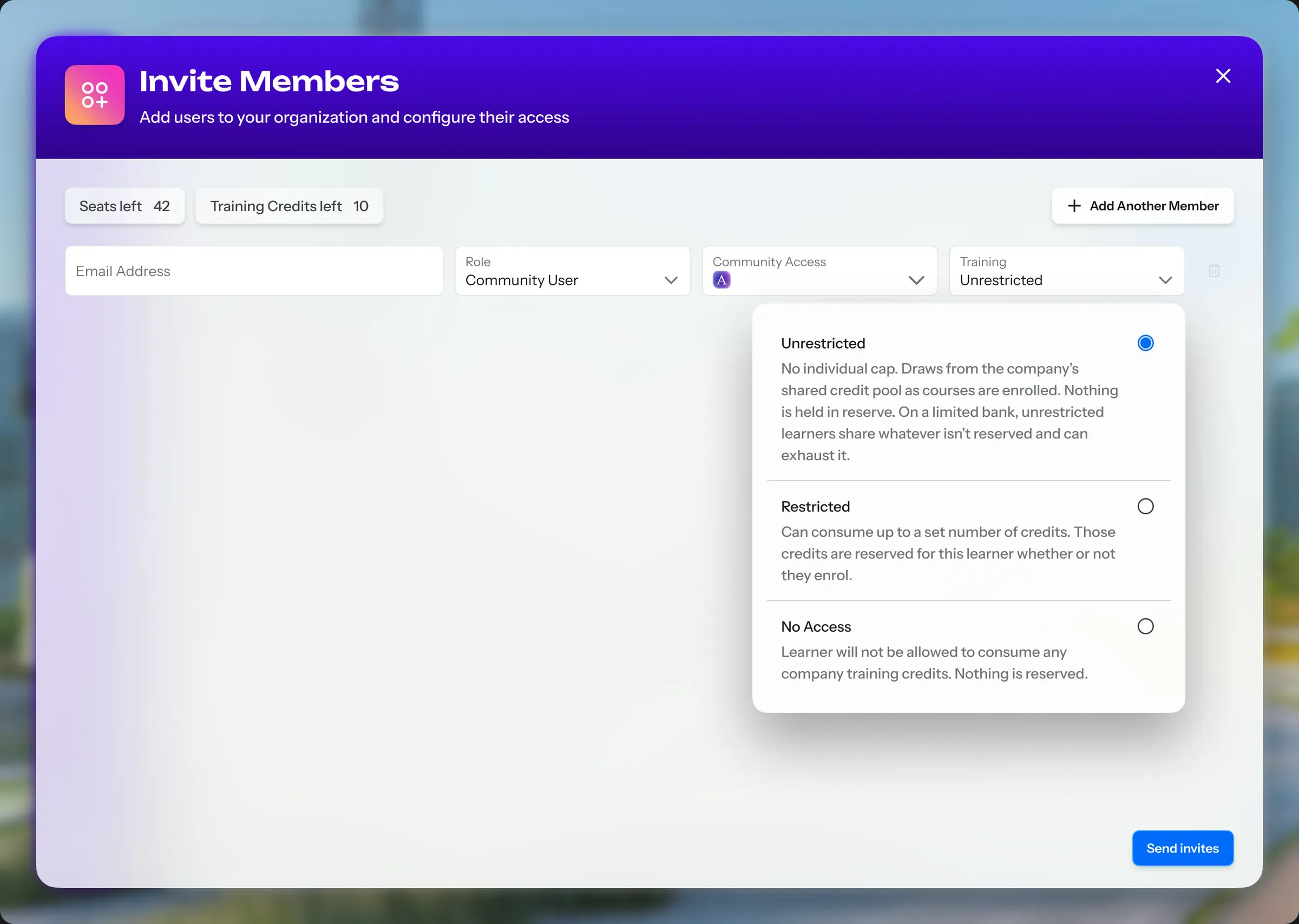
An admin restricts one member and reserves their credits, then follows enrolments
  • The Invite Members dialog with the Training access menu open, explaining Unrestricted, Restricted and No Access beside the seats and training credits left

    Access

  • A colleague's panel over the Training page with training access set to Restricted and 40 credits reserved, out of a maximum shown beneath

    Restricted

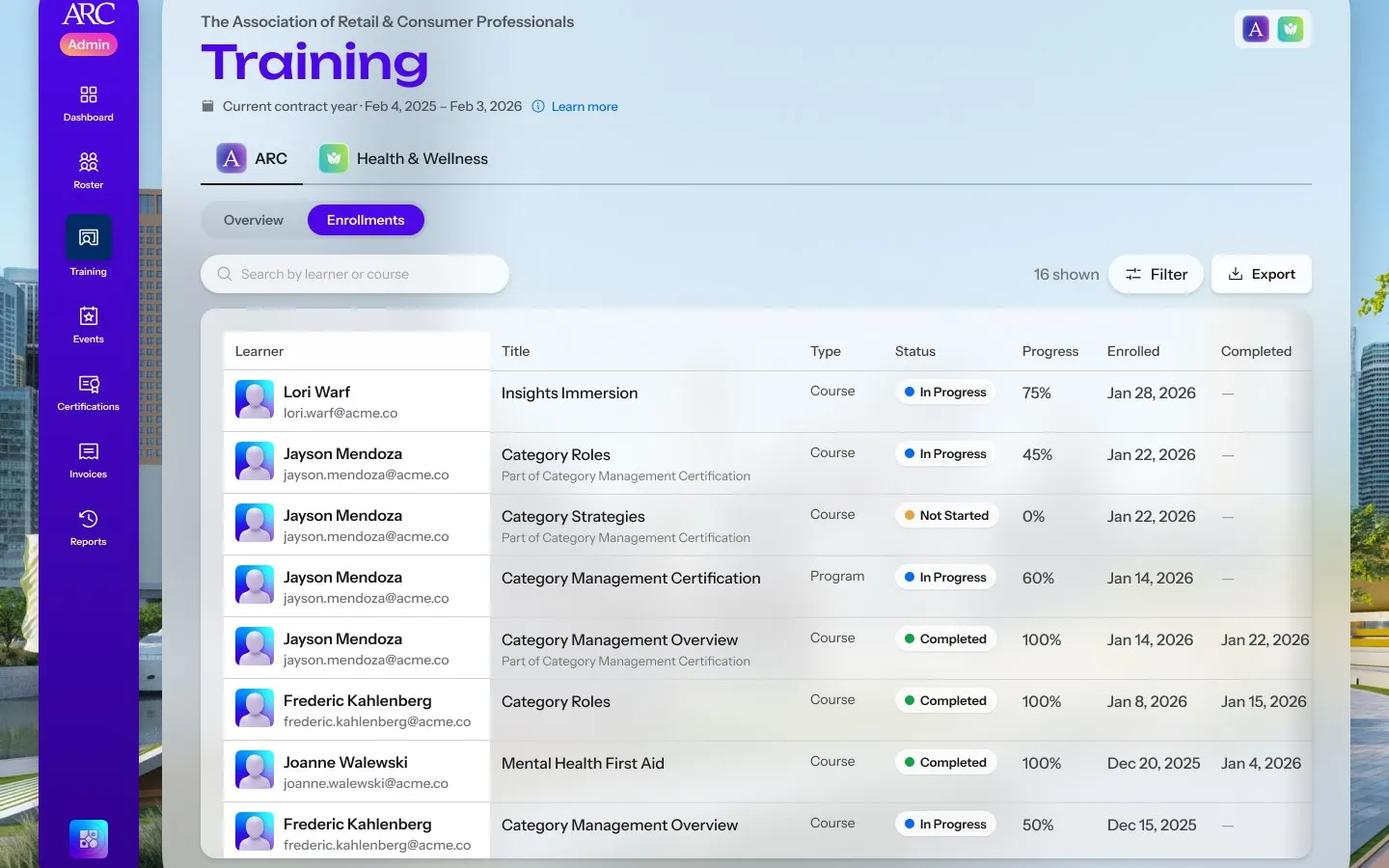
  • The Training Enrollments tab listing colleagues, the course or program, its type, status, progress and the dates enrolled and completed

    Enrolments

42 to 861
admin dashboard sessions a month, before and after training credits launched
77%1
of sessions from returning admins
51%1
of sessions open the roster
  1. Microsoft Clarity data, Admin Console dashboard sessions, April to June against July to September 2026.
Next projectOutlookOutlook, rebuilt for the mobile web