Four communities became one platform

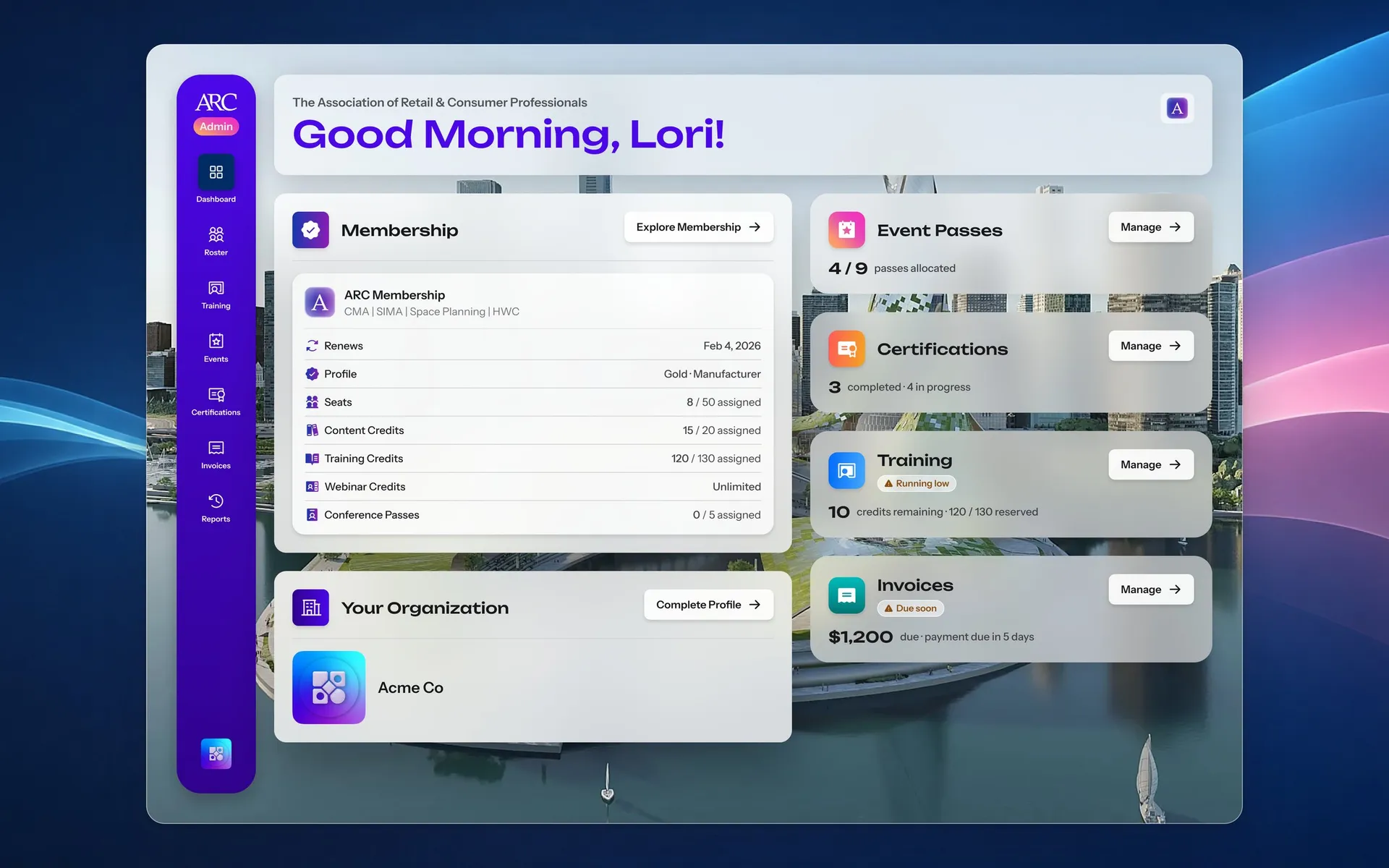
Until 2025, ARC's members moved between four community sites with no shared identity. I designed ARC Campus to bring them into one place: Content, Certifications, Training, Events, Memberships and Management.

Team
Xerxes Global
Role
Lead Product Designer
Timeline
2024 to now
Dashboard

Content Library

ARC's articles, webinars and podcasts were spread across four community sites, on an inherited build that was slow and costly to change. I brought them into one library a visitor filters by community, each piece marked open or members only, and let a visitor read into a members-only article, so membership is offered where the text stops instead of behind a locked door.
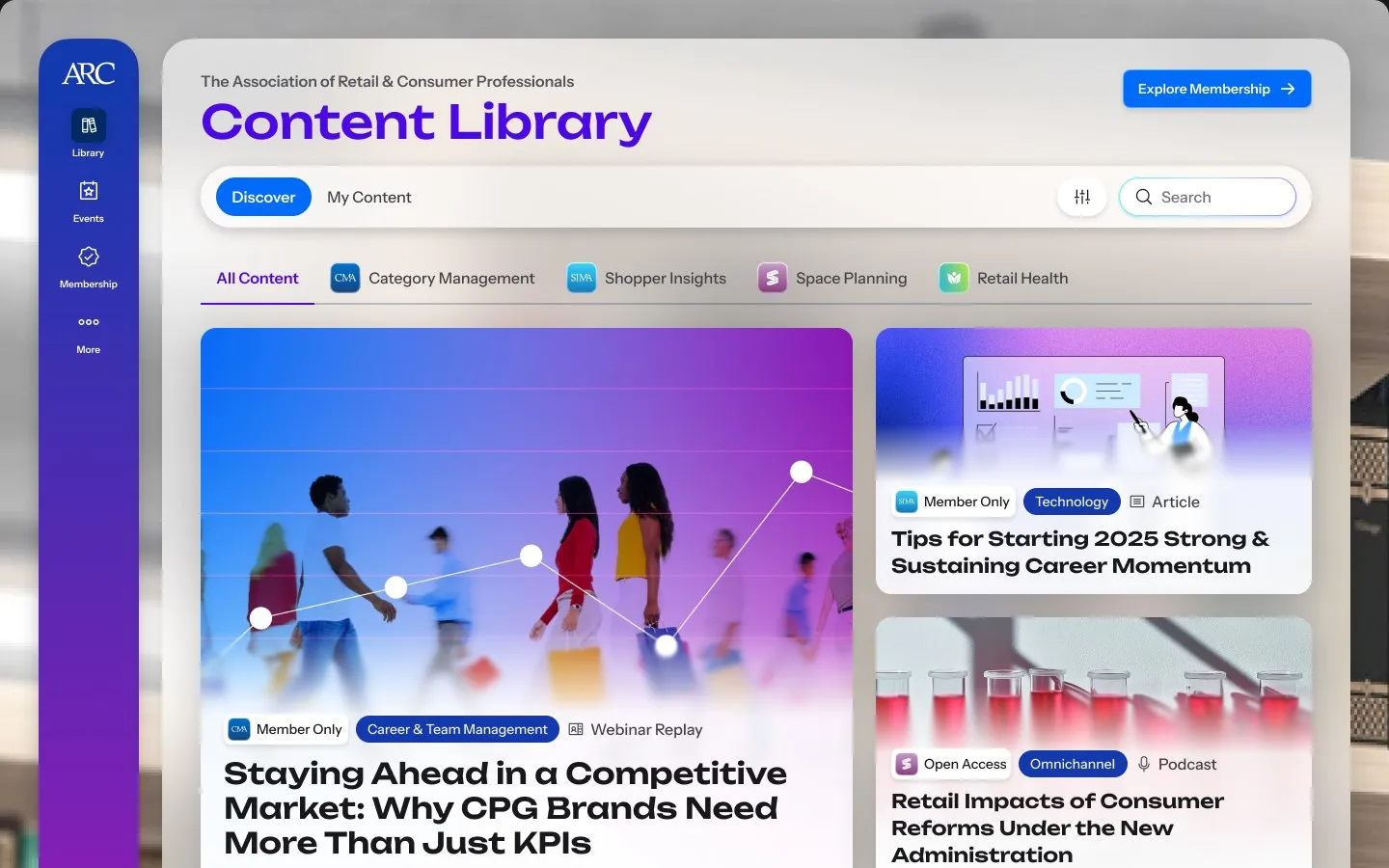
A visitor reads into a members-only article
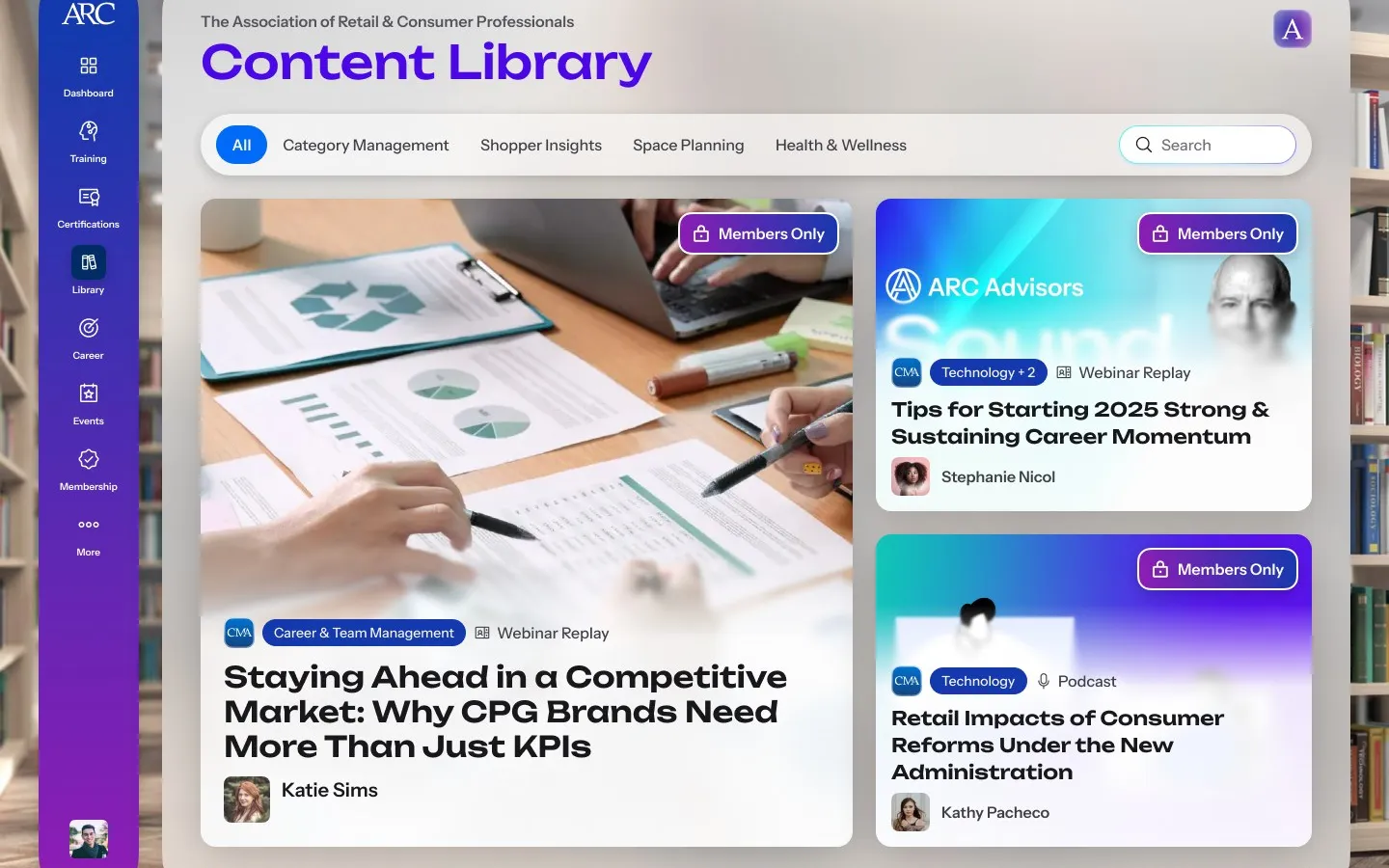
  • The Content Library as a visitor sees it: Discover and My Content, a filter for each of the four communities, a search field, and articles, webinar replays and podcasts marked Member Only or Open Access

    Discovery

  • The Content Library for a signed-in member, filtered by community, with Members Only badges on a webinar replay and a podcast

    For members

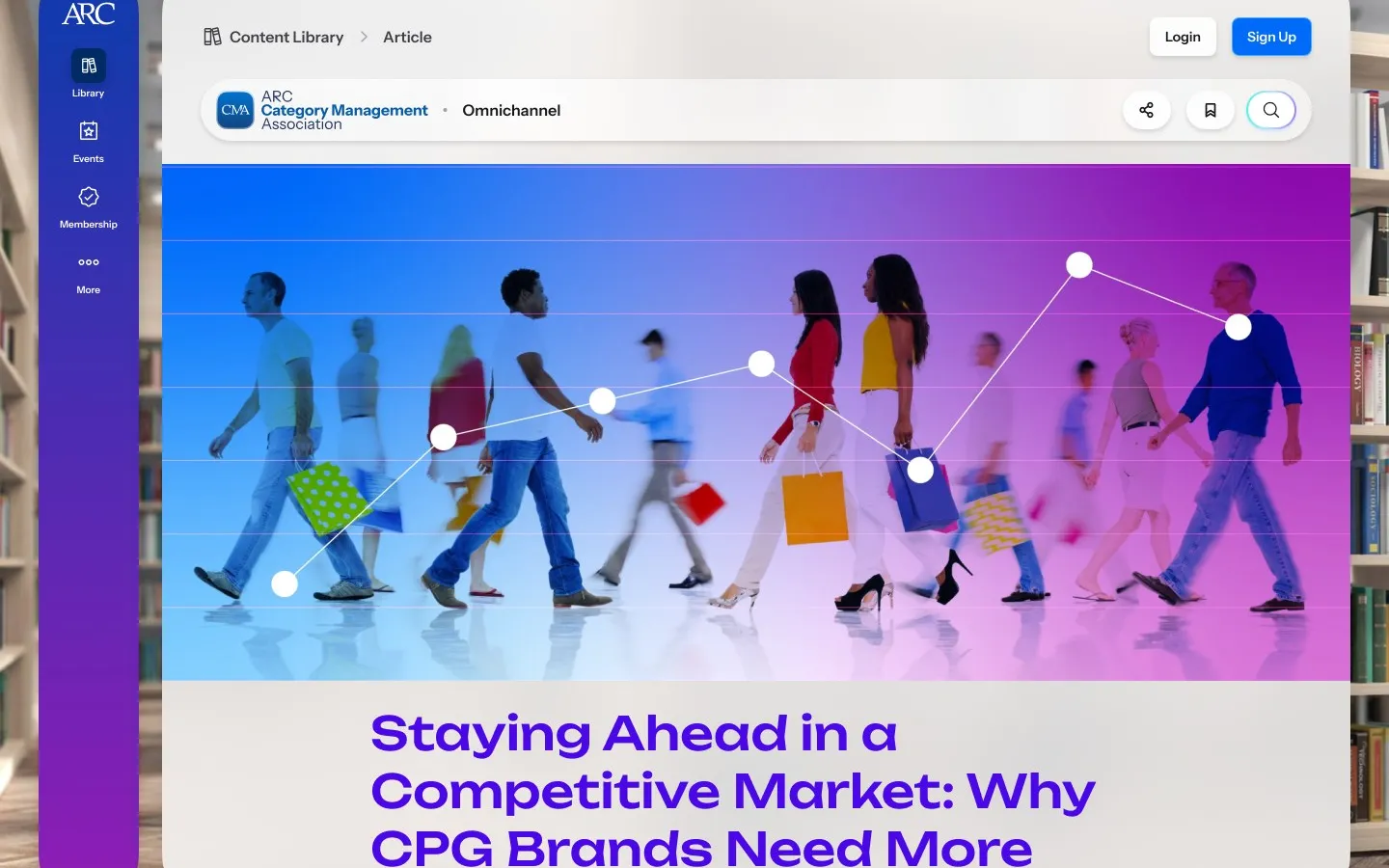
  • An article page in the Content Library, its community and topic above a full-width image and the headline, with share, save and search

    Article

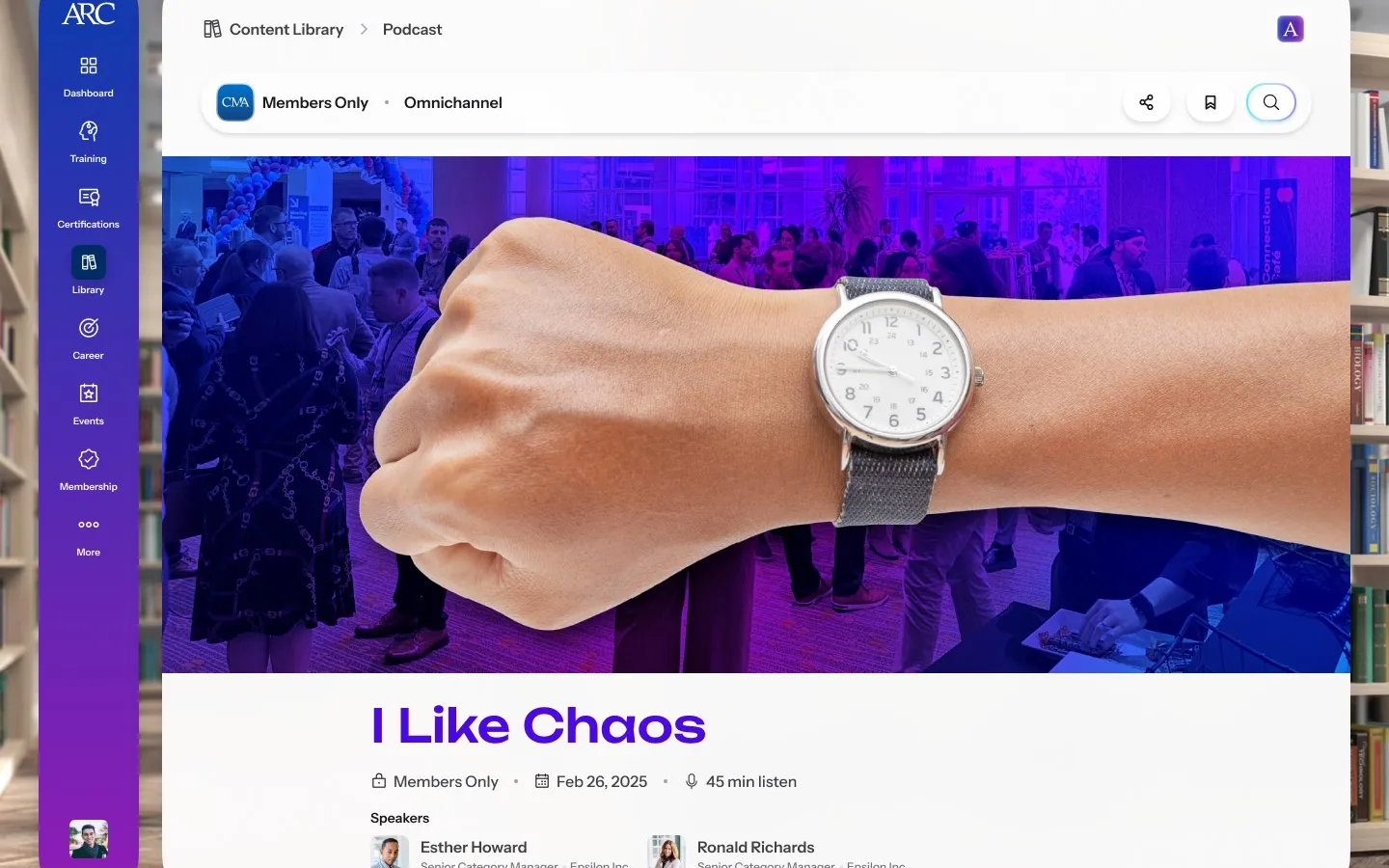
  • A podcast page for members: the episode title, its date and length, and the two speakers with their roles

    Podcast

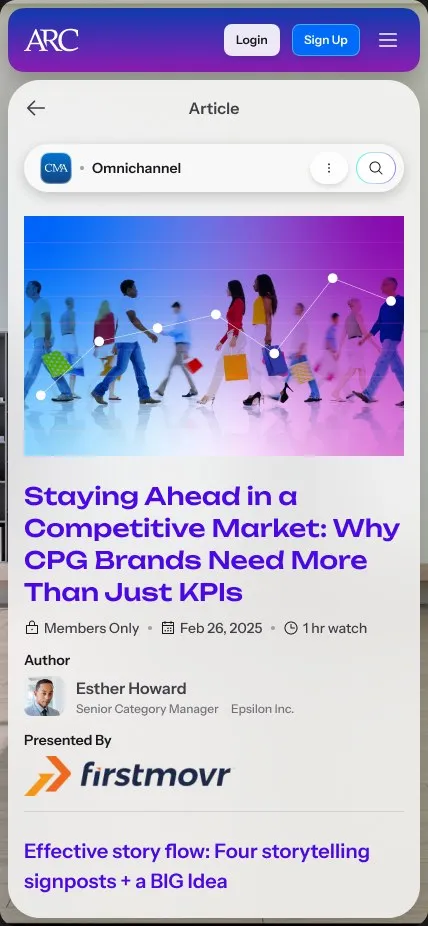
  • The article page on a phone: the community and topic, the image, the headline, its date and length, the author and the presenting sponsor

    On a phone

Certifications

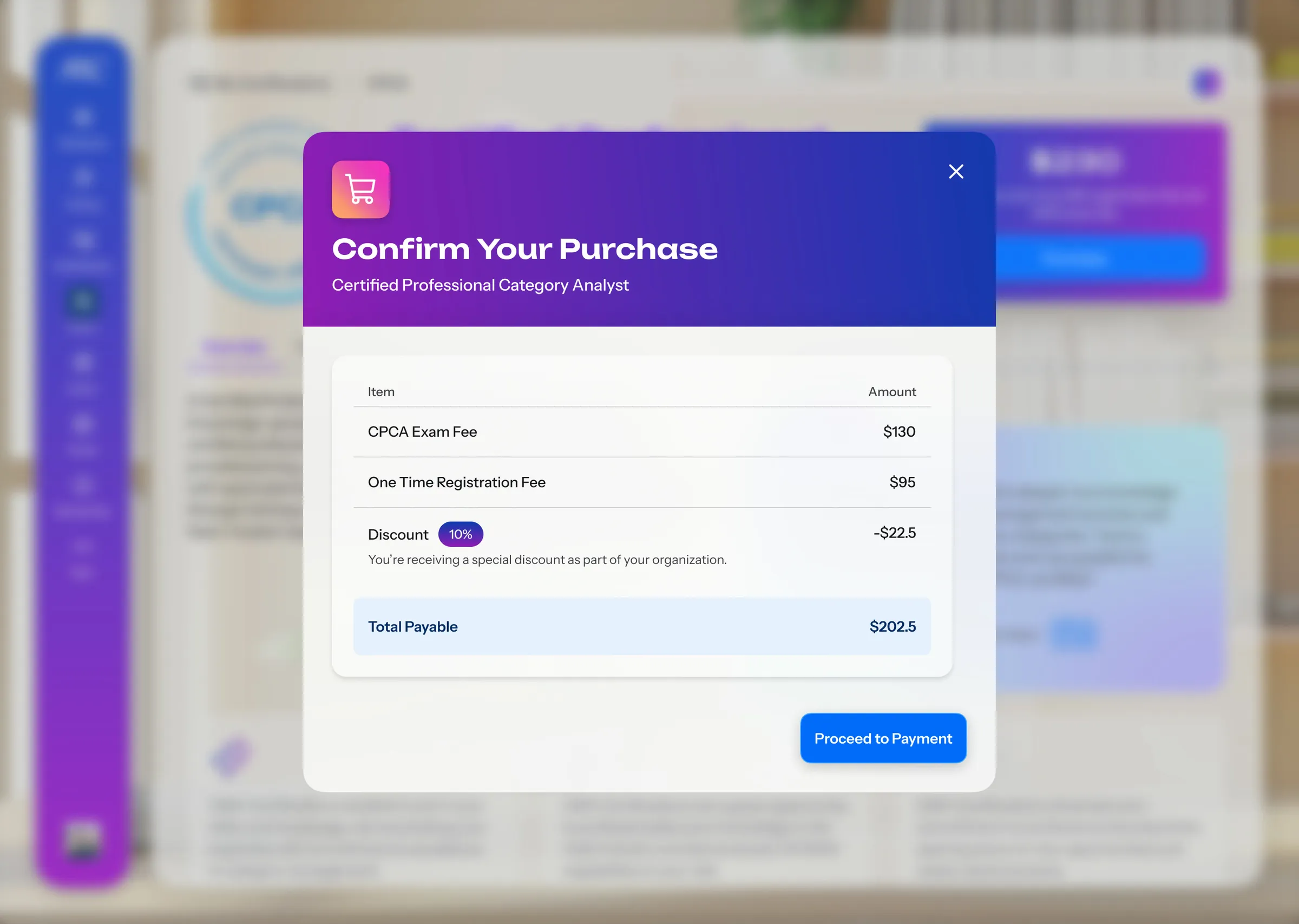
Certifications were sold on another site and managed by hand, and testing kept showing people finishing a task without knowing what the system had done. So buying an exam attempt lists every fee and the organisation's discount before anything is charged, and the confirmation says where the exam instructions will arrive.
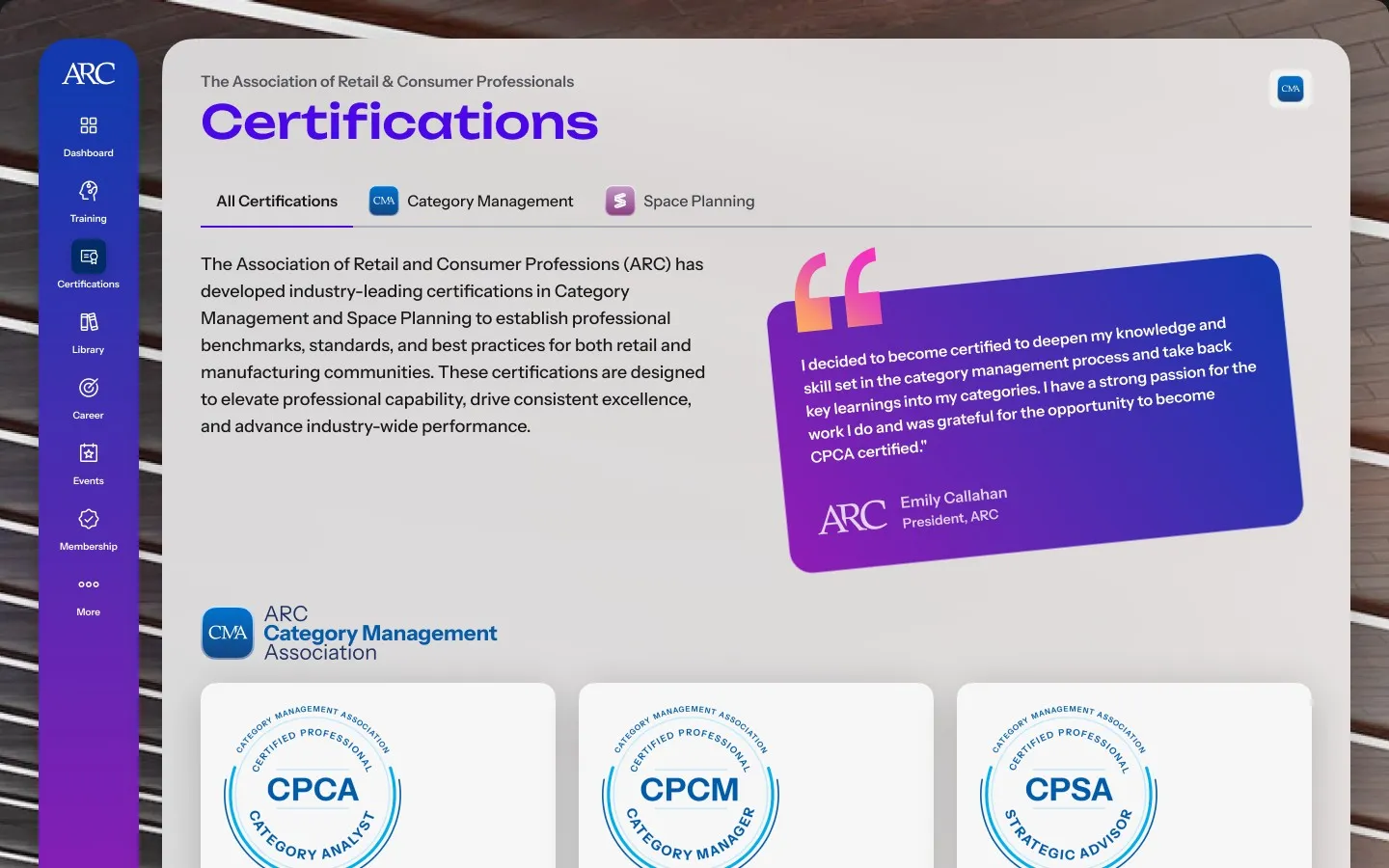
The Certifications page: tabs for all certifications, Category Management and Space Planning, an introduction beside a member's quote, and the first row of credentials under the Category Management Association
Every credential ARC offers, in one place
  • The Confirm Your Purchase dialog for a Certified Professional Category Analyst attempt, listing the exam fee, the one-time registration fee, an organisation discount and the total payable, with Proceed to Payment

    Purchase

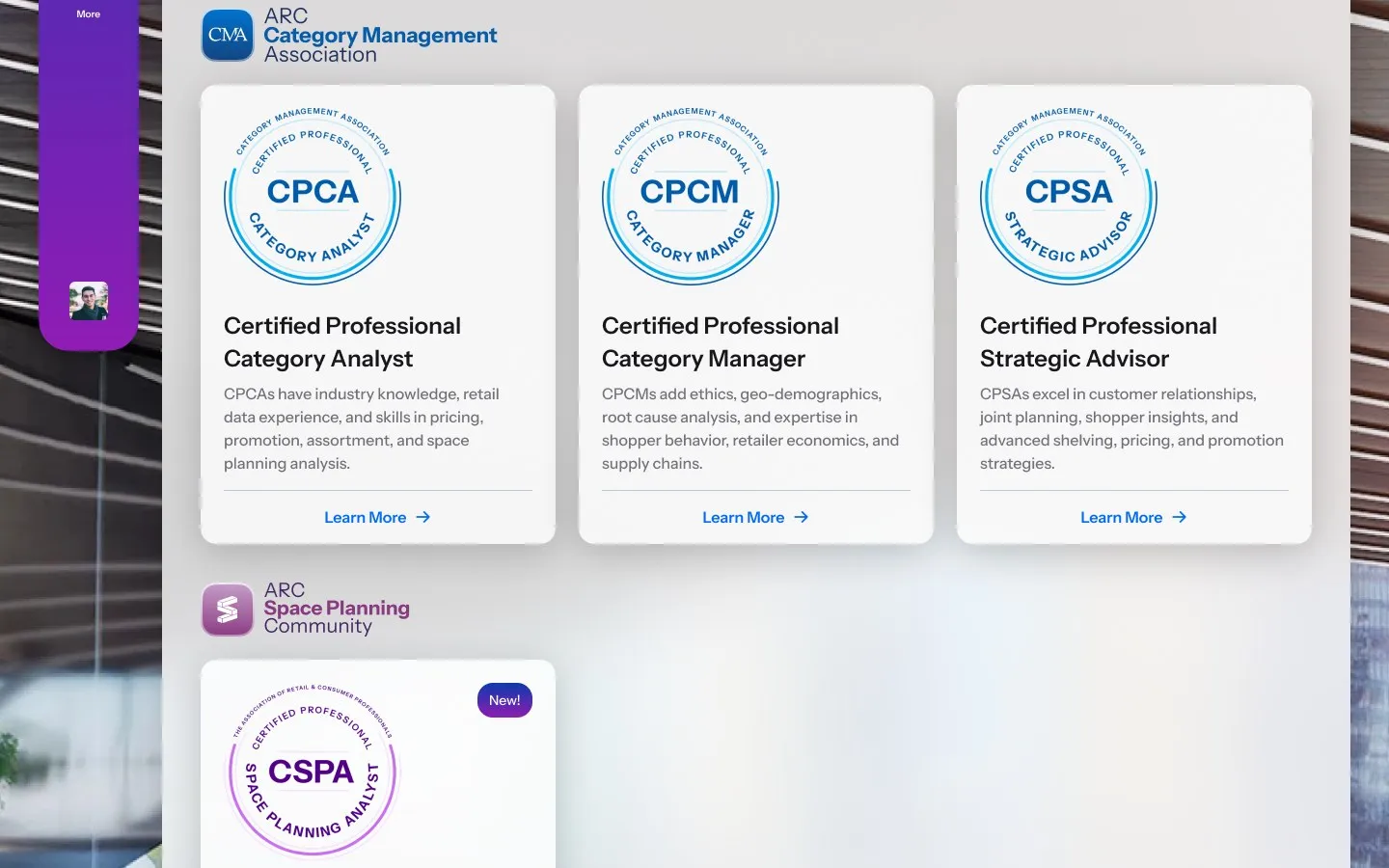
  • The certifications page grouped by community: Certified Professional Category Analyst, Category Manager and Strategic Advisor under Category Management, and Certified Space Planning Analyst, marked New, under Space Planning

    By community

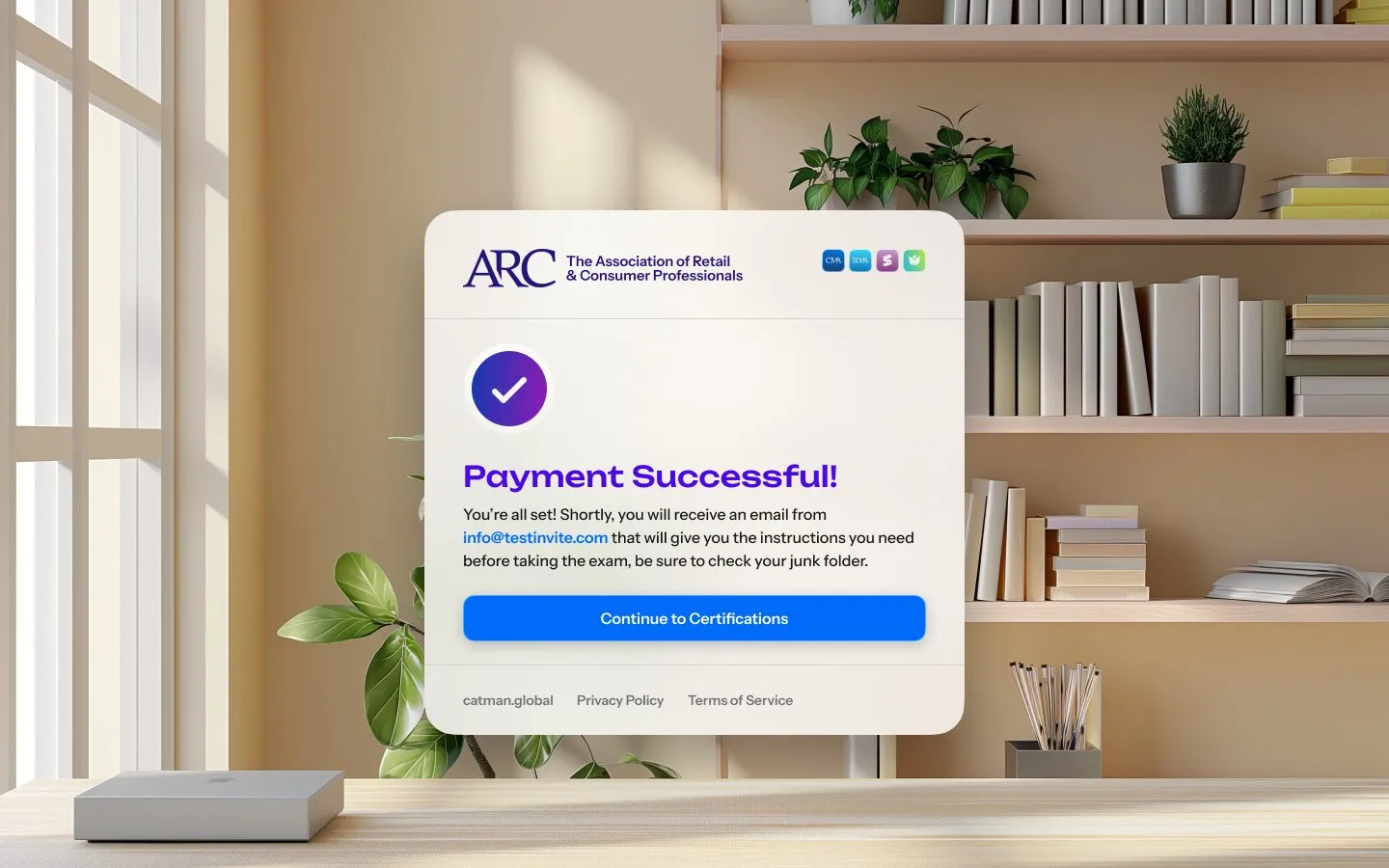
  • A Payment Successful card with the ARC logo, saying an email with exam instructions is on its way, and a Continue to Certifications button

    Paid

Training

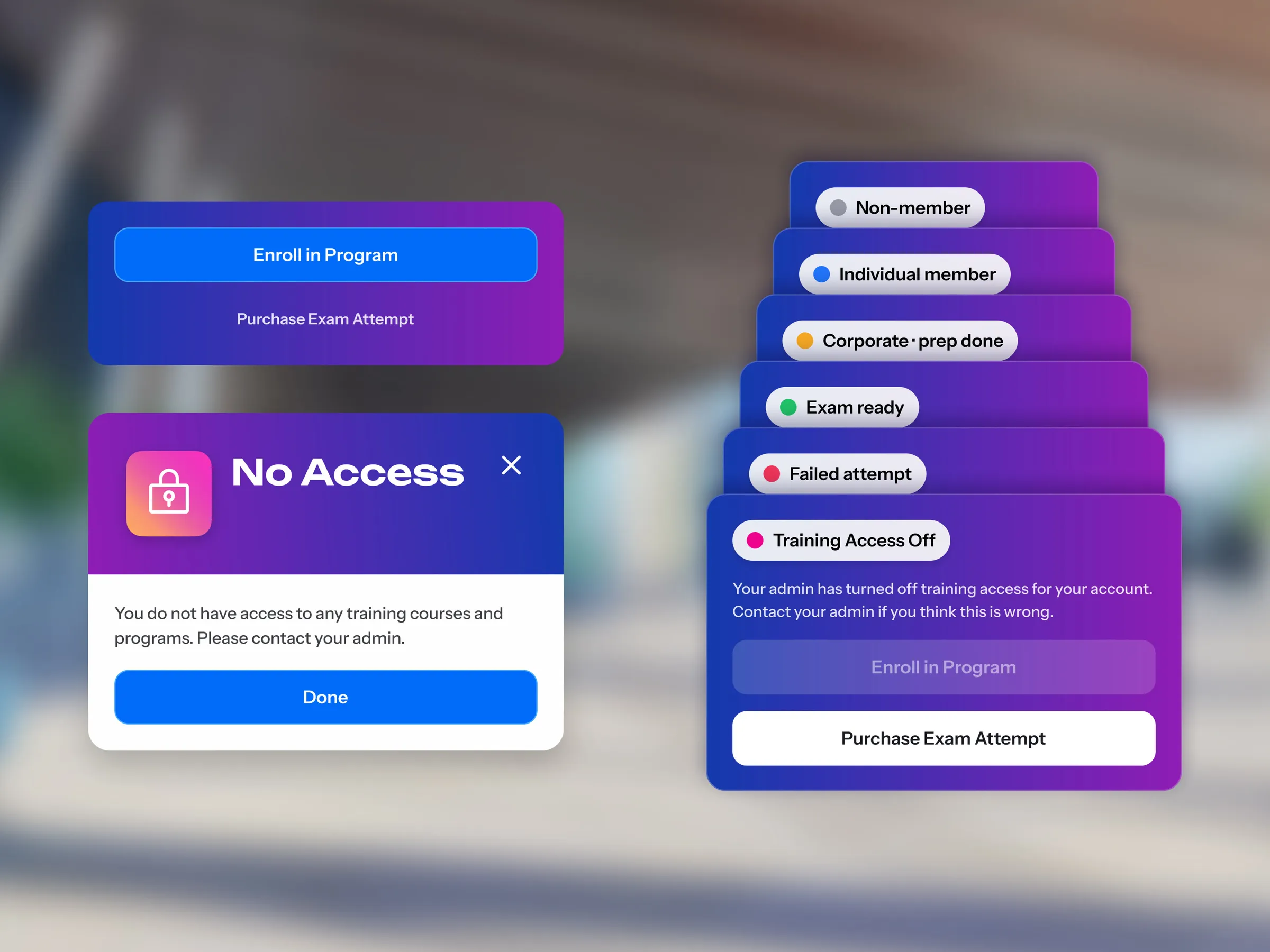
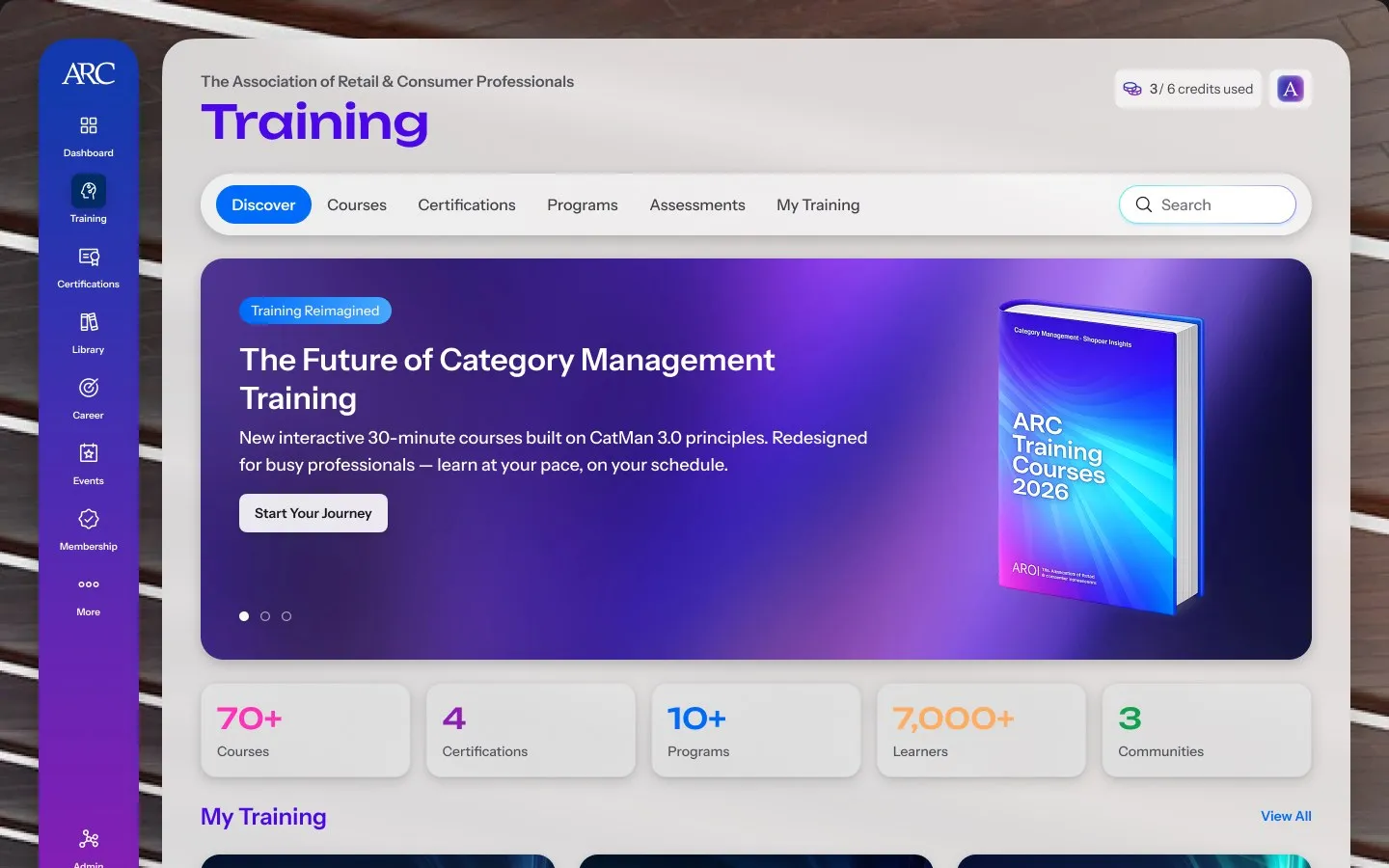
Programs and courses lived on a separate learning platform, and what a member could open depended on their membership, their company and their exam. I laid every access state out side by side, from non-member to exam ready to training switched off, so each card says where the member stands and what they can do next.
From a program card to its first lesson
  • The Training home: tabs for courses, certifications, programs, assessments and My Training, a banner introducing the new courses, and counts of courses, certifications, programs, learners and communities

    Discovery

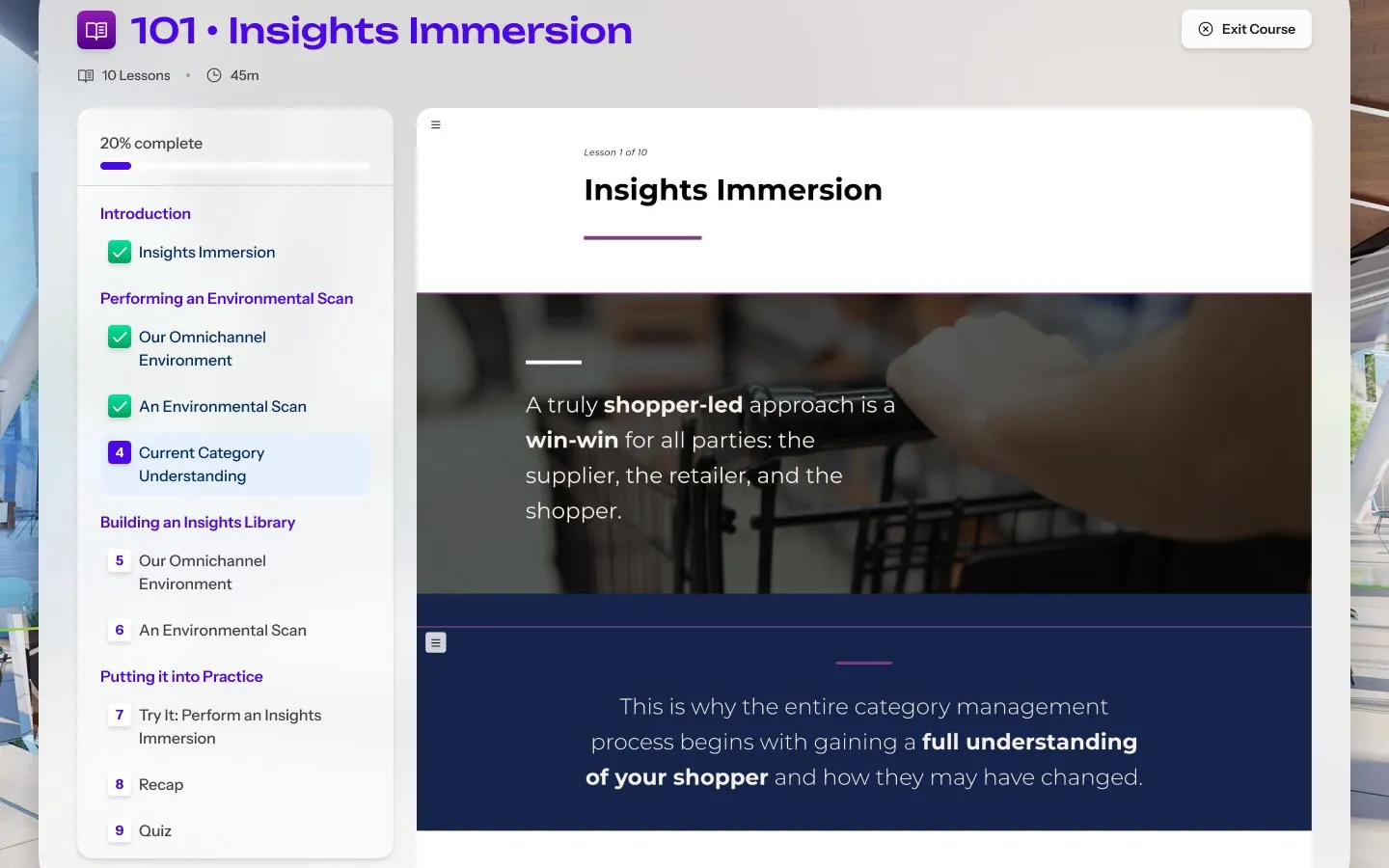
  • The course player on lesson one of ten of Insights Immersion, with progress and the lesson list on the left and the lesson on the right

    Course player

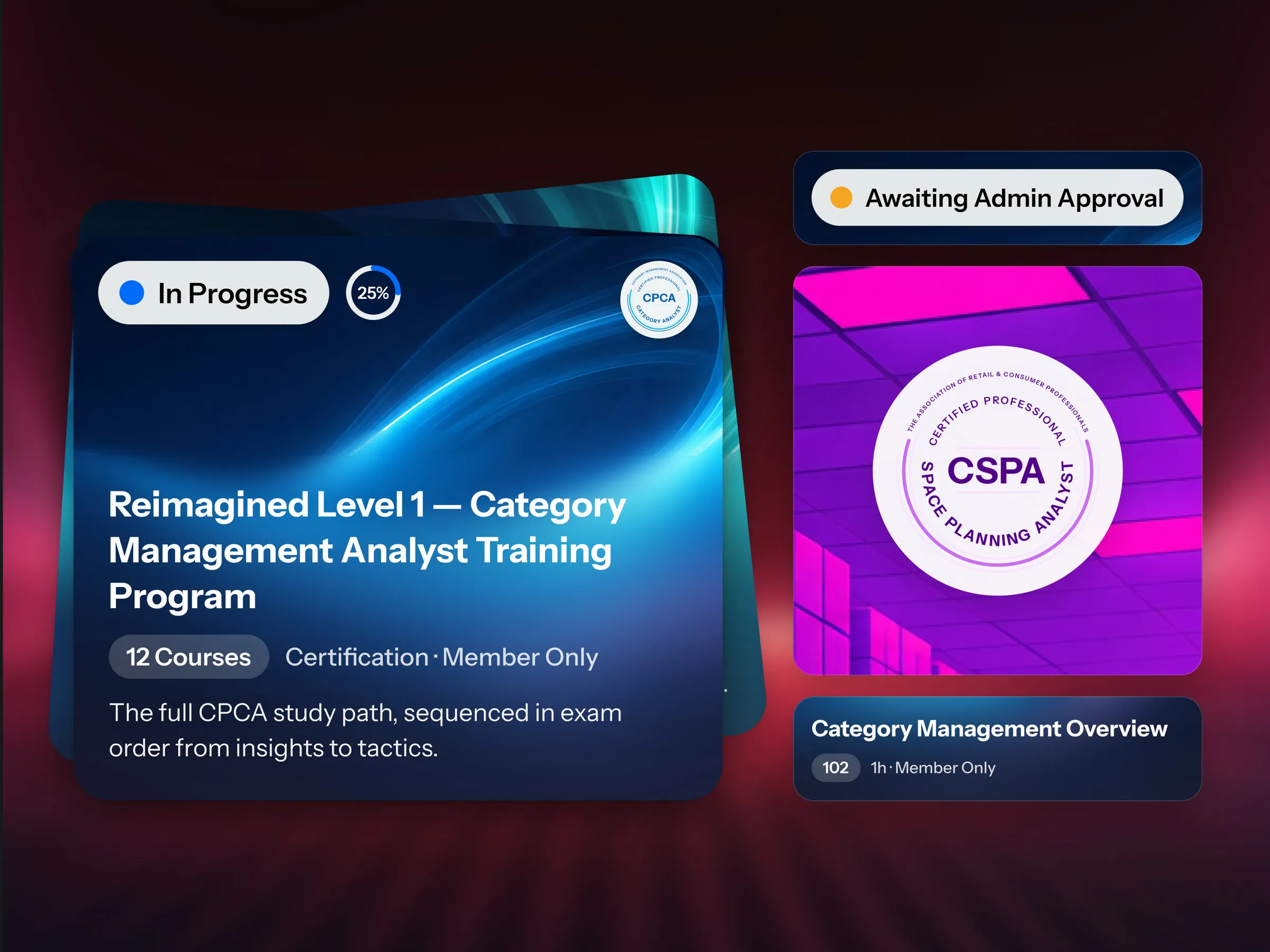
  • A training program card marked In Progress with its course count, beside three close-ups: an Awaiting Admin Approval status, a CSPA certification badge, and a course title with its length

    Card states

  • Training access states stacked as cards, non-member, individual member, corporate with prep done, exam ready, failed attempt and training access off, beside a No Access dialog that tells the member to contact their admin

    Access states

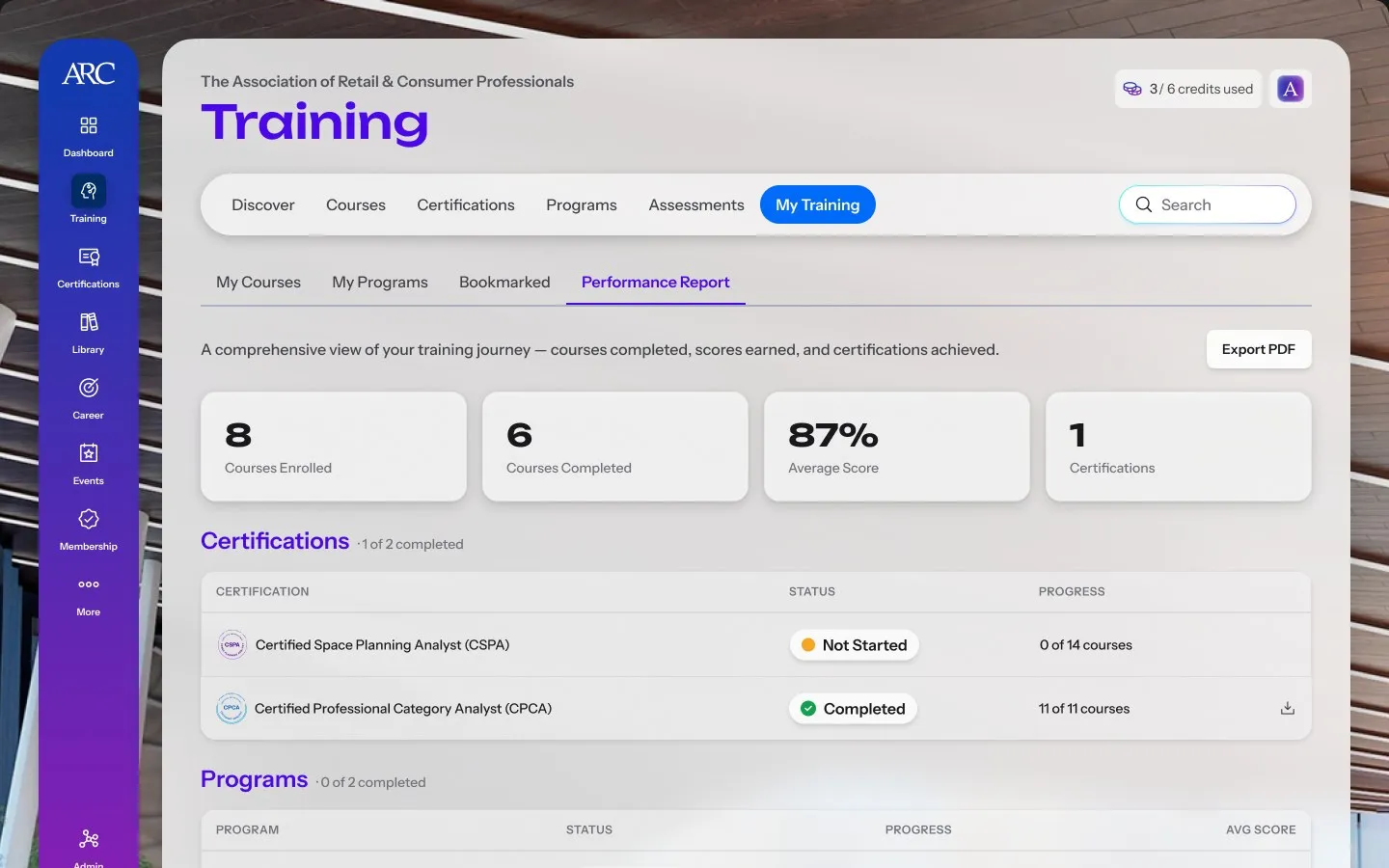
  • My Training on the Performance Report tab: courses enrolled and completed, average score and certifications, then tables of certifications, programs and courses with their status and progress

    Performance report

Events

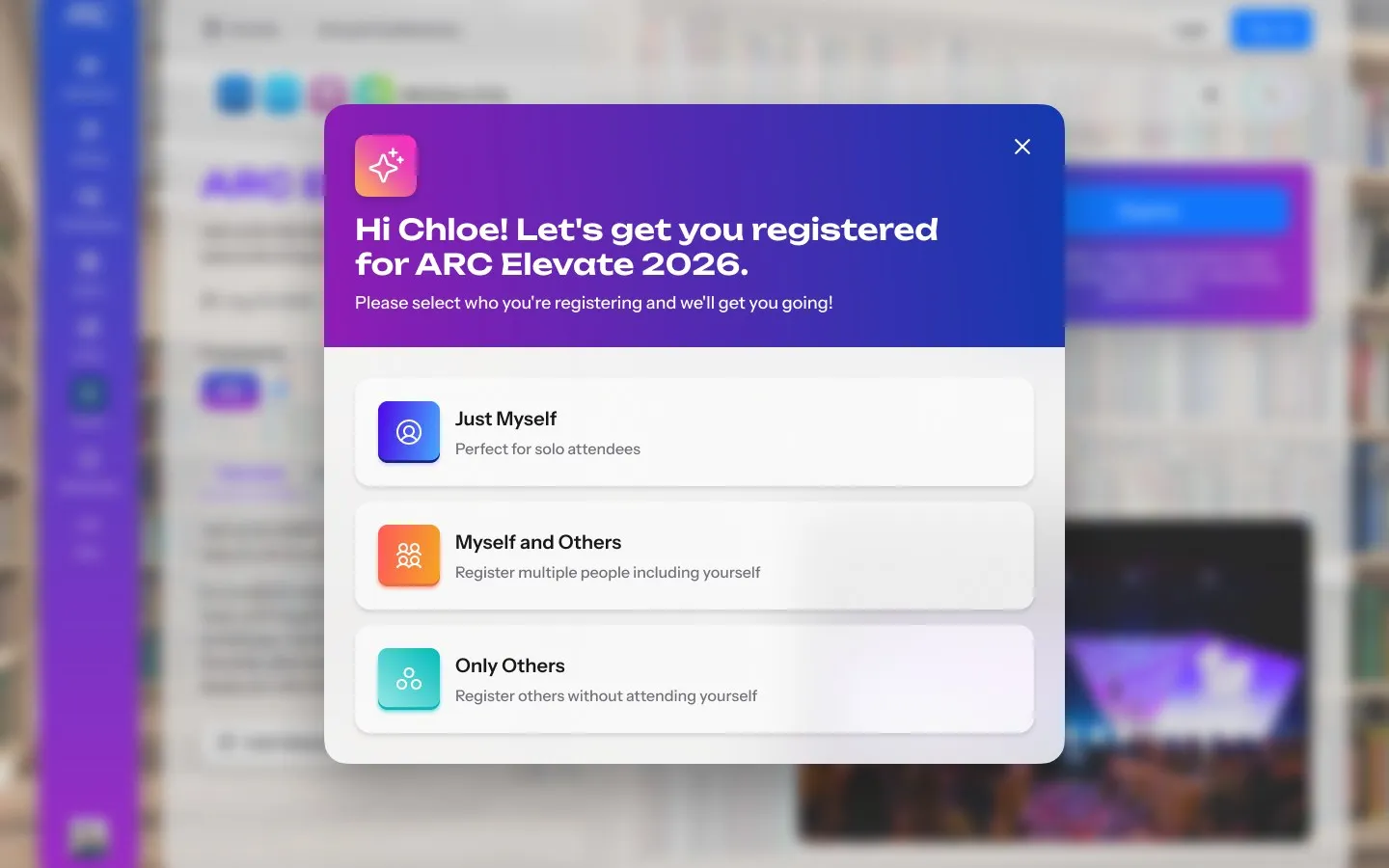
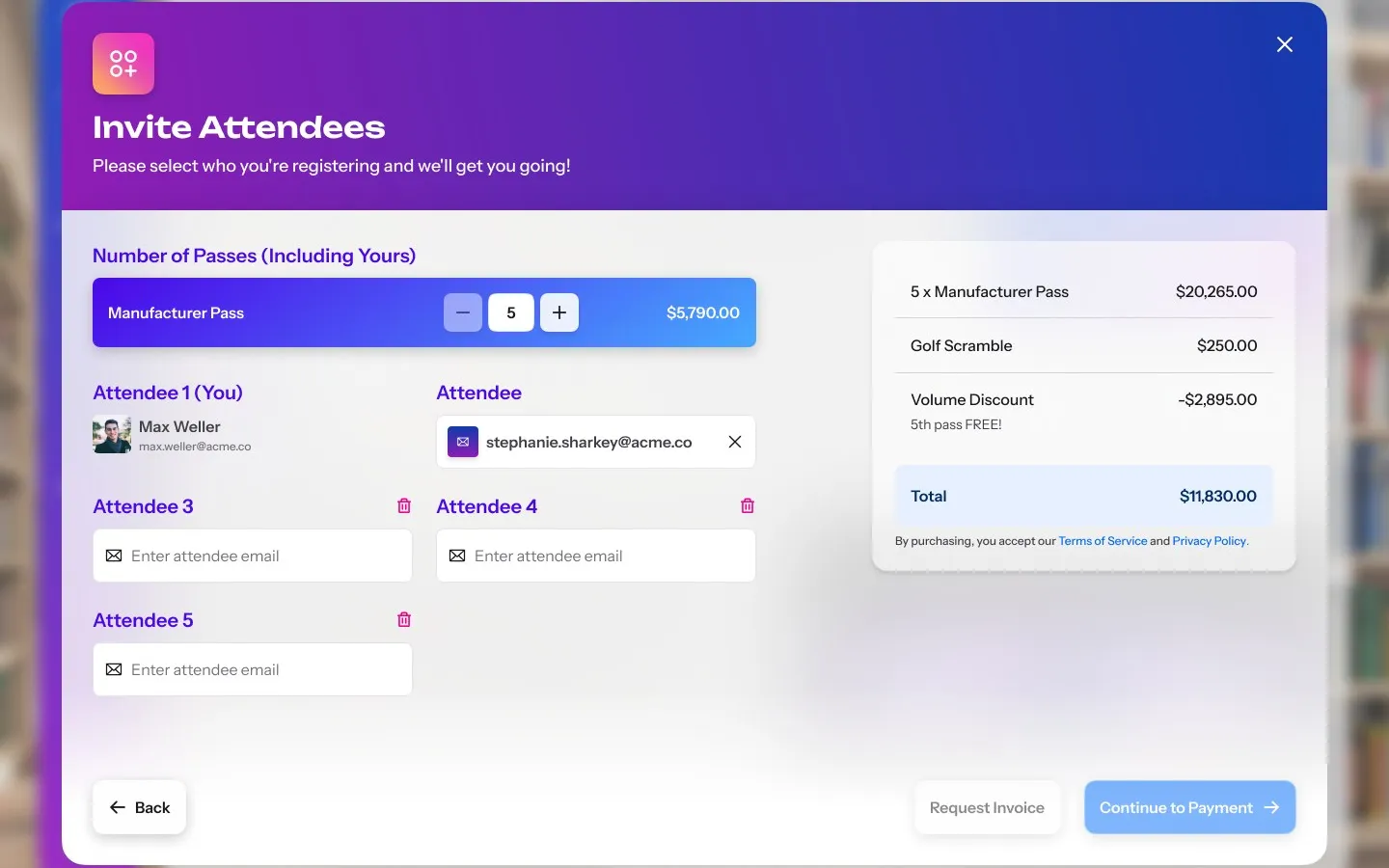
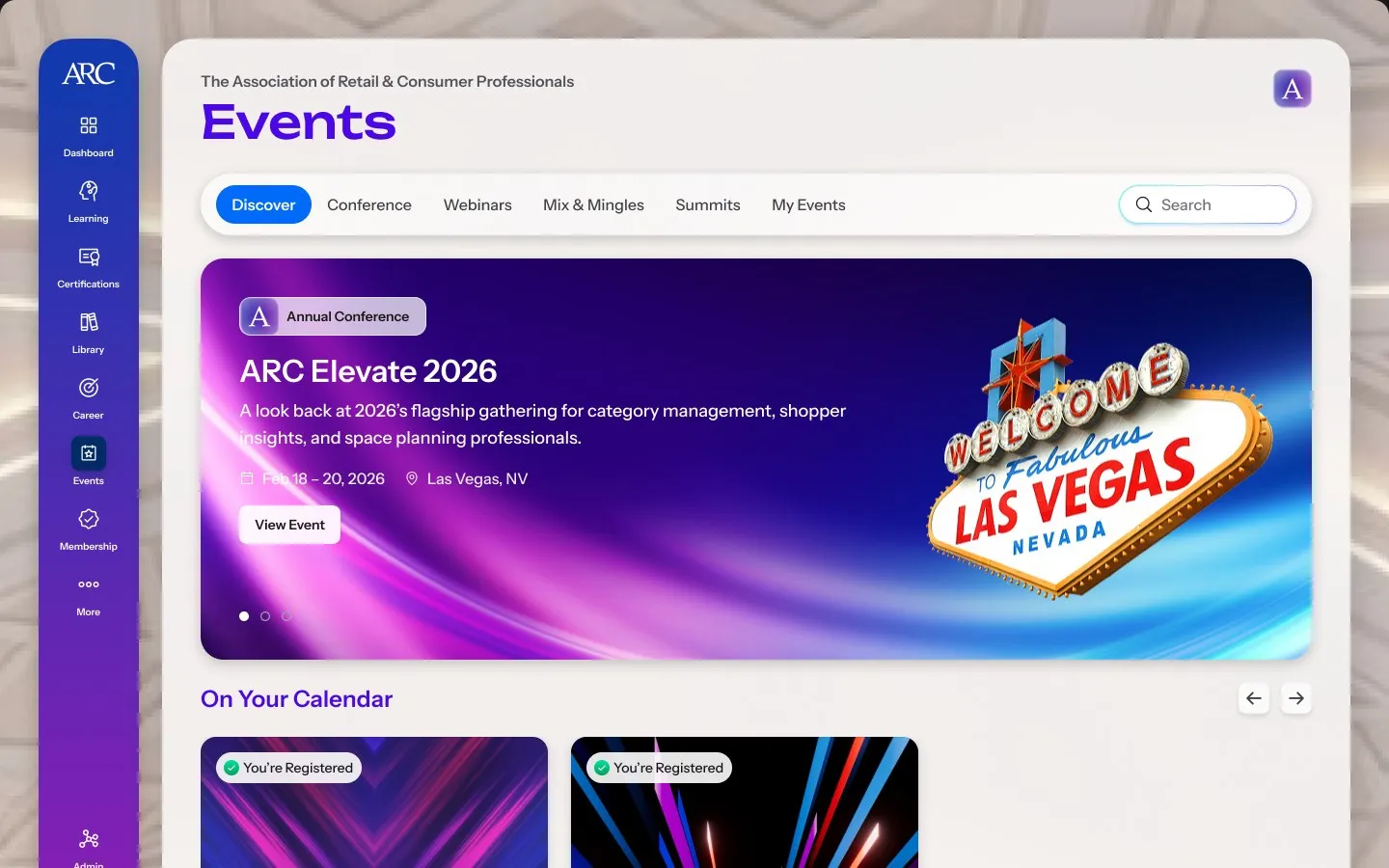
Elevate passes were bought somewhere else entirely, and companies send whole teams. I started registration with one question, who the passes are for, so a member can buy for a team, see the volume discount before paying and invite each attendee by email, and that flow became the template for every paid event after it.
Registering a team for ARC Elevate 2026
  • The Events page: tabs for conferences, webinars, mix and mingles, summits and My Events, ARC Elevate 2026 featured as the annual conference, and the member's registered events under On Your Calendar

    Discovery

  • A registration dialog for ARC Elevate 2026 offering three choices: Just Myself, Myself and Others, and Only Others

    Who is coming

  • The Invite Attendees step: five manufacturer passes, an email field for each attendee, and an order summary with the passes, an add-on, a volume discount and the total

    Invite attendees

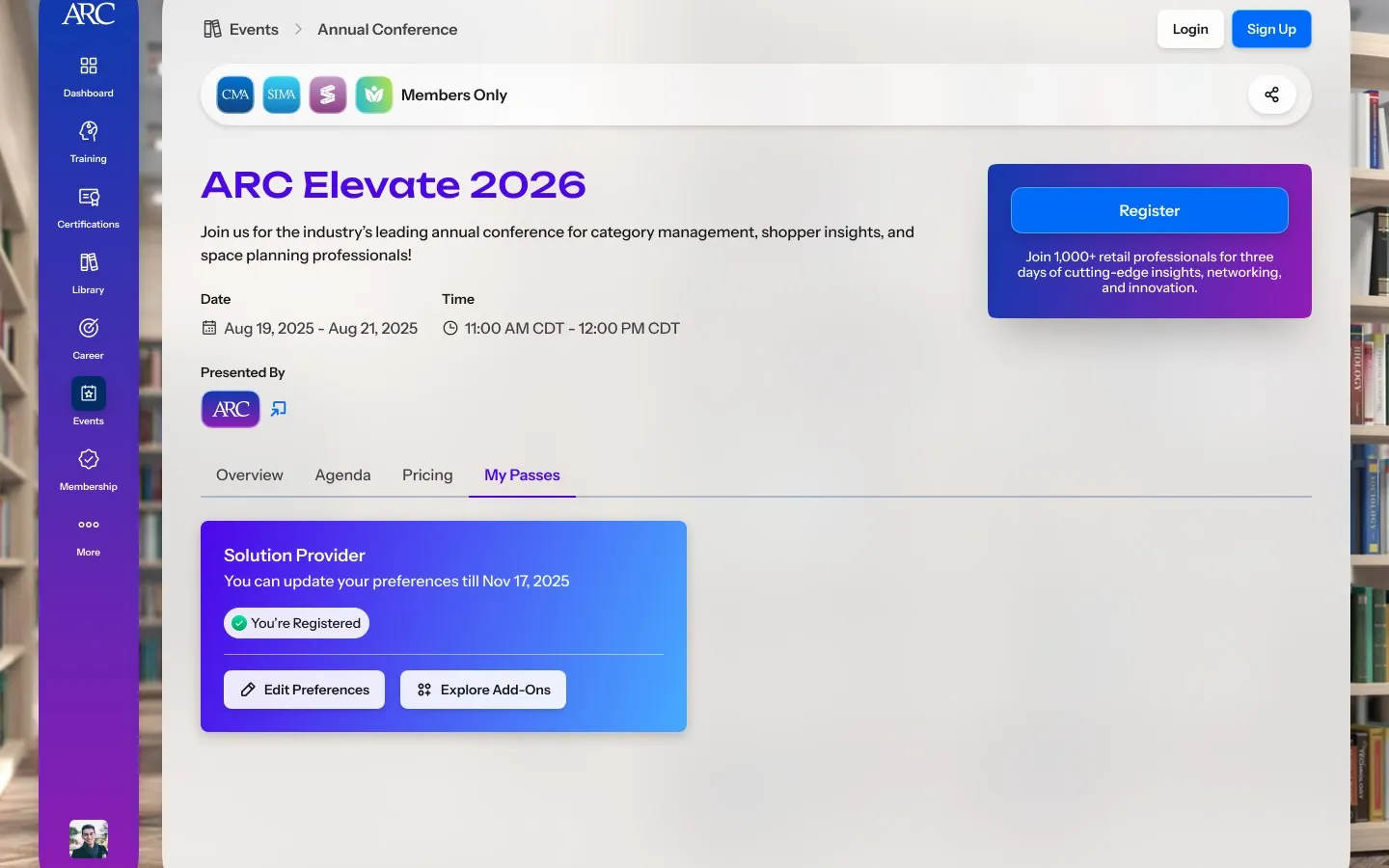
  • The ARC Elevate event page on its My Passes tab, showing a Solution Provider pass marked You're Registered with Edit Preferences and Explore Add-Ons

    My passes

Memberships

Everything else hangs on the membership, so with product and engineering I first mapped how the CRM handled purchase and renewal. The My Membership card came out of that: whichever kind a person holds, it says what is included, what is left and when to renew.
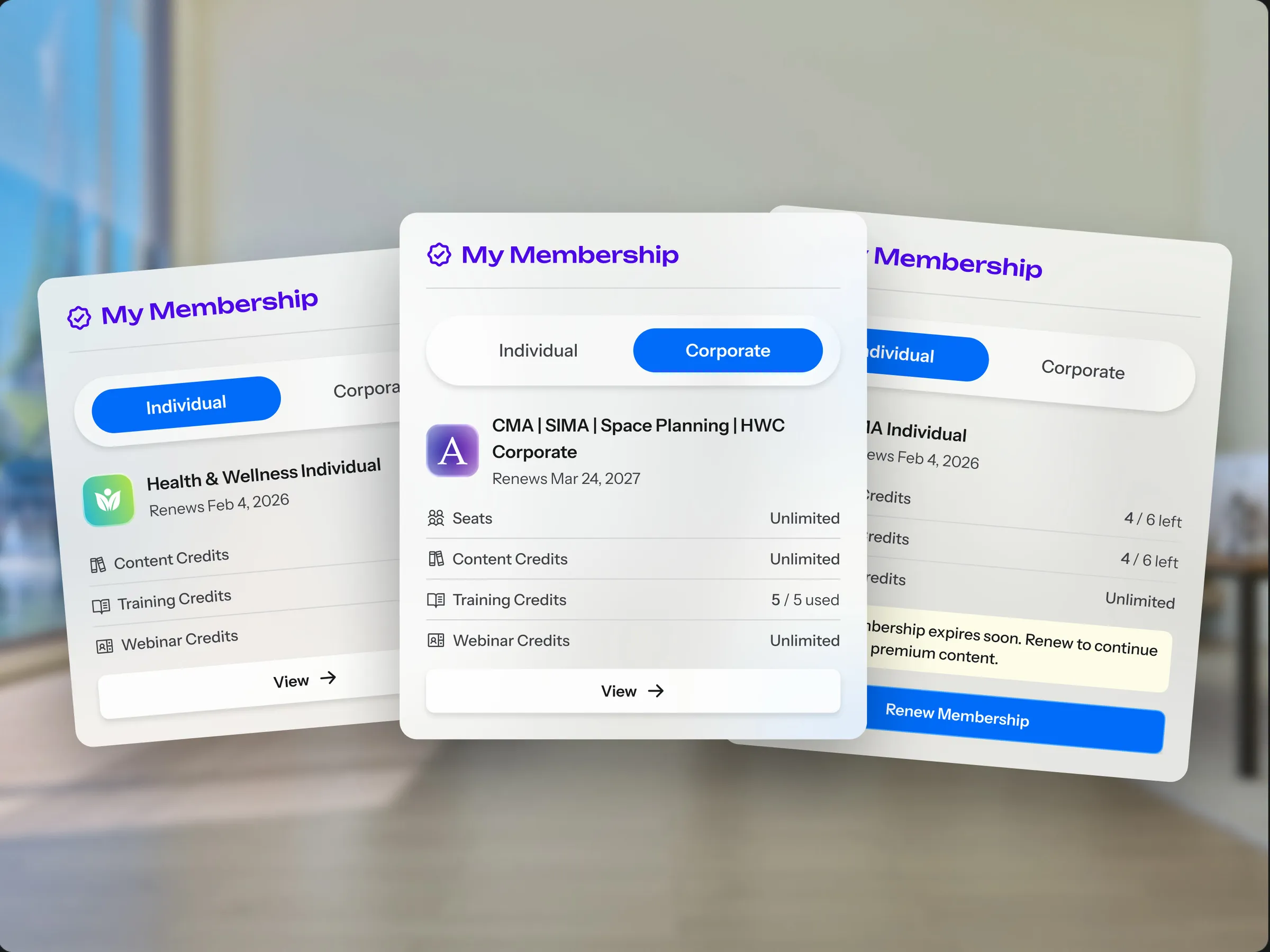
Three My Membership cards fanned over the atrium: an individual Health & Wellness membership, a corporate membership with seats and credits, and an individual membership about to expire with a Renew Membership button
The My Membership card as an individual, a corporate and an expiring membership
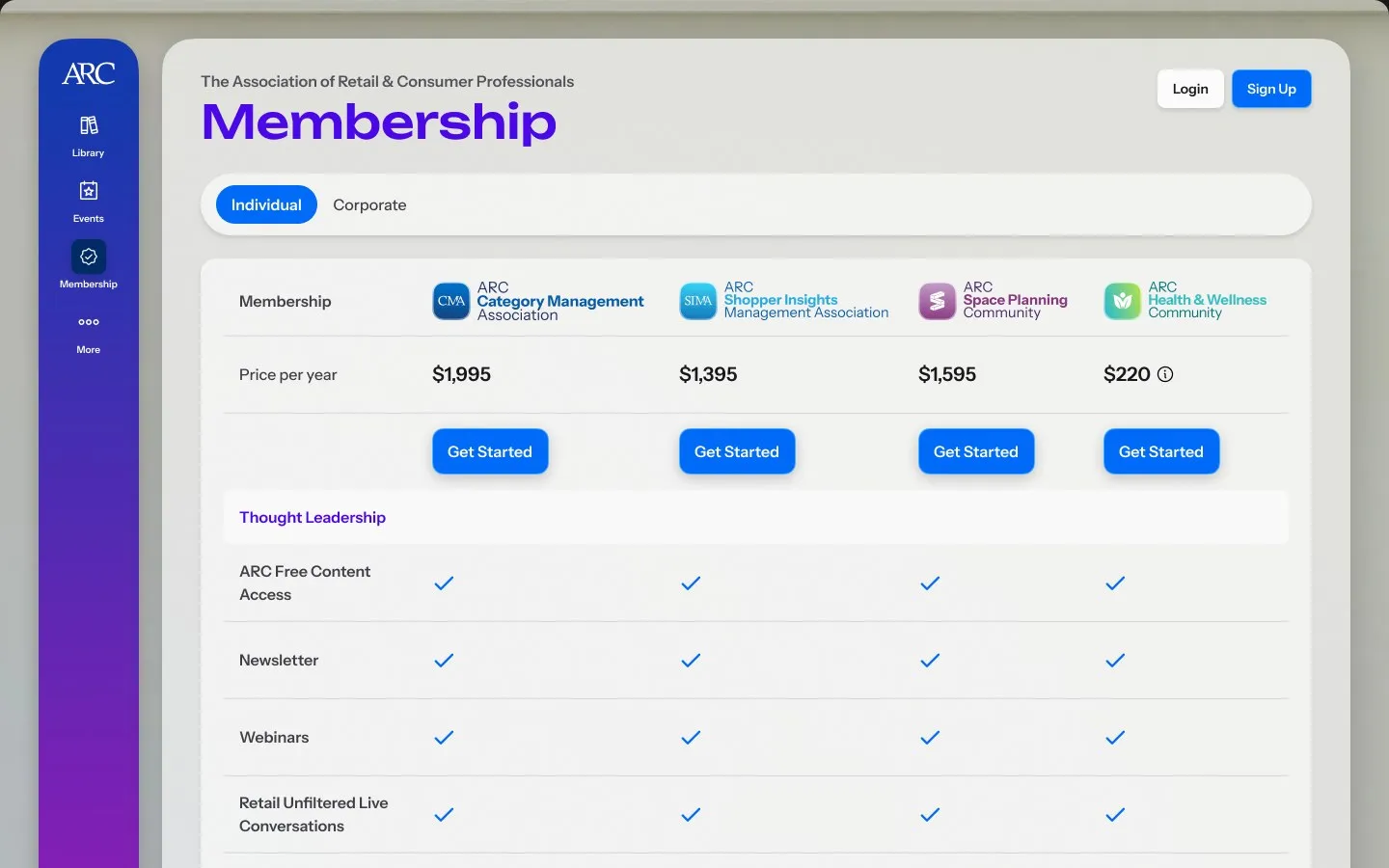
  • The Membership page comparing the four communities side by side, each with its yearly price and a Get Started button, above rows of what every membership includes

    Plans

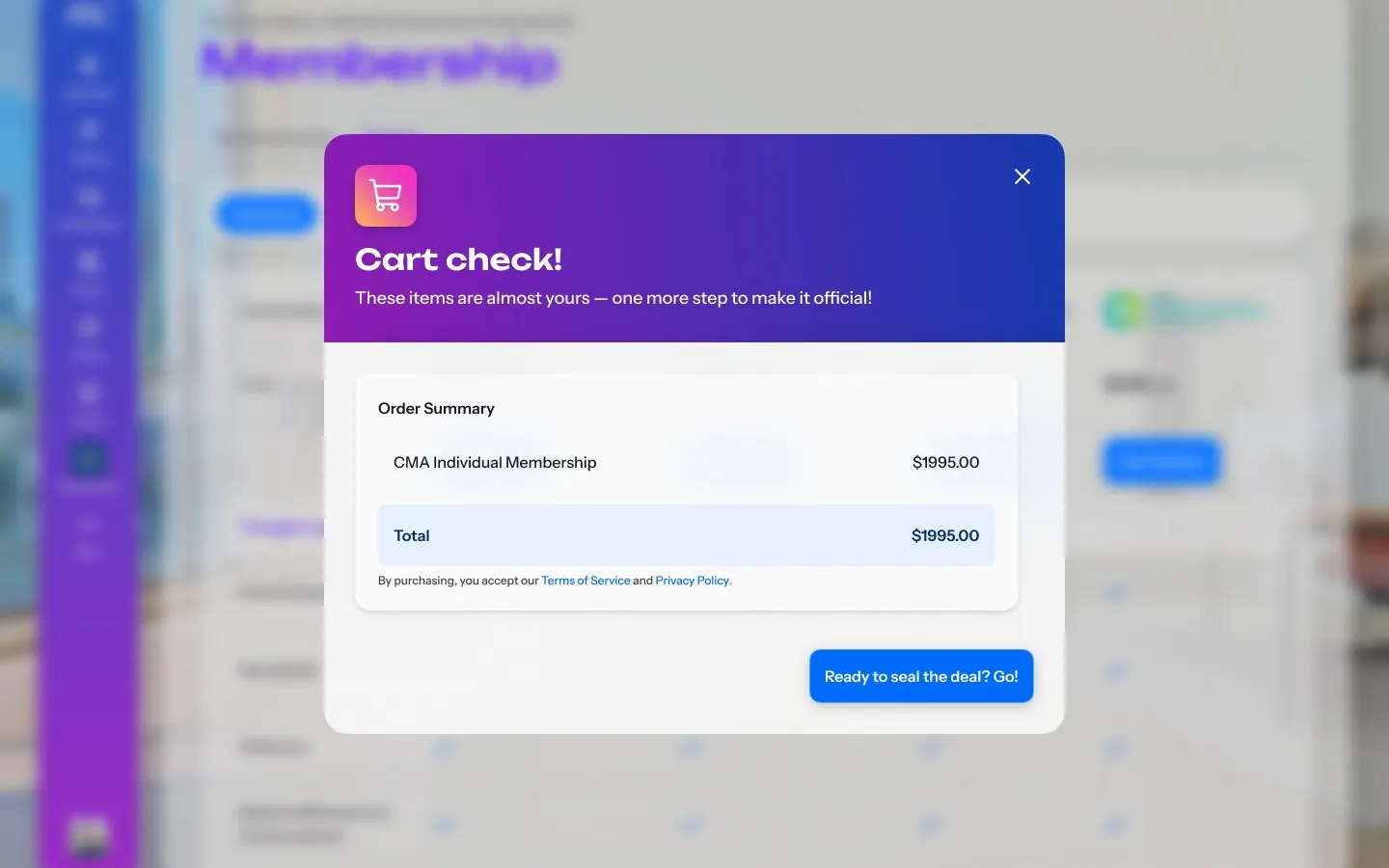
  • A Cart check dialog with an order summary for one individual membership, its total, and a button to continue

    Checkout

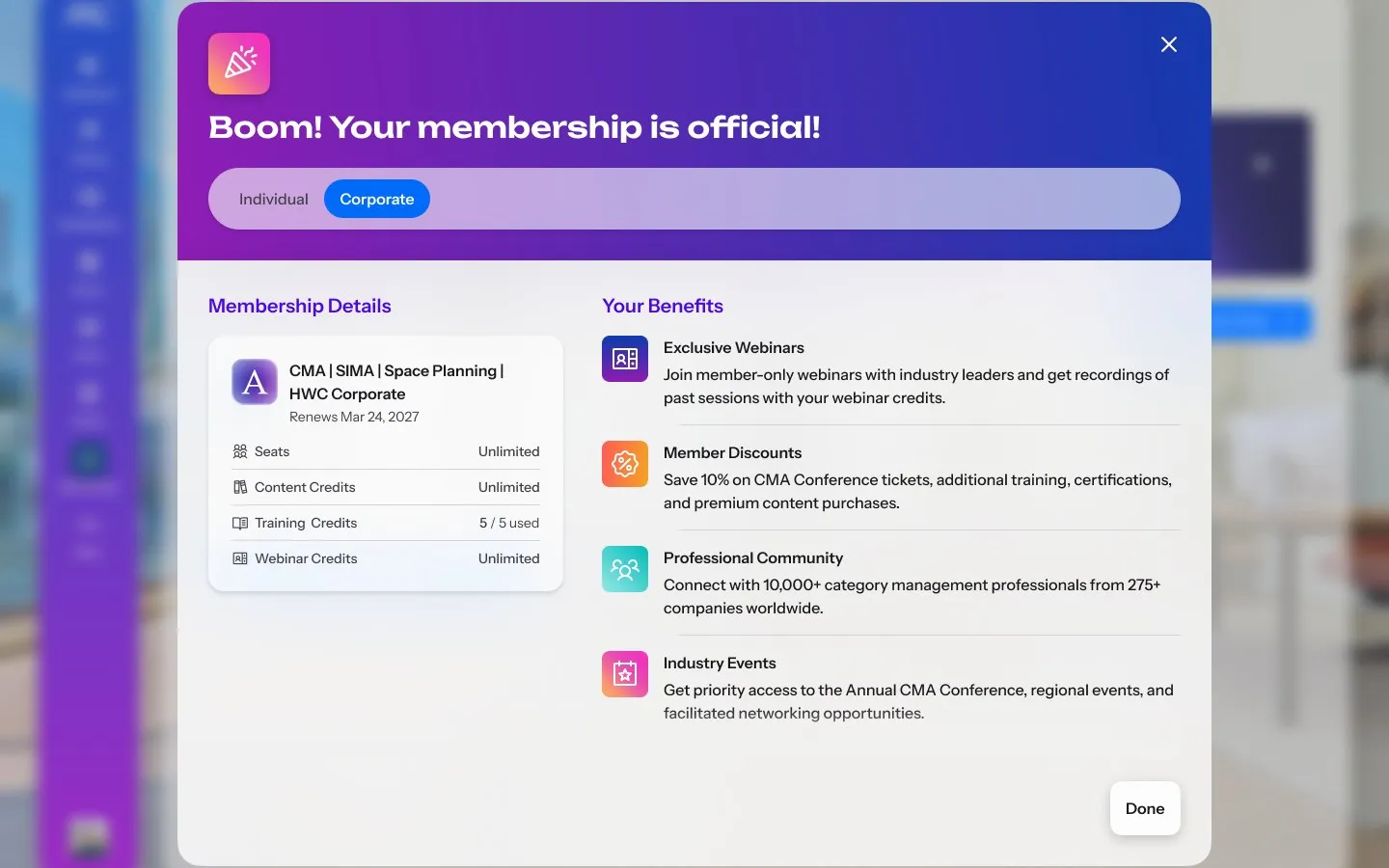
  • A welcome dialog for a corporate membership: the membership's seats, content, training and webinar credits on the left and its benefits on the right

    Welcome

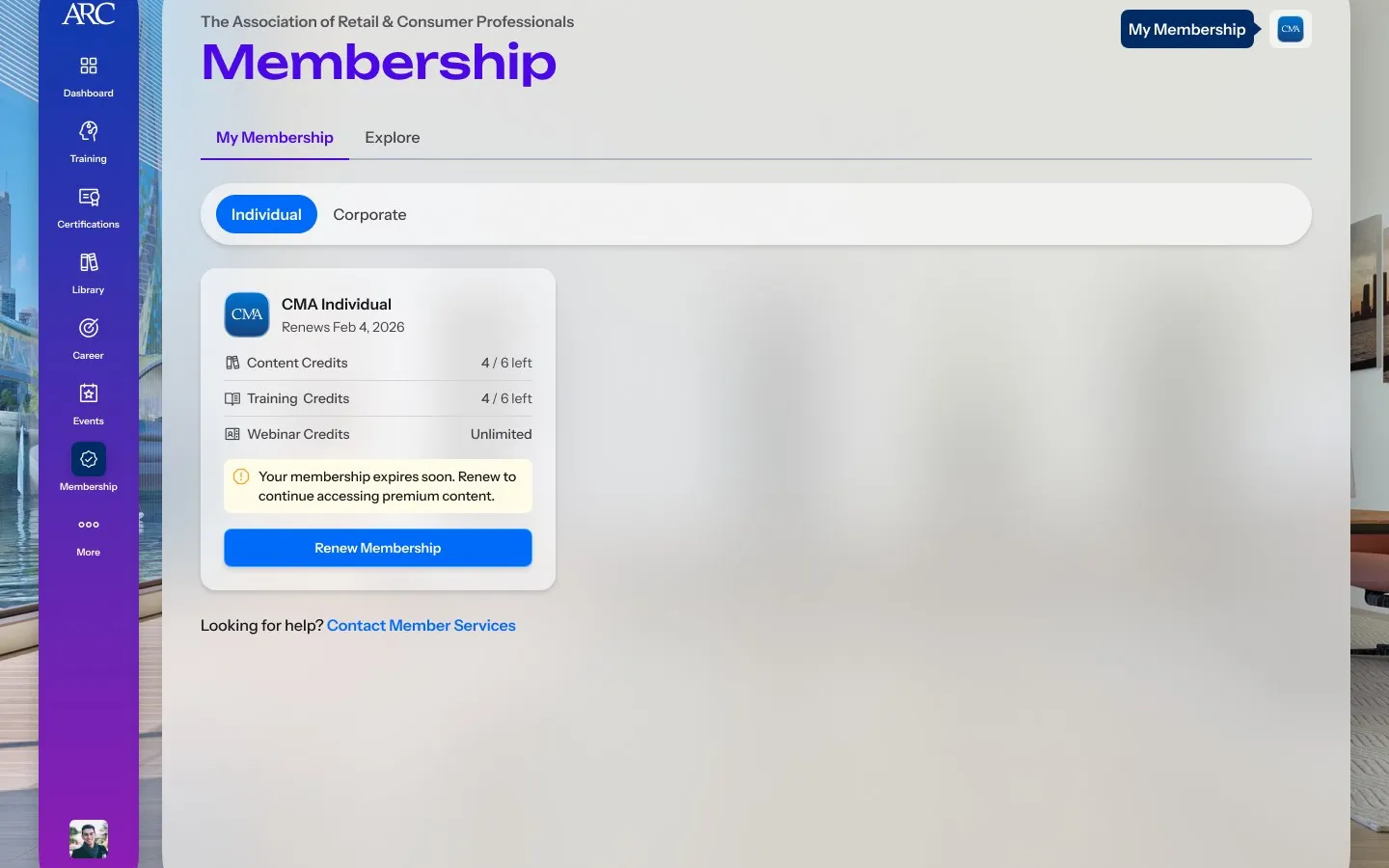
  • My Membership with an individual membership card showing content and training credits left, a note that it expires soon and a Renew Membership button

    Expiring

Design system

I built the design system from scratch on HeroUI, customising its components into ARC's glass, and wrote it down as a specification precise enough that engineers and coding agents build the right thing without waiting on me.
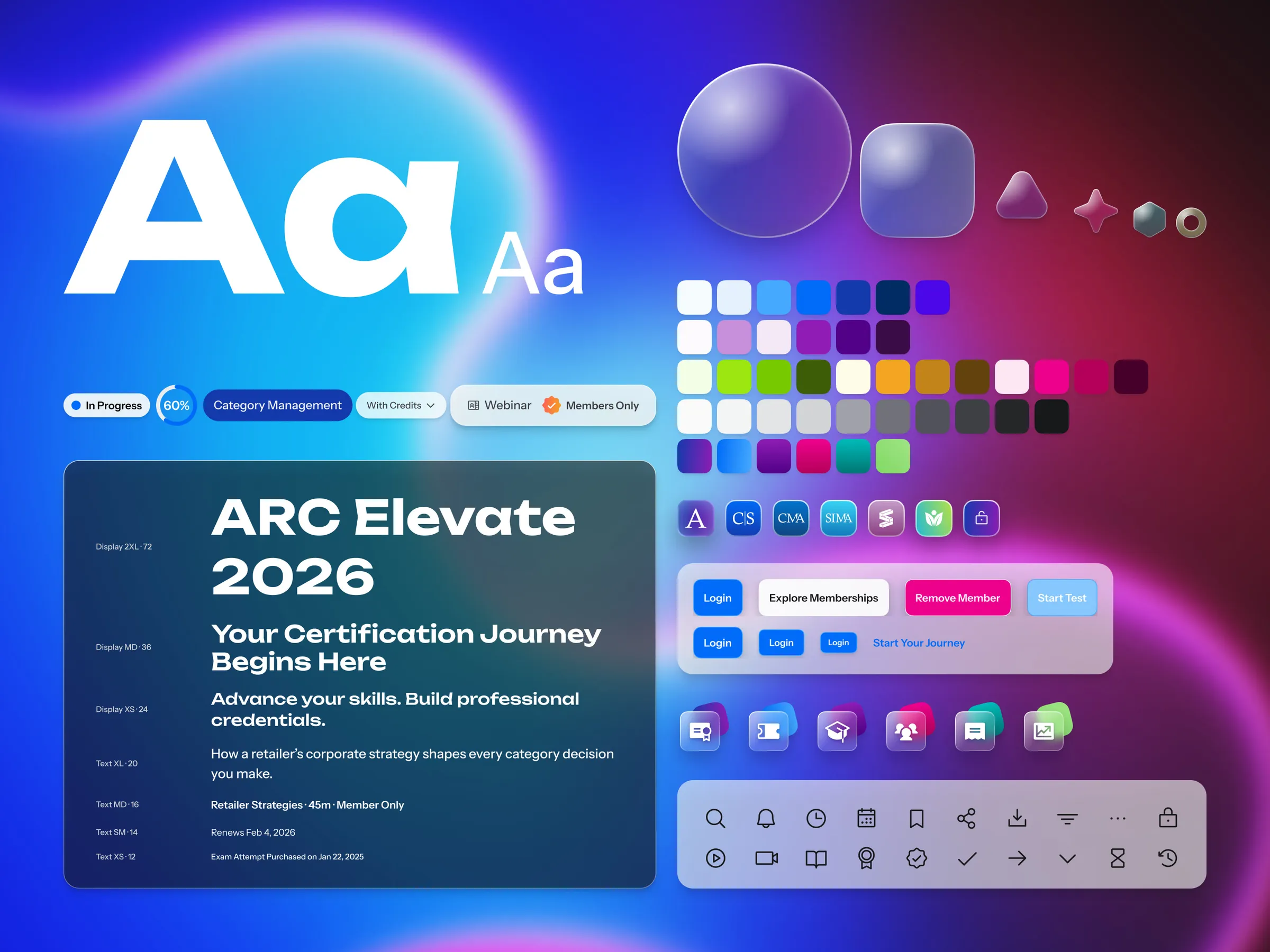
The ARC Campus Design System atoms: the display typeface and type scale, the colour palette, glass shapes, status badges, buttons, community logos and the icon set
The atoms the specification is written from
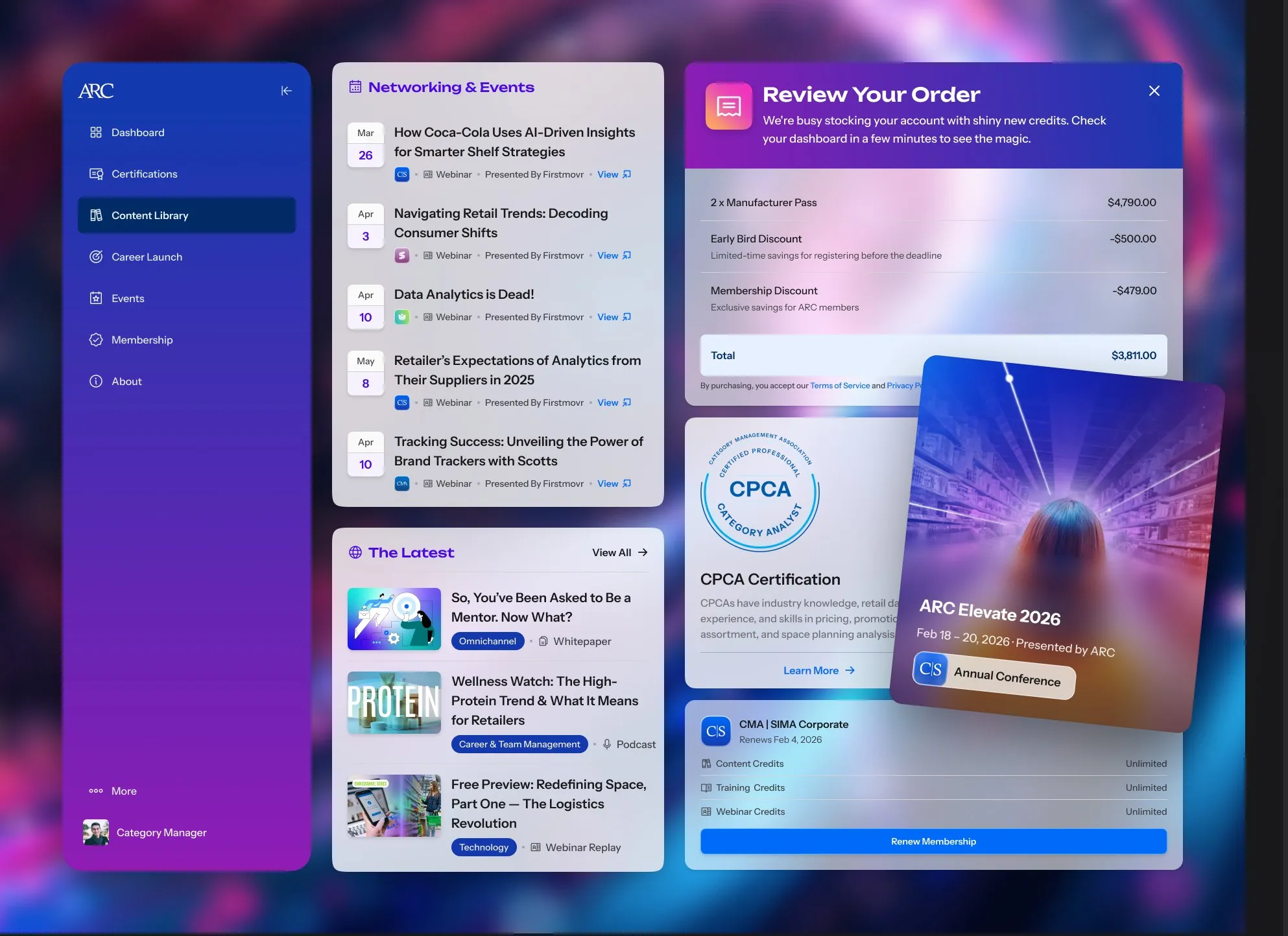
  • Design system organisms on a dark field: the side navigation, the networking and events list, the latest content list, an order review, a certification card, an event card and a membership card

    Organisms

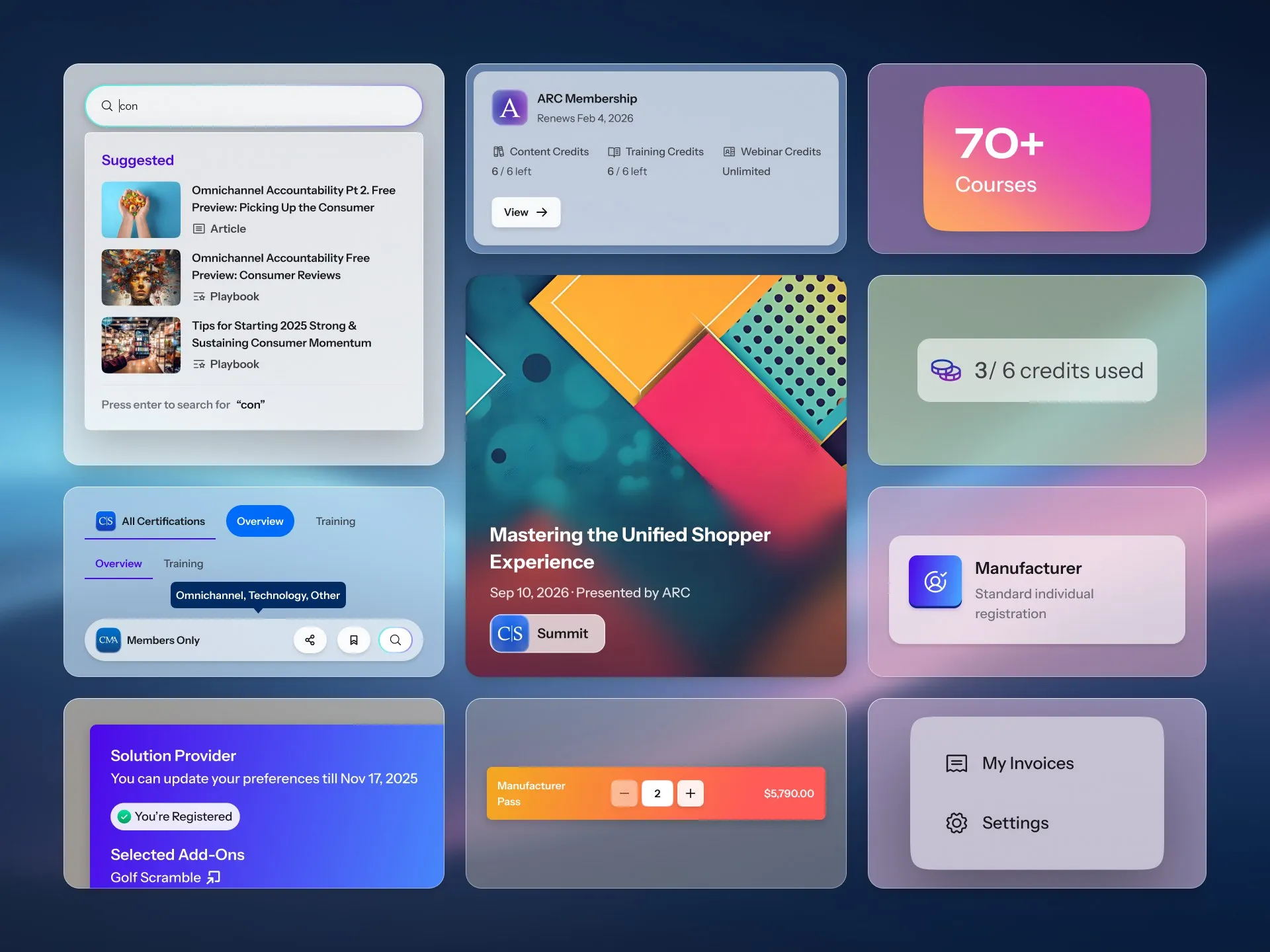
  • Design system molecules as glass tiles: a search field with suggestions, a membership summary, tabs with a tooltip, an event card, a credits counter, a registration type, a pass stepper and a settings menu

    Molecules

60,000+1
people have used Campus since December 2025
18,000+1
people in the month ARC Training launched
2×+1
sessions a month once Training launched
  1. Microsoft Clarity, bots excluded: 61,002 distinct users from 1 December 2025 to 30 October 2026; 18,785 users in July 2026; monthly sessions went from 1,206 (January to June 2026) to 2,920 (July to September 2026), before and after ARC Training launched on 1 July 2026. Rounded down on the page.
Next projectAdmin ConsoleAn email queue became a self-serve console