Bringing delight to payments

Google launched Tez in India in September 2017, in the third week of my internship, and every payment on it looked the same, whether it settled a bill or was a birthday gift. I designed wrappers, a way for the sender to dress a payment for its occasion and for the friend to open it in the chat, and they shipped as Sparks.

Team
Google
Role
UX Design Intern
Timeline
2017
The envelope prototype on Tez in 2017, between the Sparks scenes it became

Paying in the chat

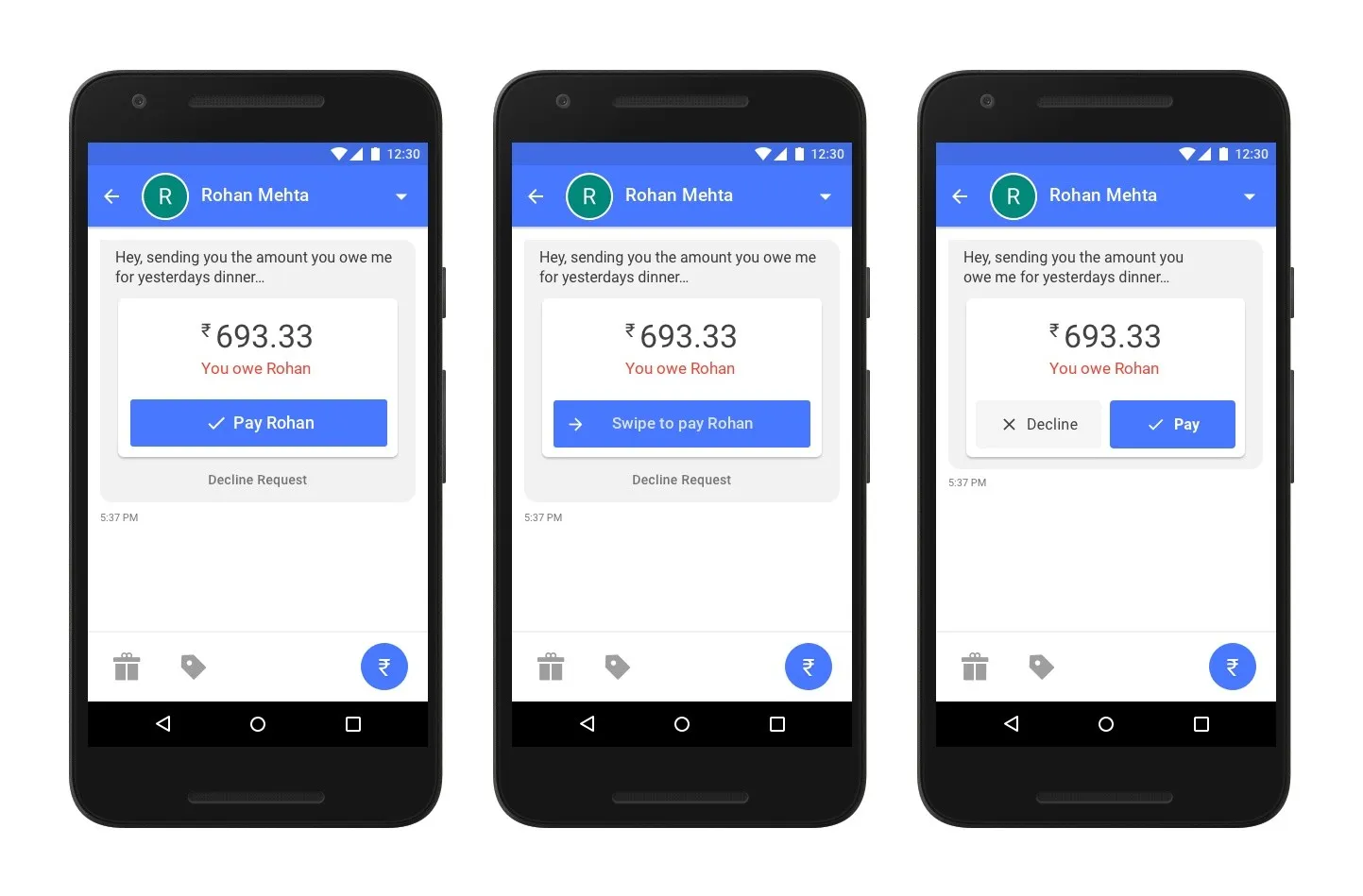
I proposed a range of concepts for paying inside the chat: a sheet over the conversation, three ways to answer a request, an offer above the sheet and a clear state for every outcome. Out of them, I chose the payment screen as the entry point for the wrappers.
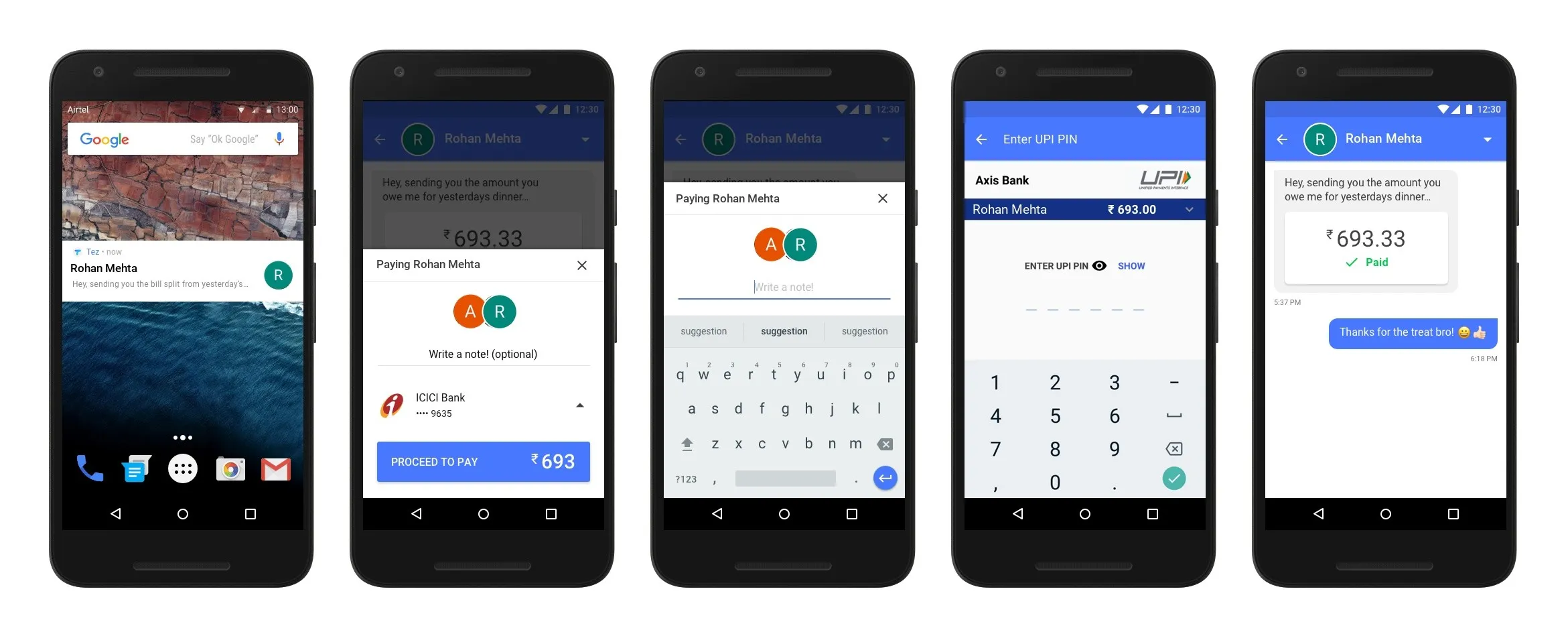
Five Android screens on Tez: a notification of a dinner split, a payment sheet over the chat with an optional note and the bank account, the note being typed, the bank's UPI PIN screen, and the chat with the request marked paid and a thank-you reply
A request paid without leaving the chat
  • Three versions of a payment request in the Tez chat for ₹693.33: a single pay button, a swipe to pay, and pay beside decline

    Requests

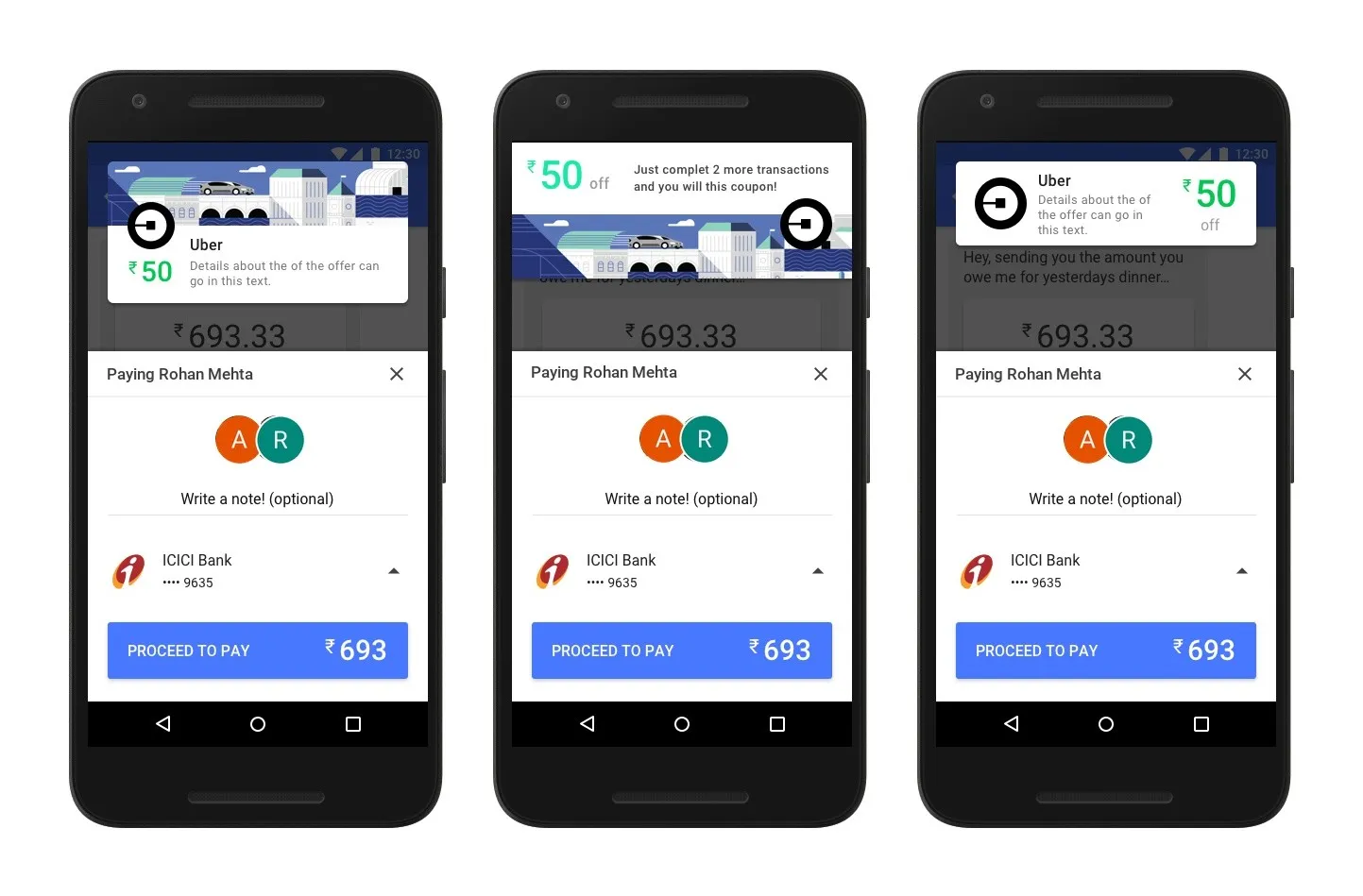
  • Three versions of the payment sheet with a ride-hailing offer above it, worth ₹50, shown as a card, a banner and an illustrated strip

    Offers

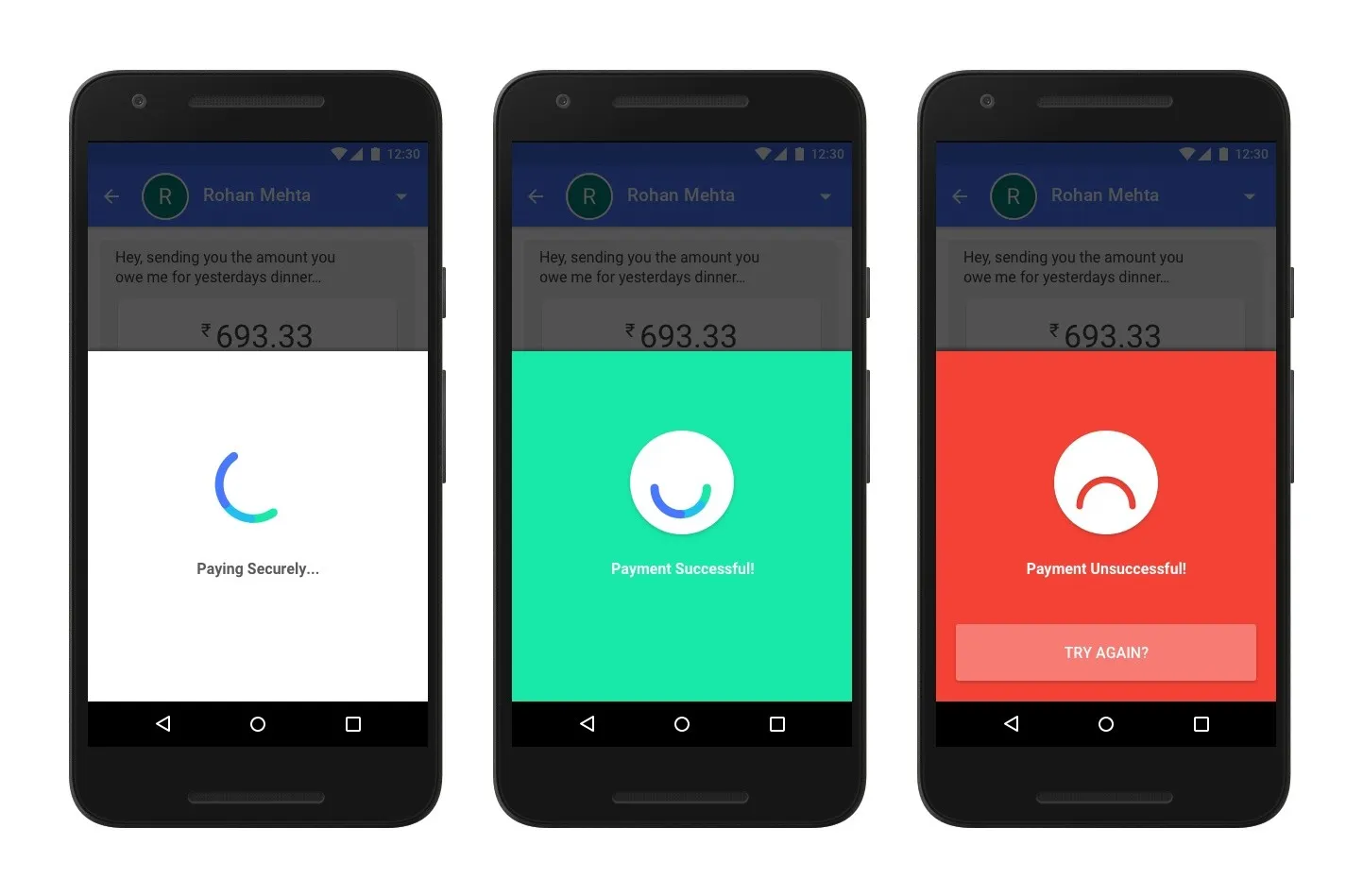
  • Three states over the chat: paying securely with a spinner, payment successful on green, and payment unsuccessful on red with a try again button

    States

Wrapping a payment

The wrappers sit on the pay screen after the note, because shown first they pulled attention from the payment, and after the note the sender knows what the money is for. On the other side, the friend's notification names the wrapper rather than the amount, and the payment waits in the chat as something to open.
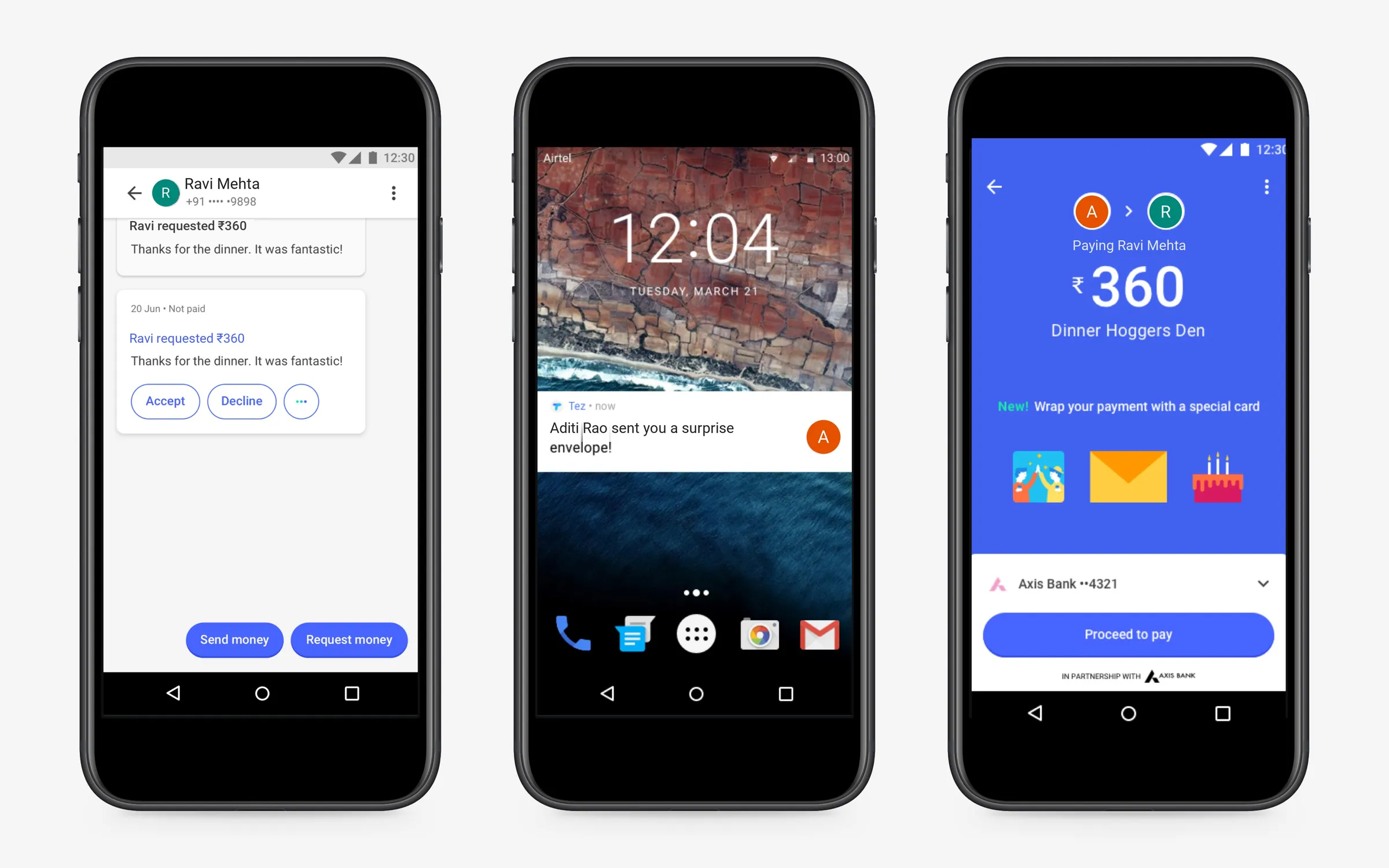
Three phones on Tez: a payment request for ₹360 in a chat, a lock-screen notification that a surprise envelope has arrived, and the pay screen offering a thank-you card, an envelope and a birthday cake
A thank-you card, an envelope and a birthday cake, across both sides of a payment
  • Envelope, sender

  • Envelope, receiver

  • Birthday cake, sender

  • Birthday cake, receiver

Sparks

I designed the wrappers as a framework, every one sharing the same interaction, so the team could add new ones for a festival or an event without redesigning it. They shipped as Sparks, and Google turned them into illustrated scenes a sender picks for each payment.
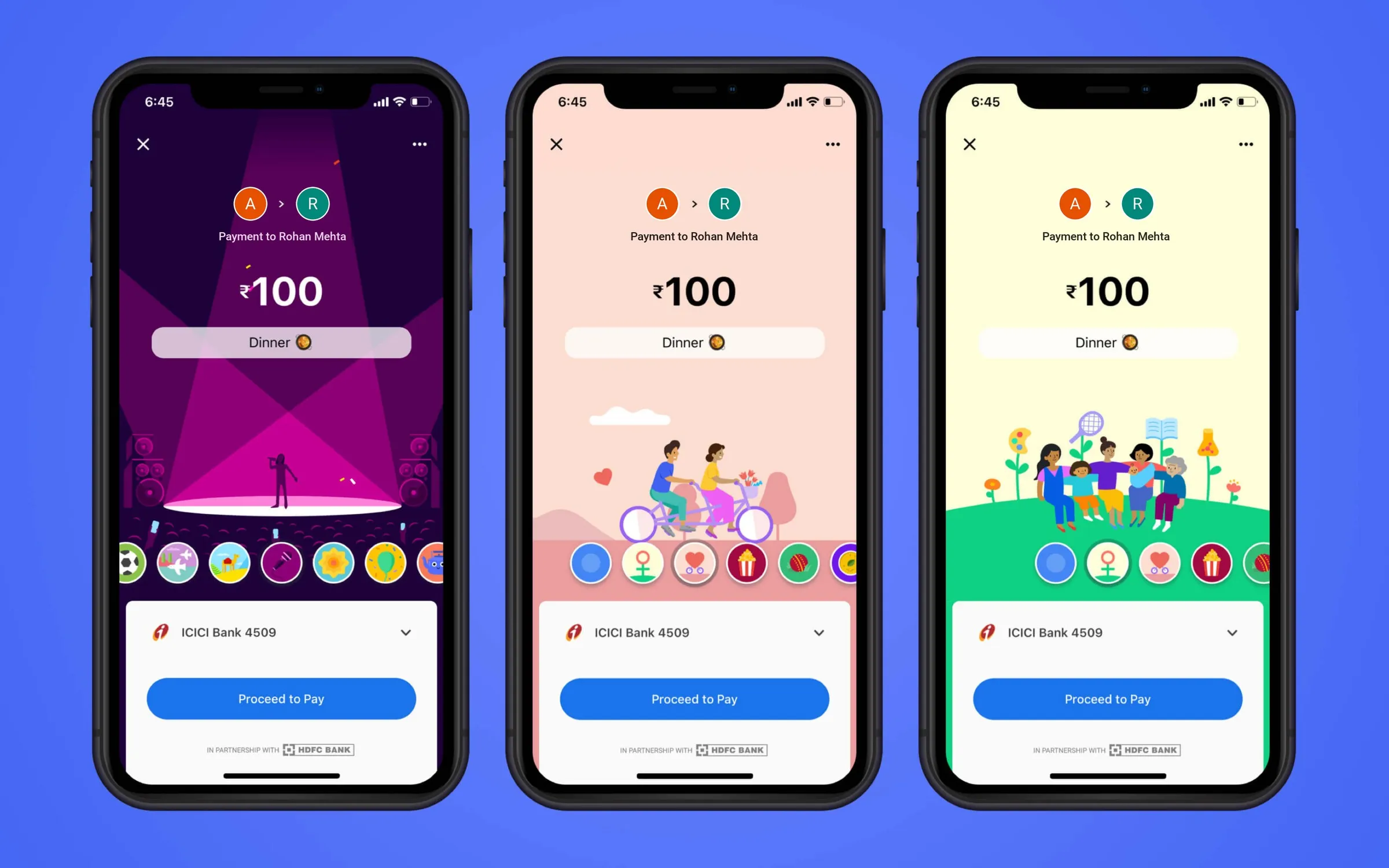
Three Google Pay payment screens for ₹100 marked Dinner, each wrapped in a different illustrated scene, a concert stage, a couple on a tandem bicycle and a family on a hill, with a row of themes to choose from above Proceed to Pay
Sparks as it shipped

Research

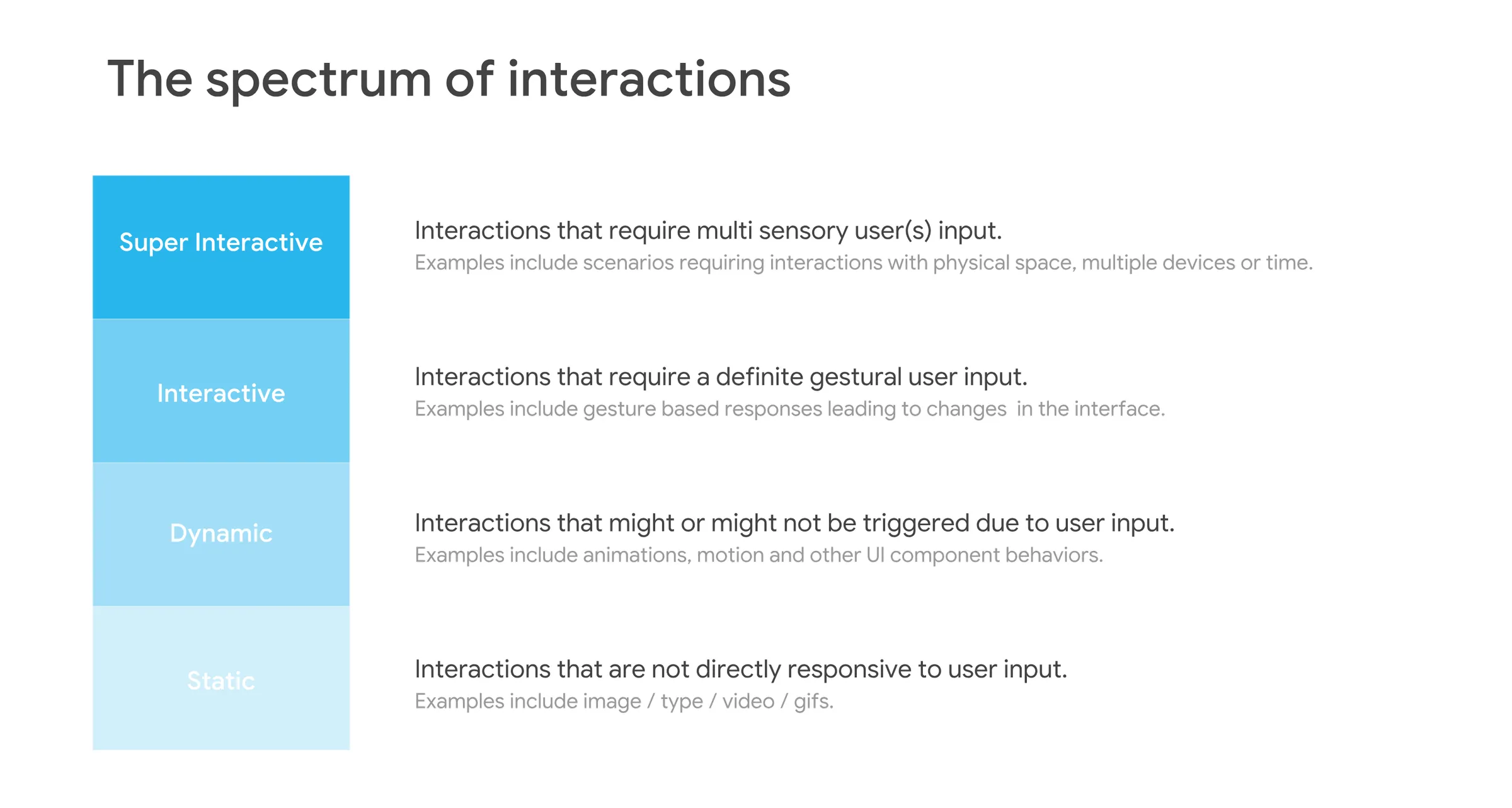
I started from the launched app as a new user would meet it, and spoke one to one with product, research and design about why Google was building it for India. Early concepts went on a spectrum from static to super interactive, which is how I chose how much a payment should ask of anyone.
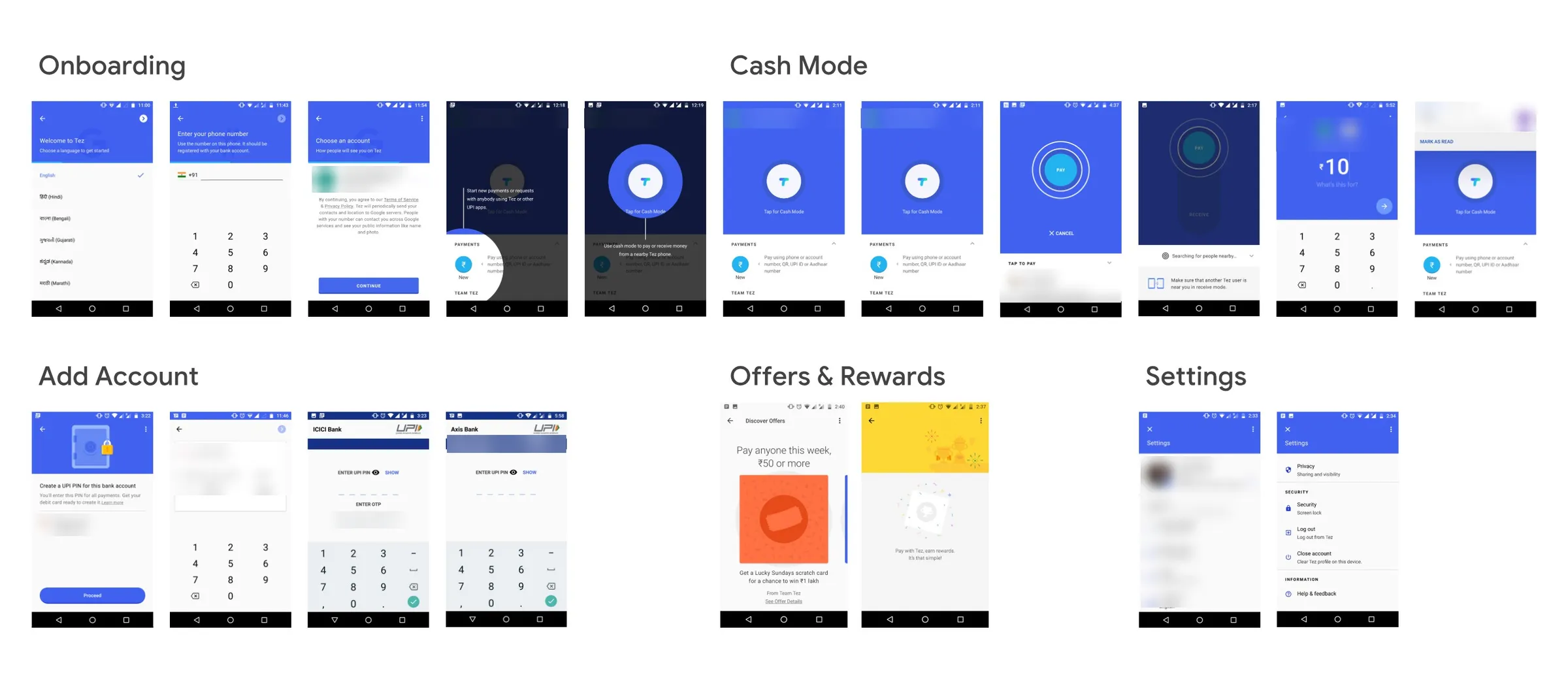
A board of Tez screens on Android grouped as Onboarding, Cash Mode, Add Account, Offers and Rewards, and Settings, with personal details blurred
The launched app, as a new user met it
  • The spectrum of interactions in four bands, static, dynamic, interactive and super interactive, each with a definition and examples

    The spectrum of interactions

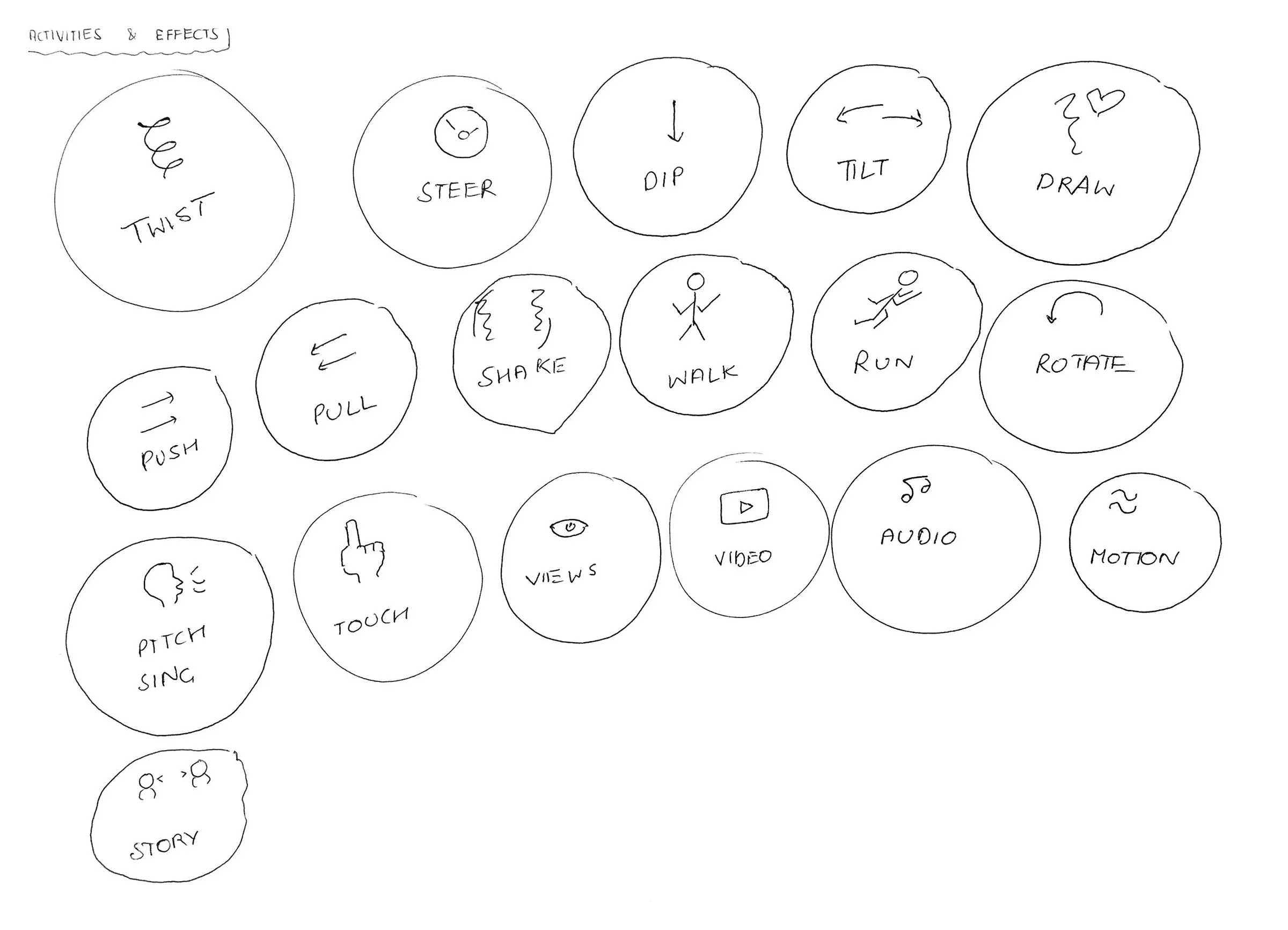
  • Hand-drawn circles naming what a phone can sense or show: twist, steer, dip, tilt, draw, push, pull, shake, walk, run, rotate, pitch and sing, touch, views, video, audio, motion and story

    Activities and effects

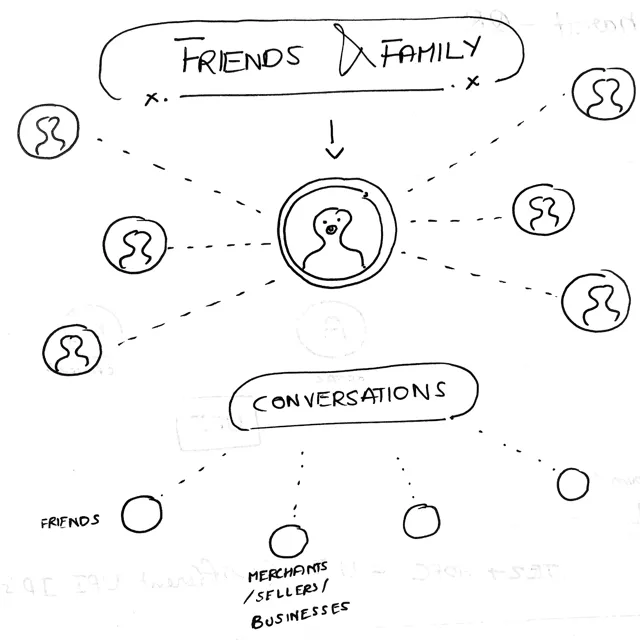
  • A hand sketch of a person at the centre of friends and family, with conversations branching to friends and to merchants, sellers and businesses

    Notes

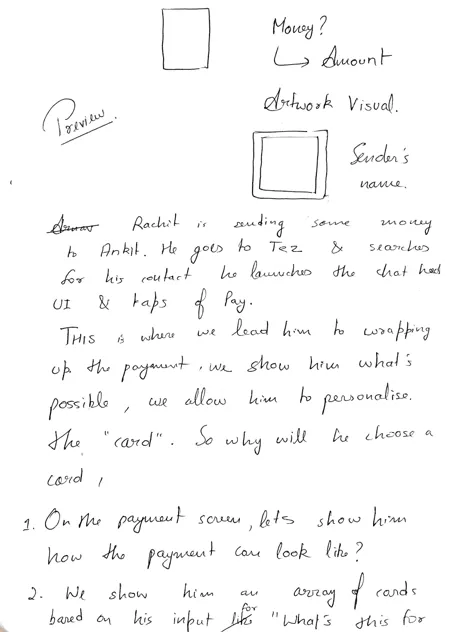
  • Handwritten notes on a sender wrapping a payment: a card preview with the amount, artwork and the sender's name, and a scenario of one friend sending another money

    Notes

60M+
people in India using the product Sparks shipped into
Next projectARC CampusFour communities became one platform