A better working day for every caller

SquadStack runs fully managed telecalling for sales and operations teams, and SquadStack Partners is the Android and web app where its more than 1,500 sales experts1 are screened, take on calling work and get paid, a service that leaned heavily on manual processes. As Design Lead, designing alongside the team of three I led, I set the design principles and redesigned Getting started, the call loop, Earnings and Screening on the web.

Team
SquadStack
Role
Design Lead
Timeline
2021 to 2022
From sign-up to earnings

Design principles

We worked to four principles: start with the problem, keep it simple, establish trust and reliability for clients and callers alike, and modular over bespoke, building solutions like lego blocks.

Getting started

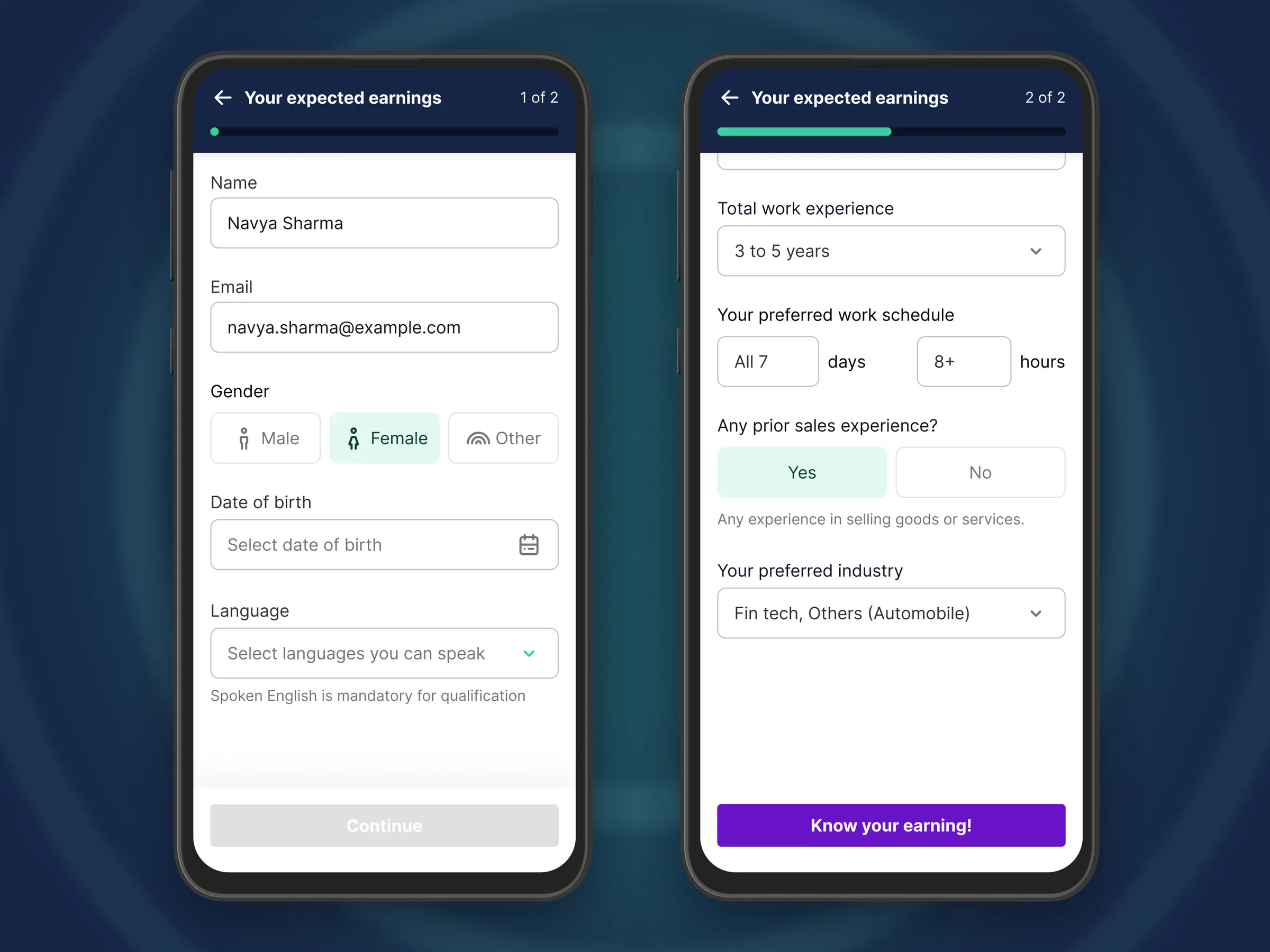
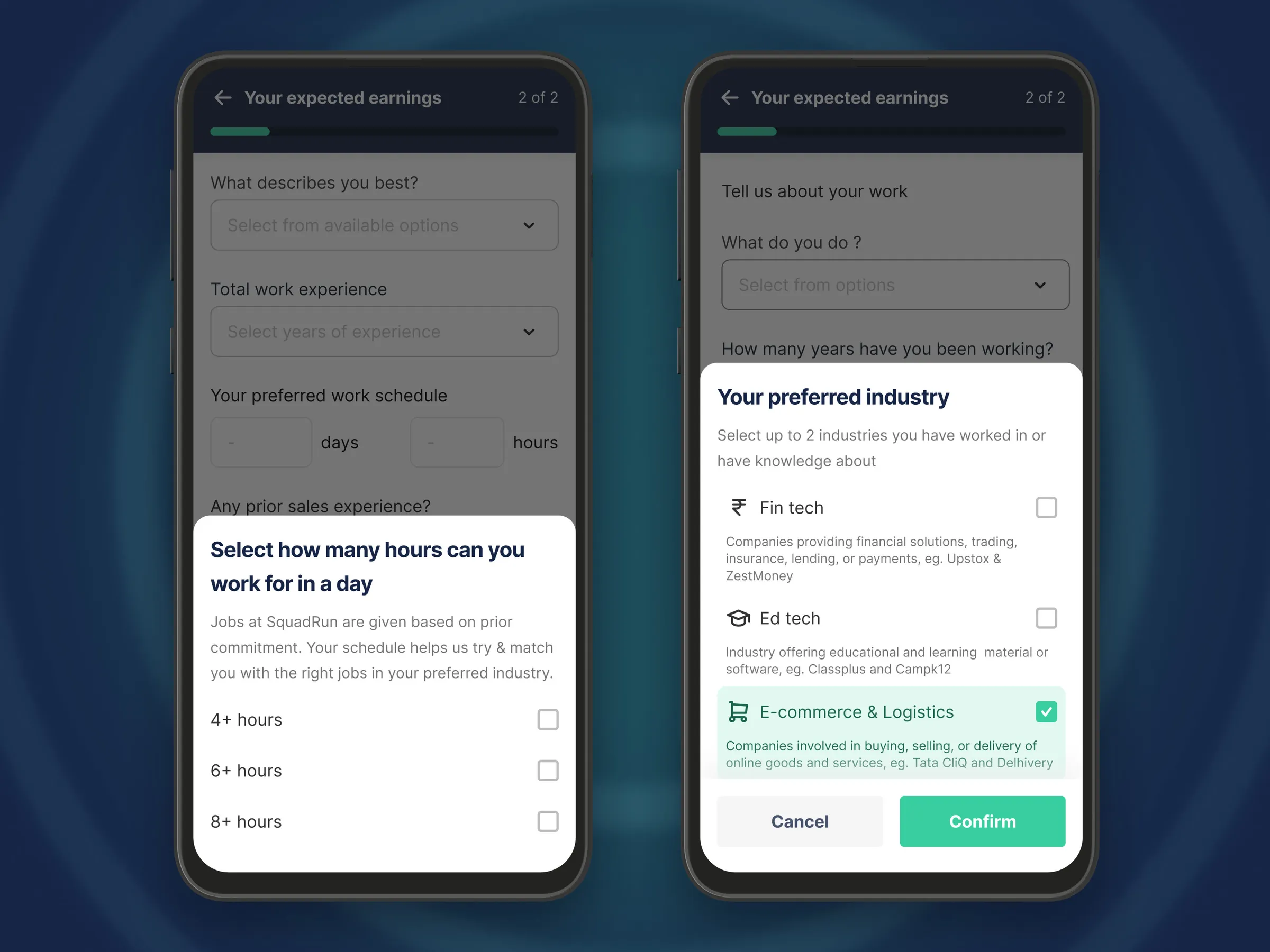
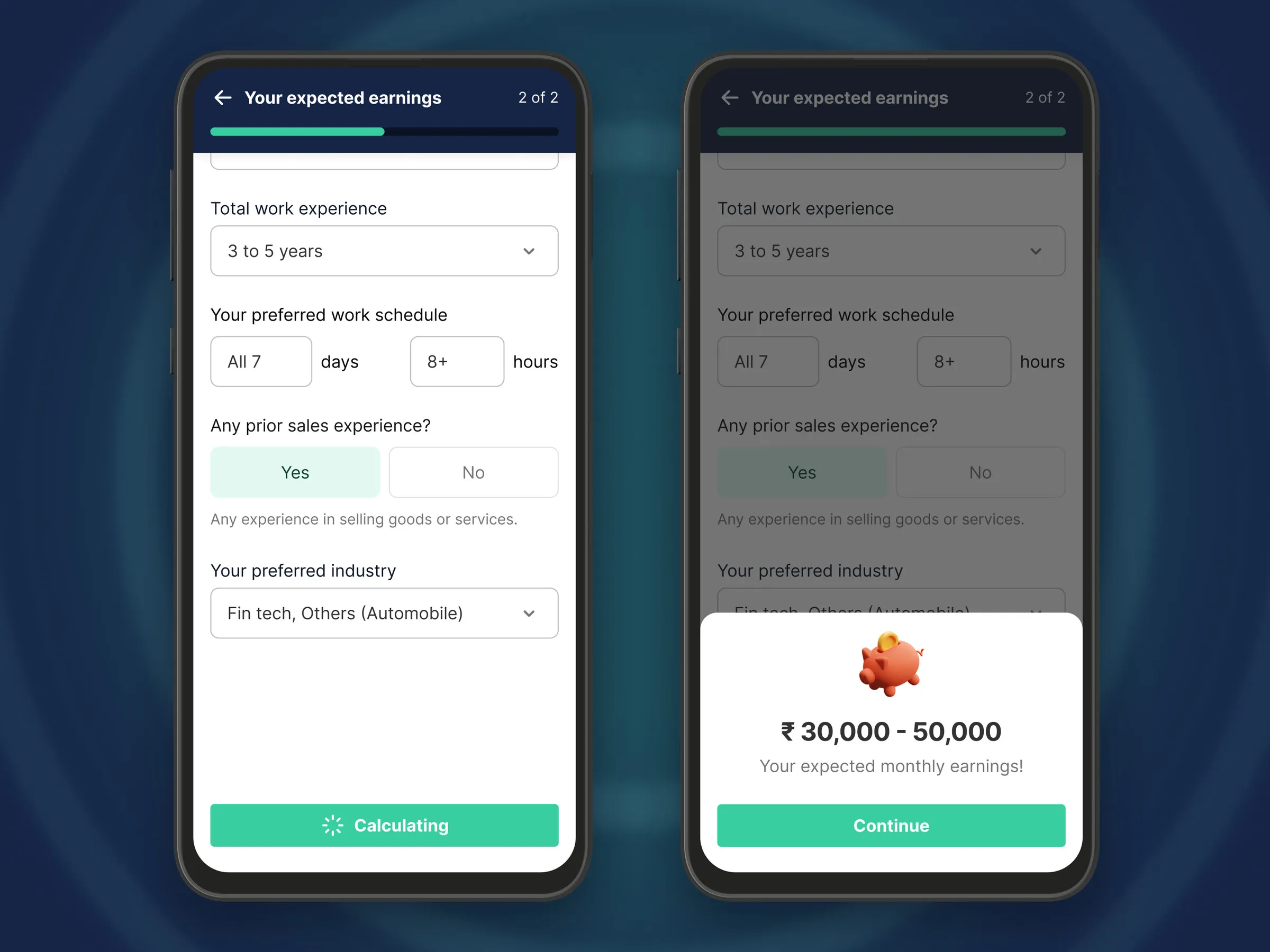
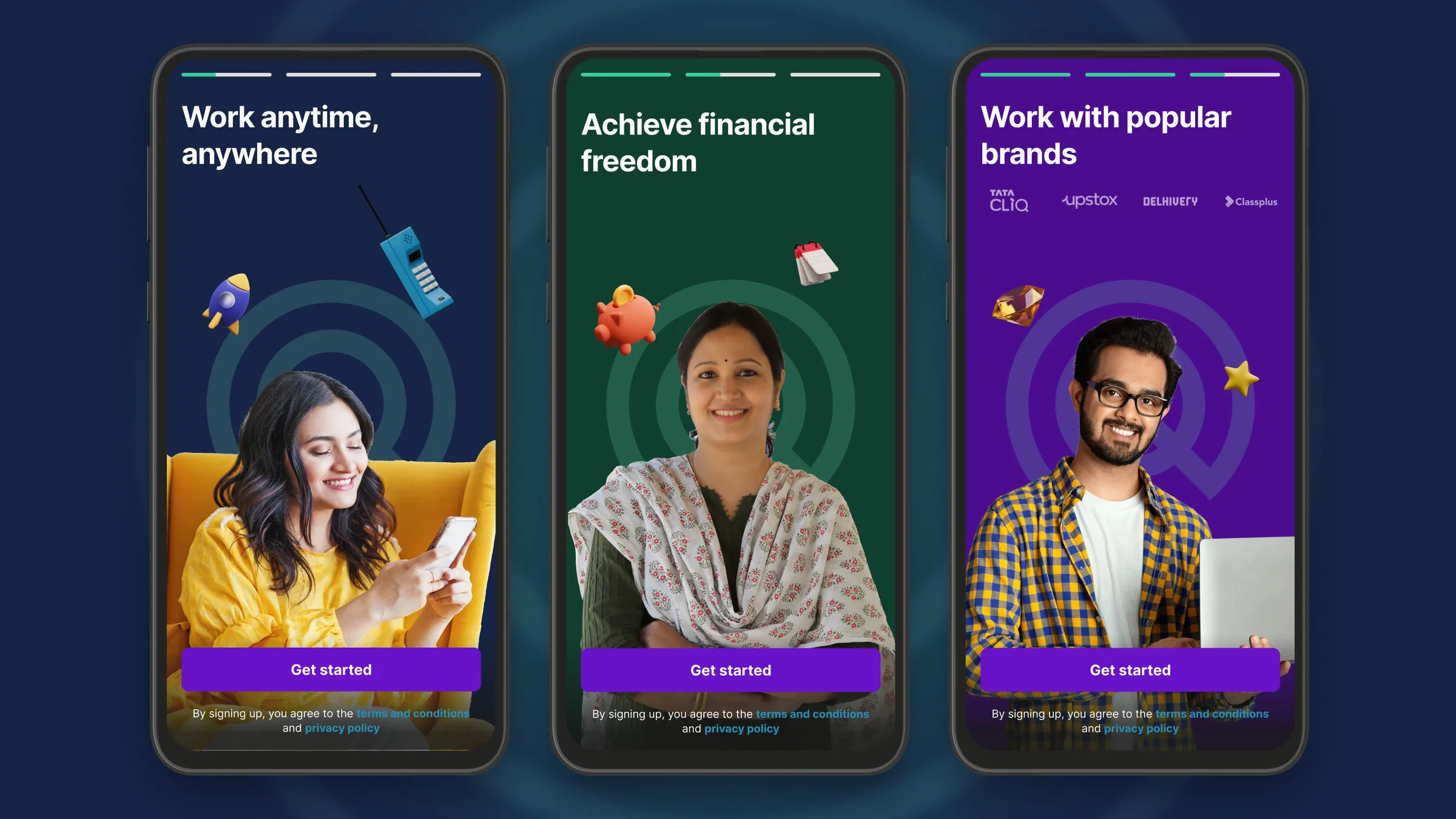
Before any test, a new caller sees what the work could pay, worked out from a few questions about their experience, schedule and preferred industries. Keeping it simple meant clear imagery and short descriptions across the whole product, starting with the welcome stories.
A new caller works out what the work could pay
  • Three phones on a navy field with soft mint rings showing the welcome stories: Work anytime, anywhere, Achieve financial freedom, and Work with popular brands with the brands named, each with Get started

    Welcome

  • Two phones on a navy field: the first page of Your expected earnings with name, email, gender, date of birth and language, beside the second page with work experience, schedule, sales experience and preferred industry filled in

    Expected earnings

  • Two phones on a navy field: a sheet asking how many hours a day the caller can work, beside a sheet to pick up to two preferred industries with e-commerce and logistics chosen

    Preferences

  • Two phones on a navy field: the filled form calculating, beside a sheet with the expected monthly earnings range and Continue

    The answer

The call loop

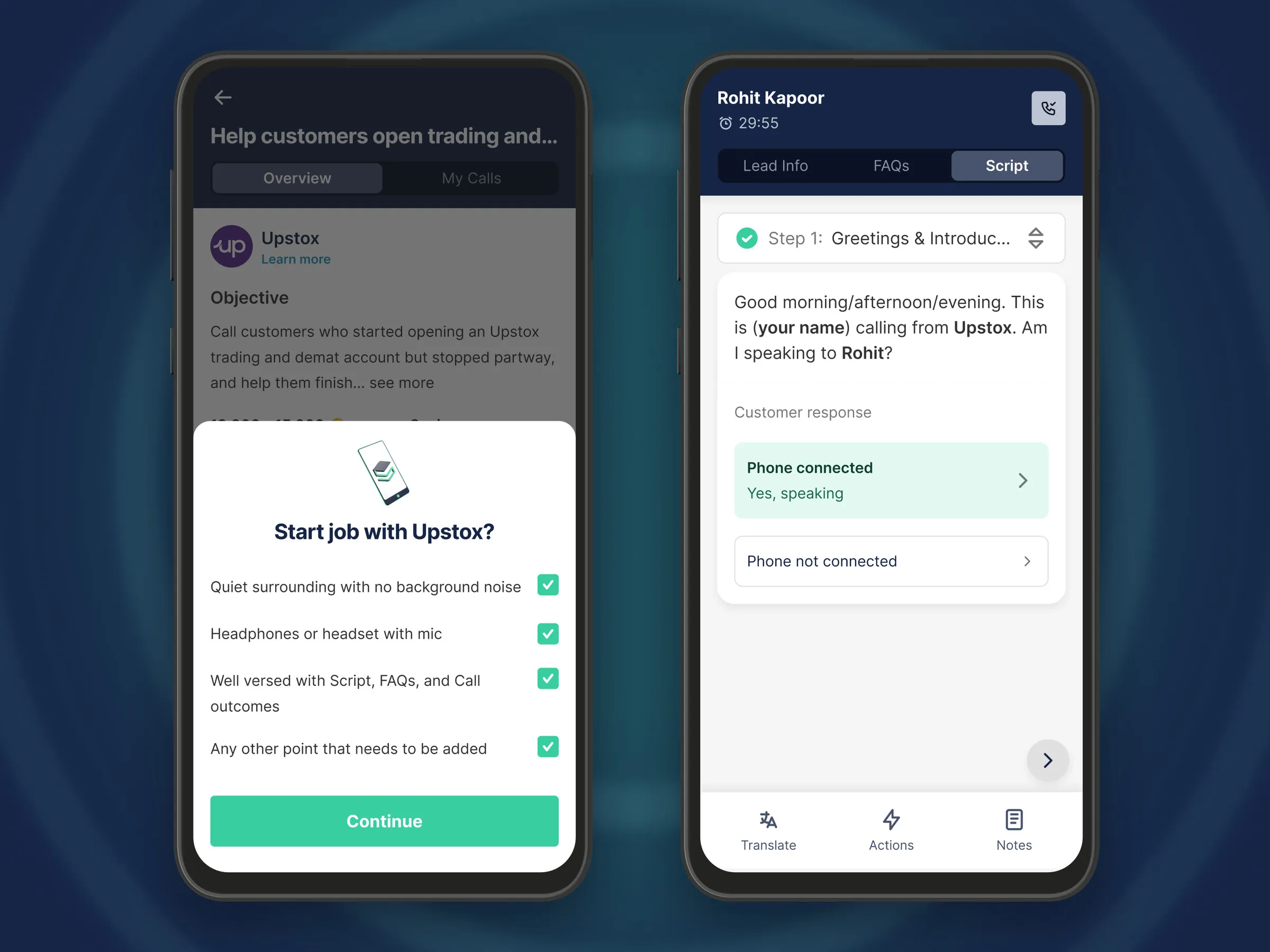
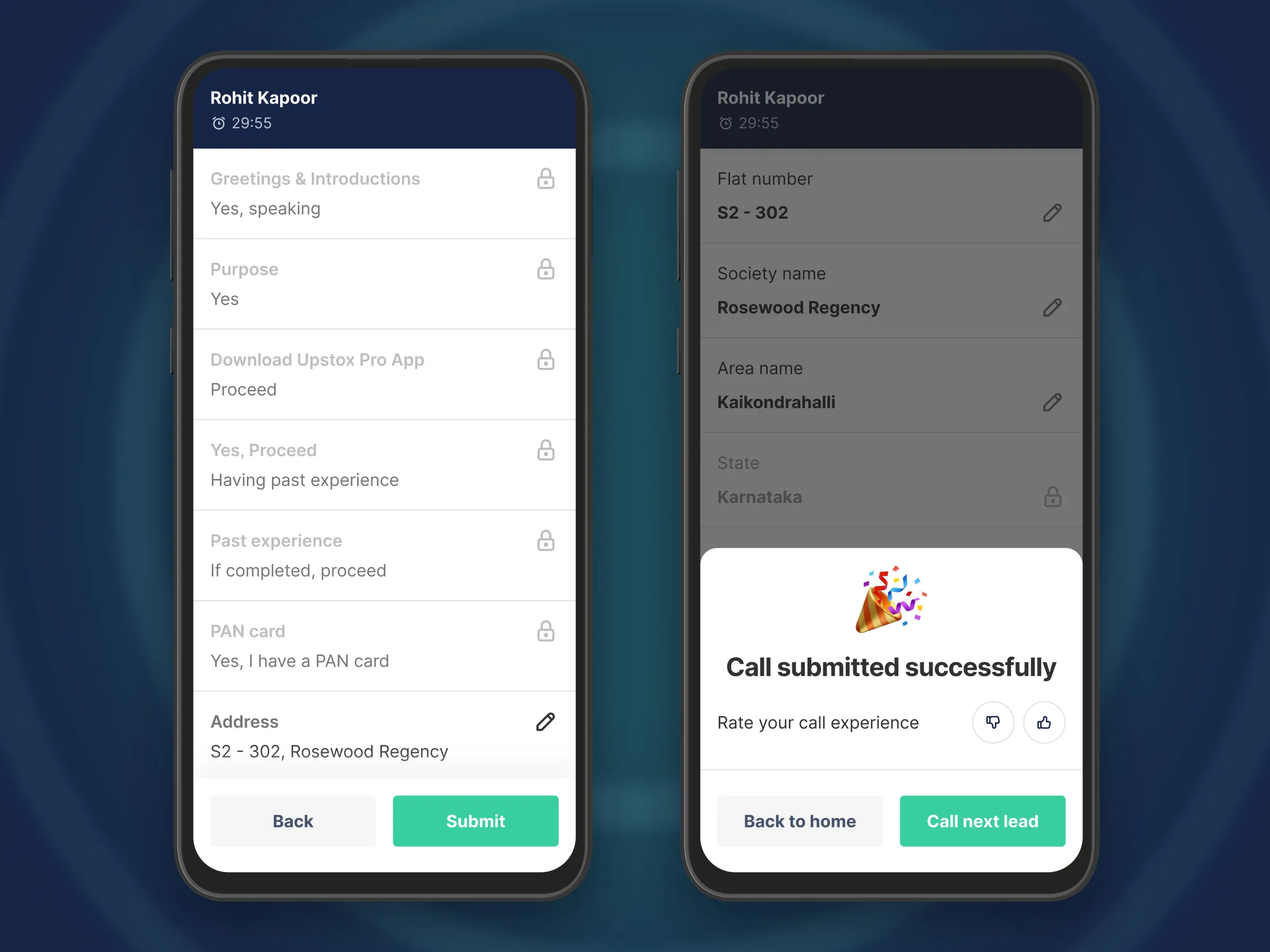
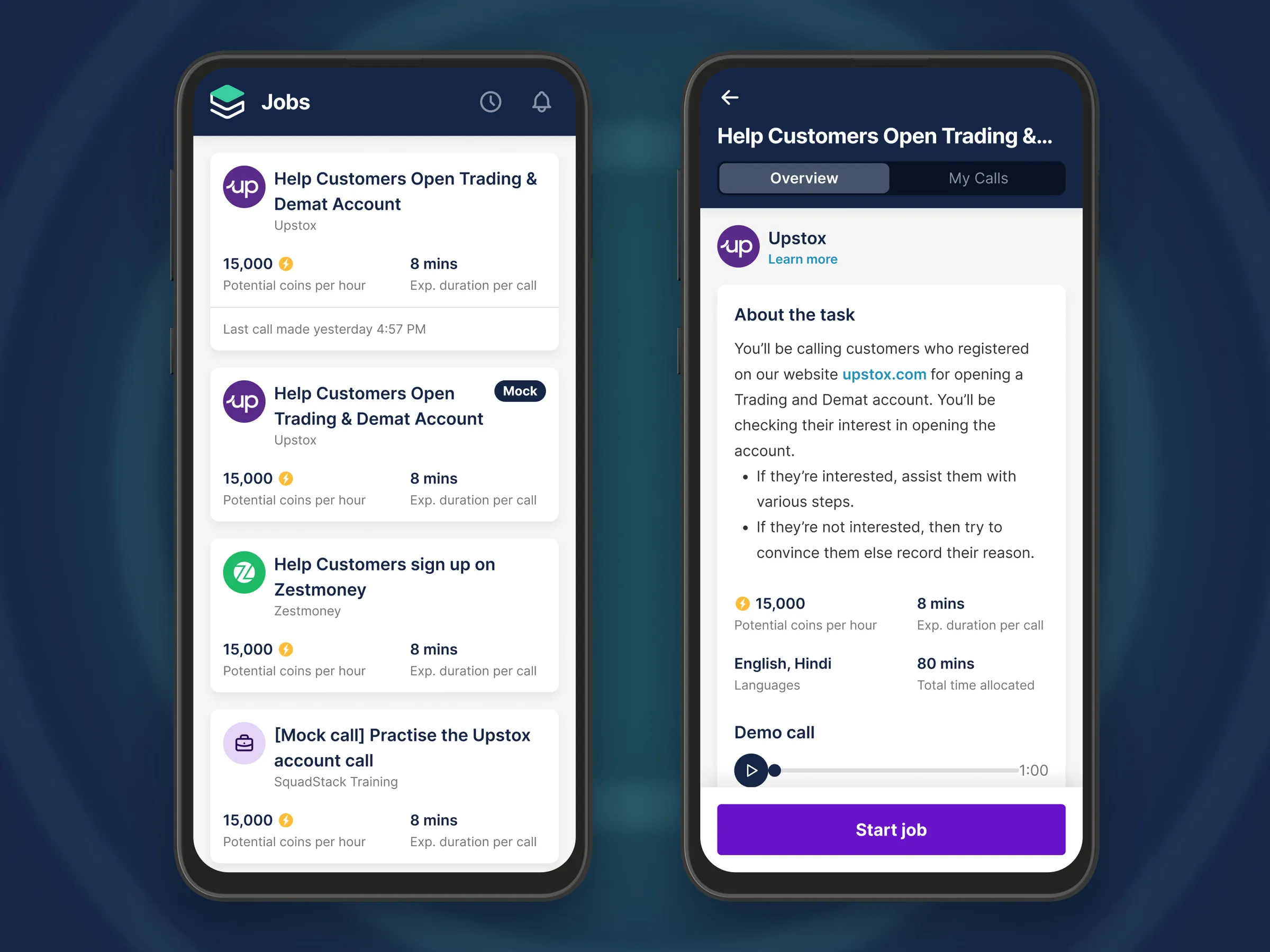
The business could not scale past two numbers, call quality and calls per day, so we rebuilt the loop around both, starting from listings that show what each pays and how long a call takes. On the call the caller sees any earlier context on the lead, can reach resources or reschedule, follows the script a step at a time with the likely answers one tap away, and reviews and edits the answers before submitting.
From choosing work to the next lead
  • Two phones on a navy field: the Jobs list with coins per hour and expected call length for each job, beside a job overview with the task, languages, time allocated and a demo call

    Finding work

  • Two phones on a navy field: the Start job with Upstox checklist, beside a live call for Rohit Kapoor with the first step of the script and Phone connected chosen

    On the call

  • Two phones on a navy field: the call review listing each recorded answer with Back and Submit, beside Call submitted successfully with a rating and Call next lead

    Closing the call

Earnings

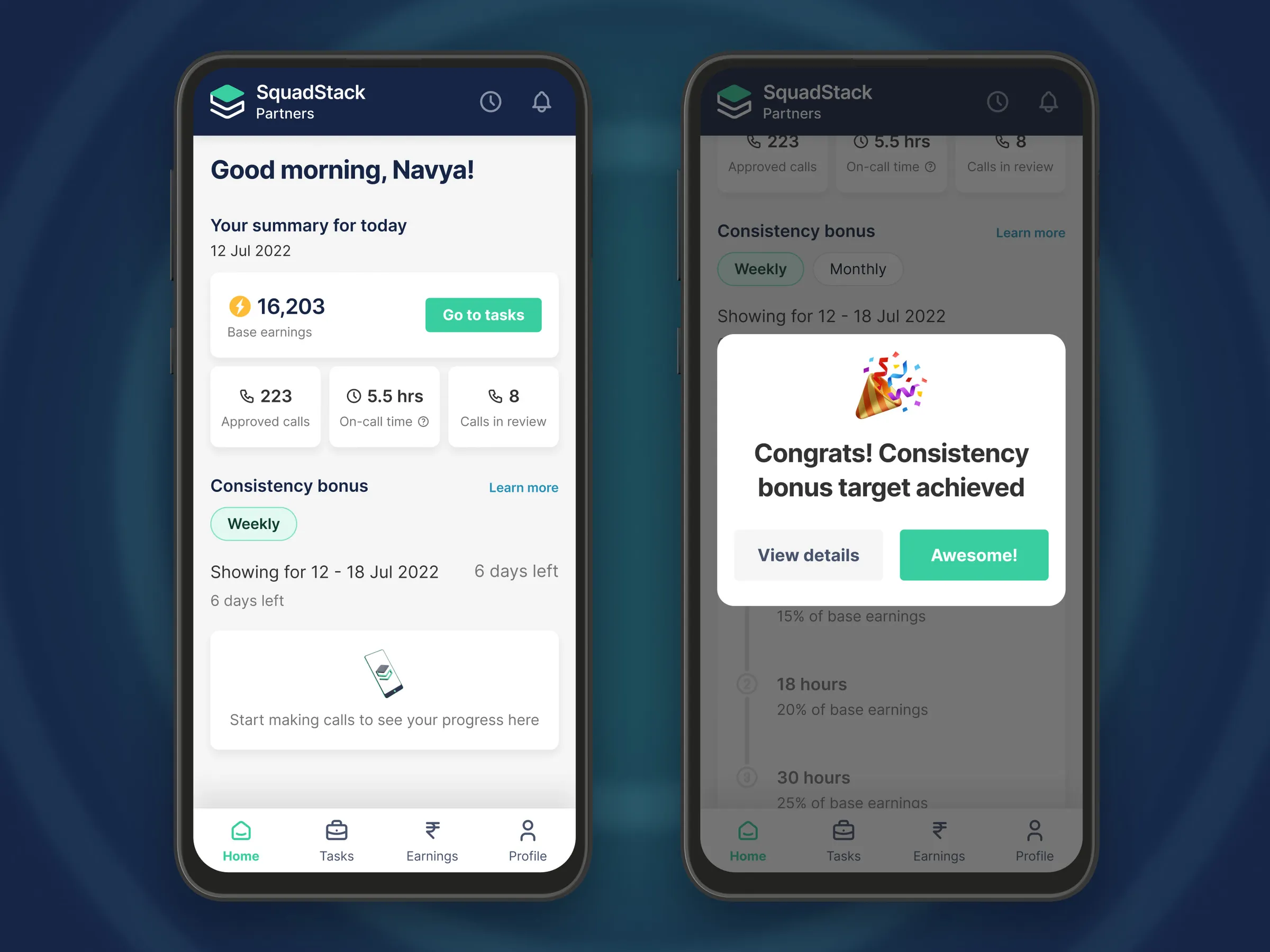
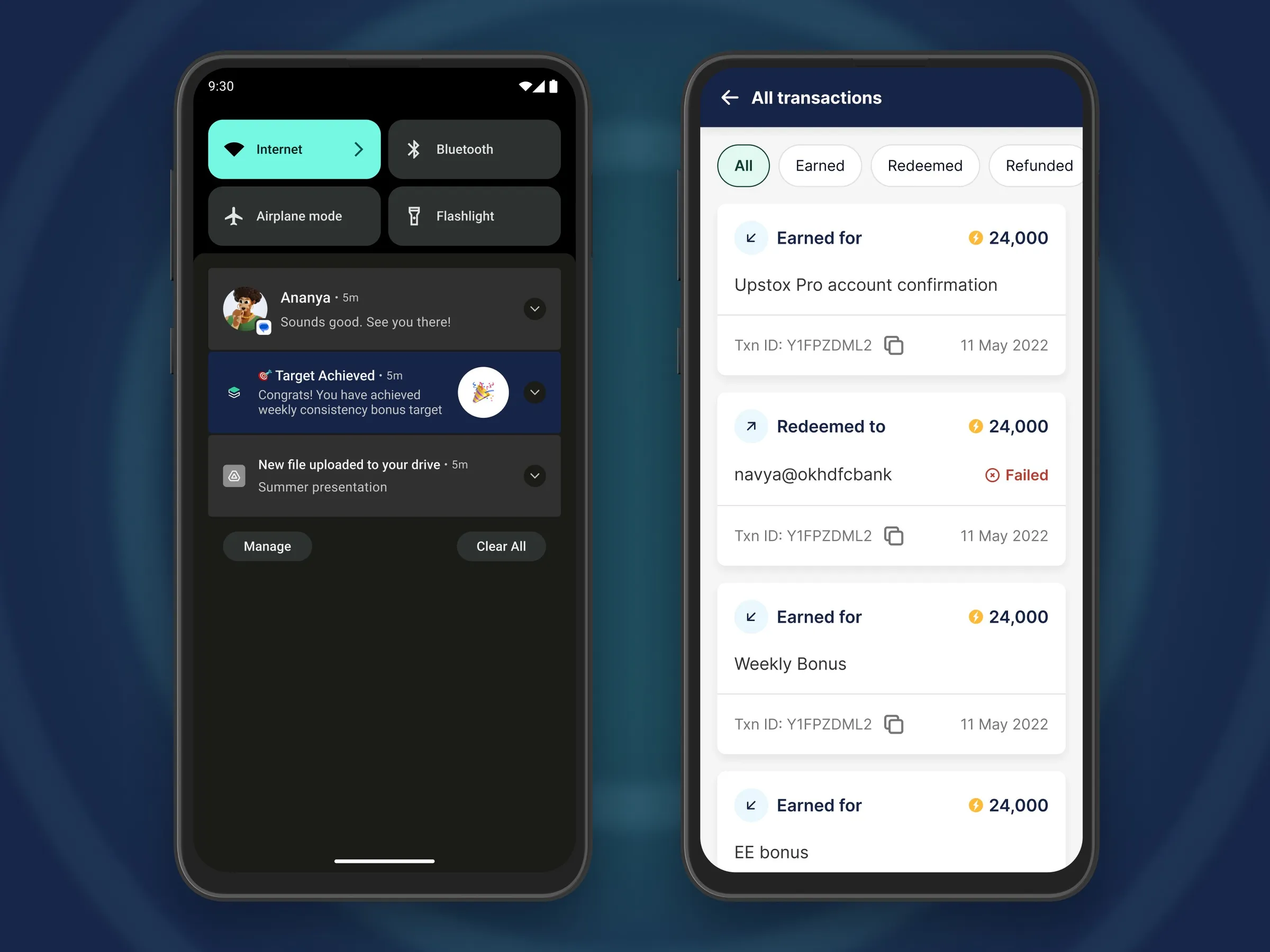
The day's coins, approved calls and time on calls add up on the home screen, and the weekly consistency bonus is marked when it lands. A withdrawal lists every deduction before the money moves.
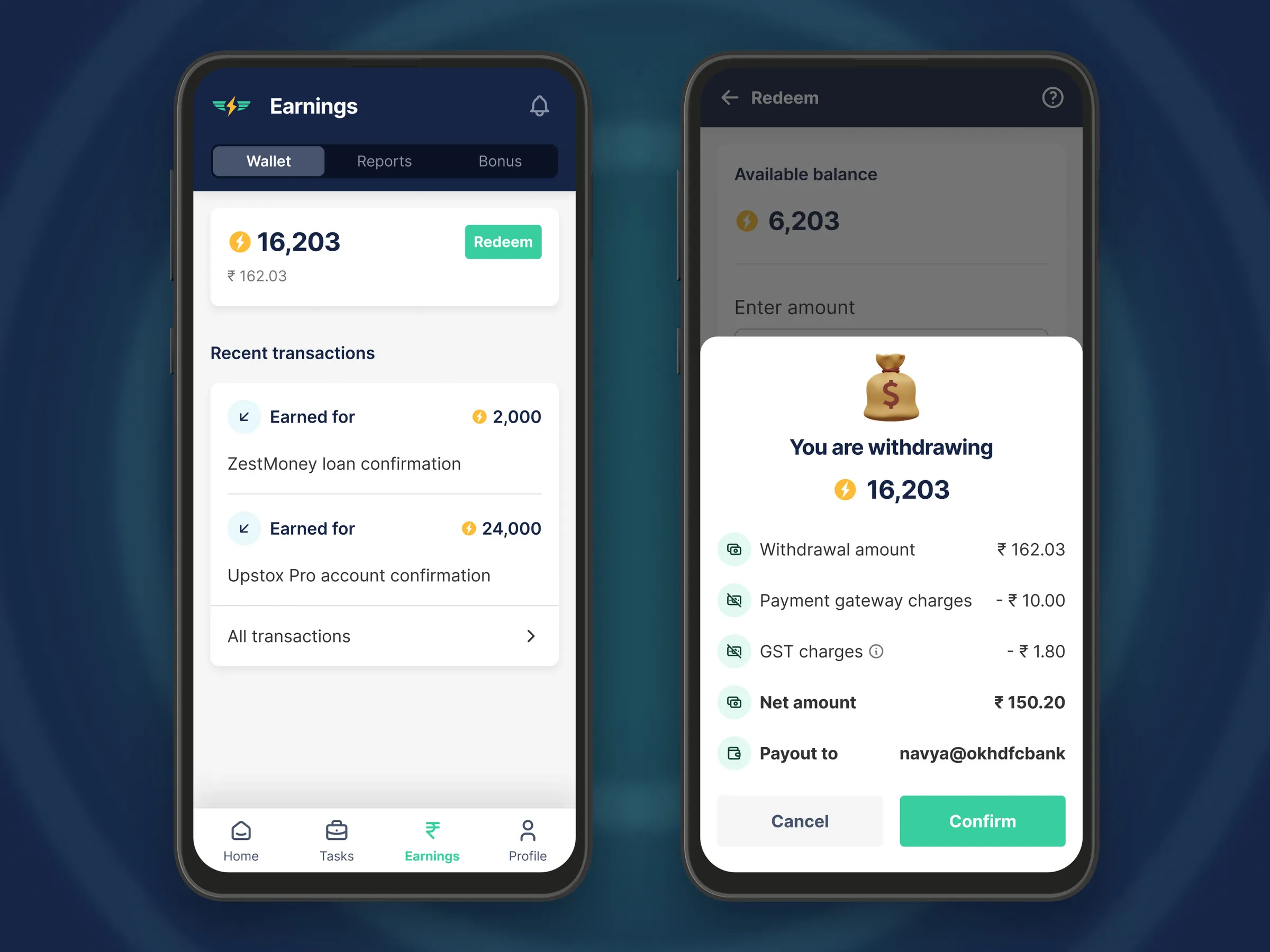
The day's coins adding up, then a withdrawal
  • Two phones on a navy field: the Earnings wallet with the coin balance and recent transactions, beside a withdrawal that itemises gateway charges and GST before the net amount and the UPI account it pays to

    Withdrawing

  • Two phones on a navy field: the home screen with the day's earnings, approved calls, time on calls and calls in review, beside a Congrats, consistency bonus target achieved message

    Bonuses

  • Two phones on a navy field: a Target Achieved notification in the Android shade, beside All transactions with earned, redeemed and failed entries and their transaction IDs

    Records

Screening on the web

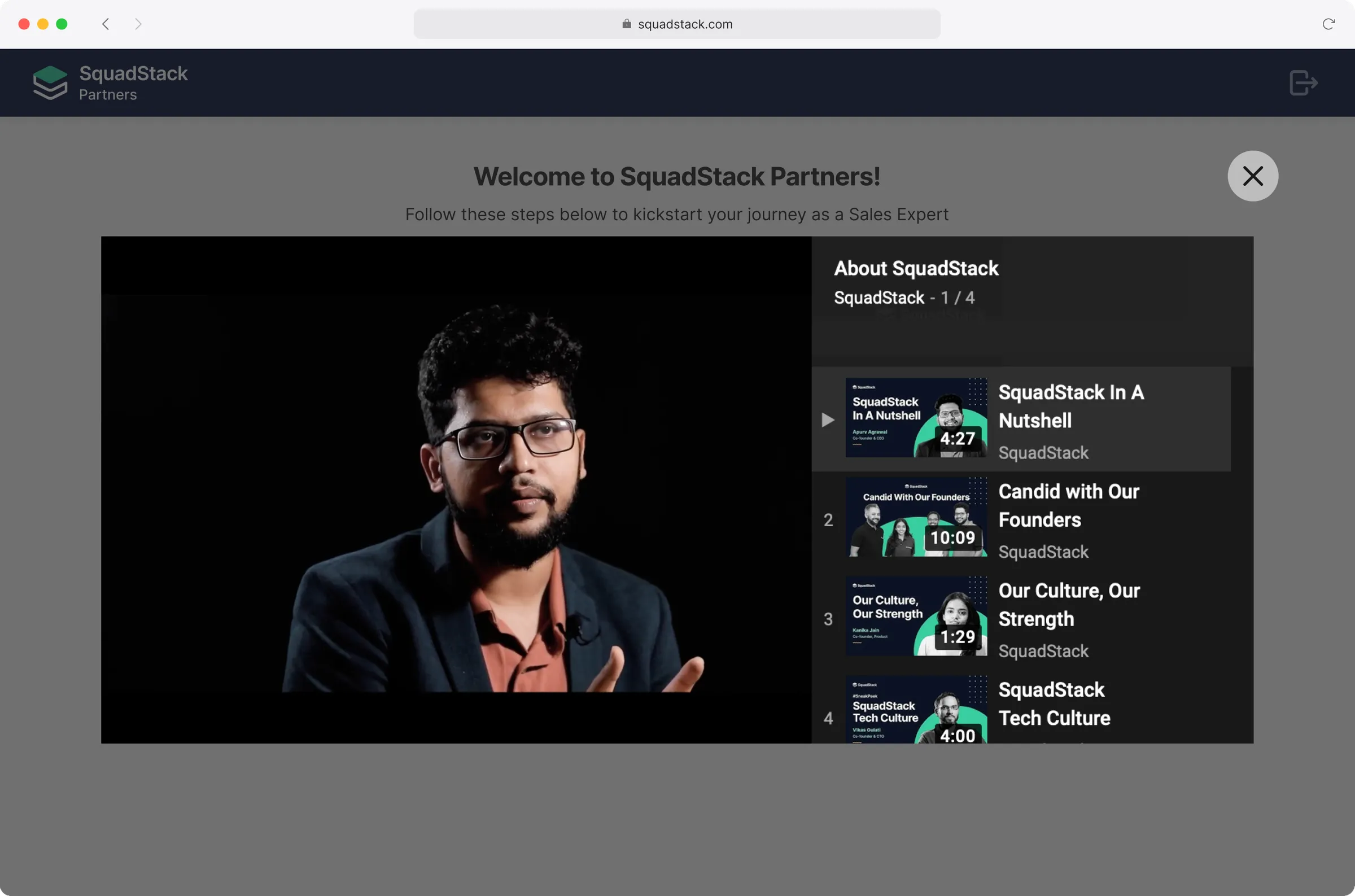
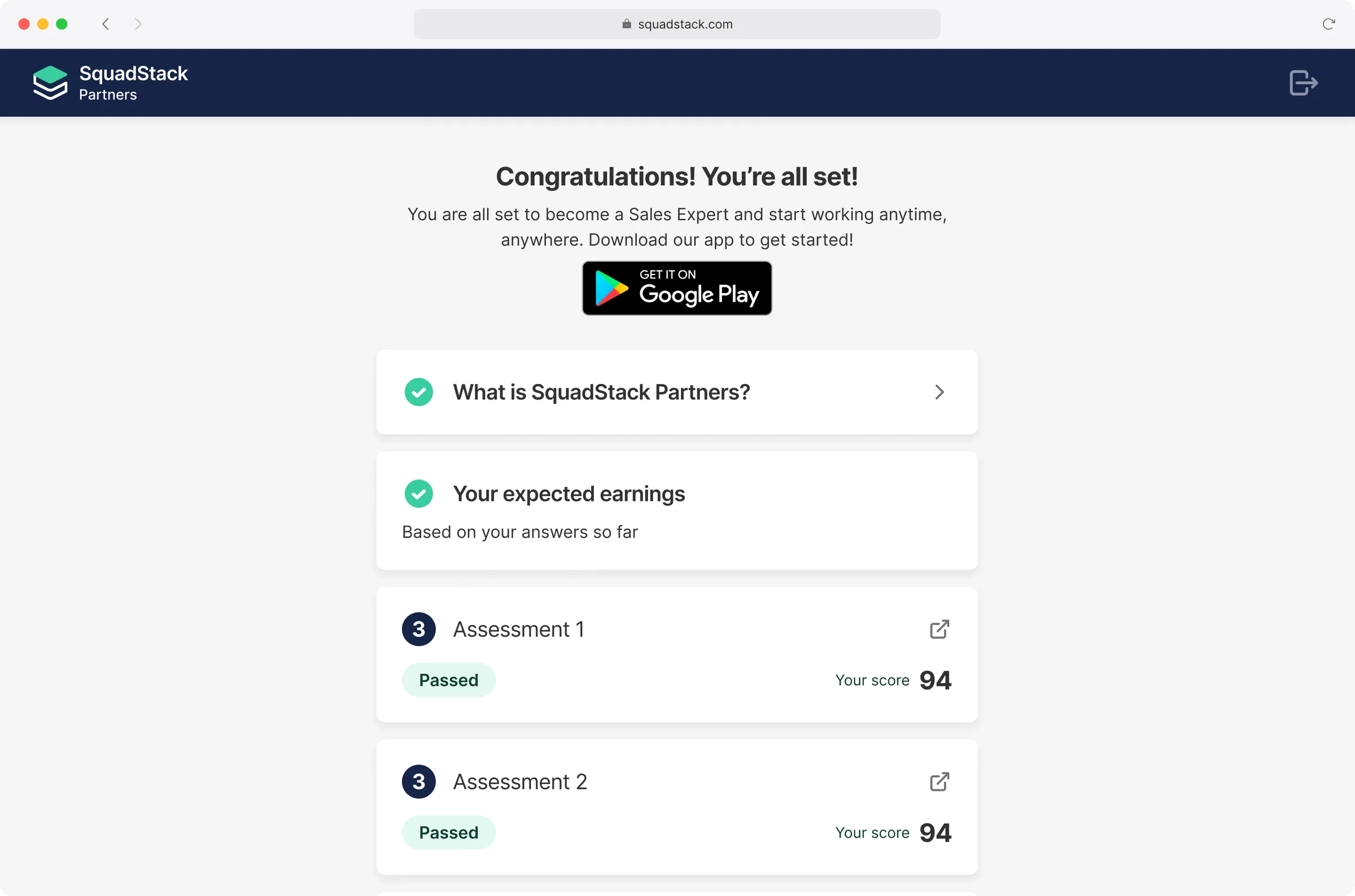
Operations used to screen every caller manually. We moved the steps before the final review online, so a new caller works through them in order, from short films on the company to two assessments, and a person only does the final review.
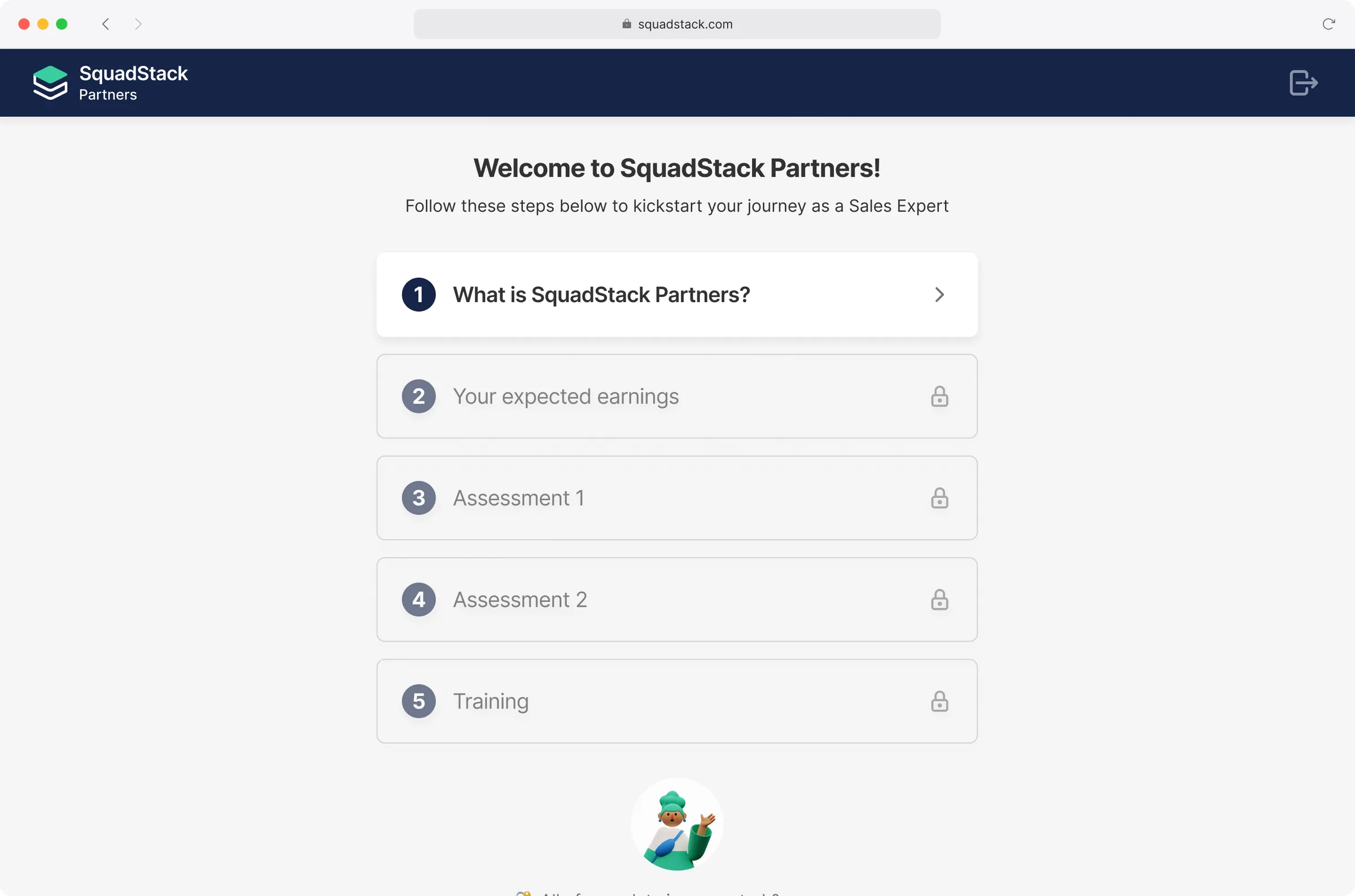
Screening from the first film to the app download
  • The SquadStack Partners web app in a browser at squadstack.com, welcoming a new caller with five steps in order: what SquadStack Partners is, expected earnings, two assessments and training, each unlocking after the last

    Screening checklist

  • The web app in a browser with the About SquadStack video playing over the checklist, beside a playlist of four short films

    What is SquadStack Partners

  • The same checklist complete in the browser: both assessments passed with scores of 94 and a Get it on Google Play badge to download the app

    Screened

70,0001
calls on the new app in its first week
1.5×1
calls a day per caller, against the old app
2×1
quality conversion
461
NPS at beta
squadstack.com →
  1. The count of sales experts, and the launch and post-launch metrics, as recorded in the project deck and my original case study, 2022.
Next projectQatalogA hub to organise workplace chaos